
How do I enter a new Payment inside a Member’s Profile?
Updated Jun 20, 2025·1 min read
A new payment can be entered either by clicking on the Dollar icon or when you expand the payment details on an Enrollment you will find a “+ Add Payment” button.
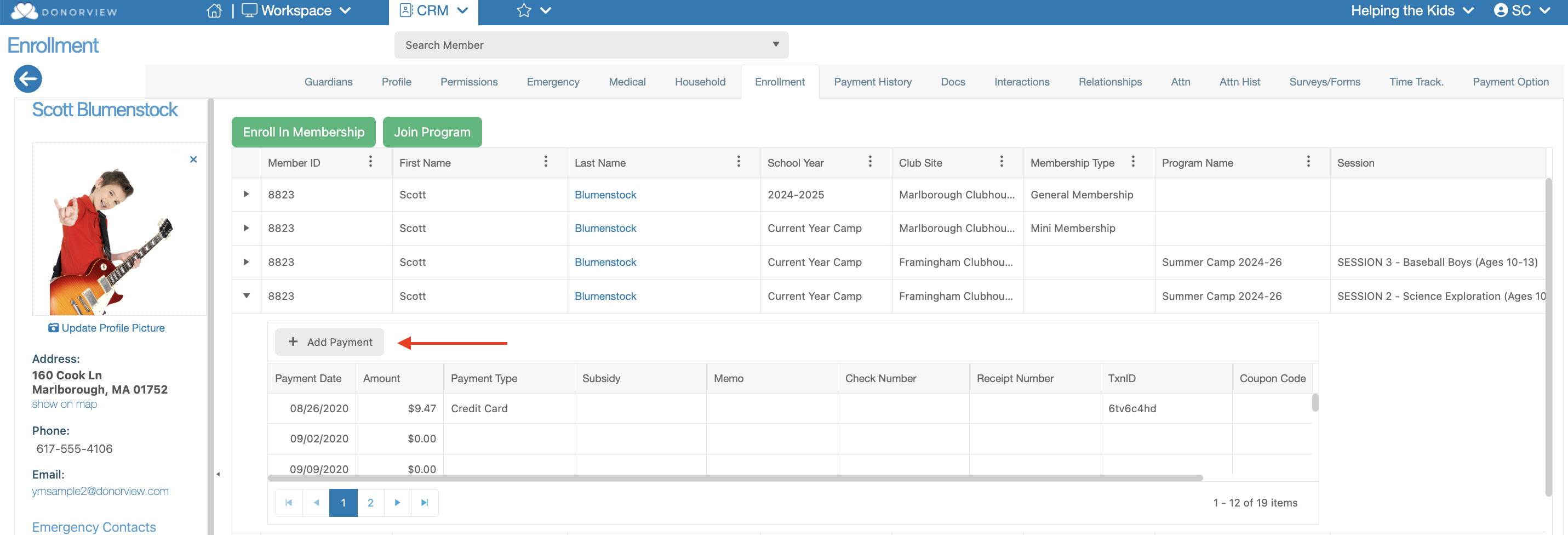
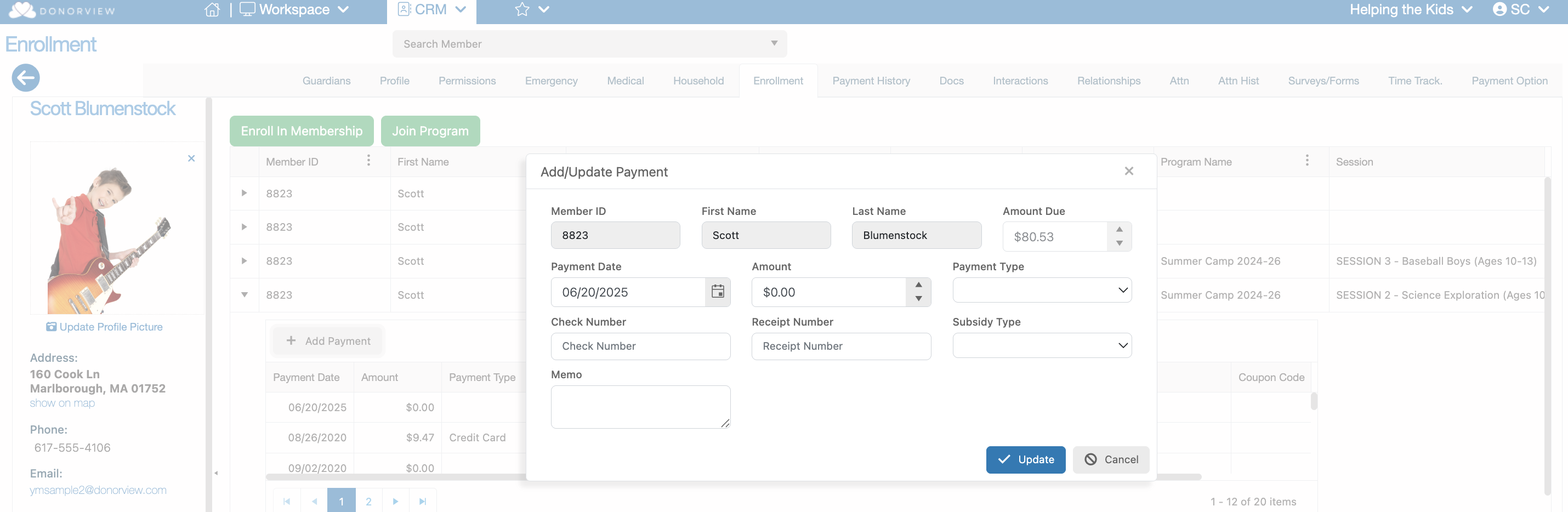
This button will launch a dialog window that will allow you to enter the following:
- Payment Date
- Amount
- Payment Type
- Check Number
- Receipt Number
- Subsidy
- Memo
Was this article helpful?