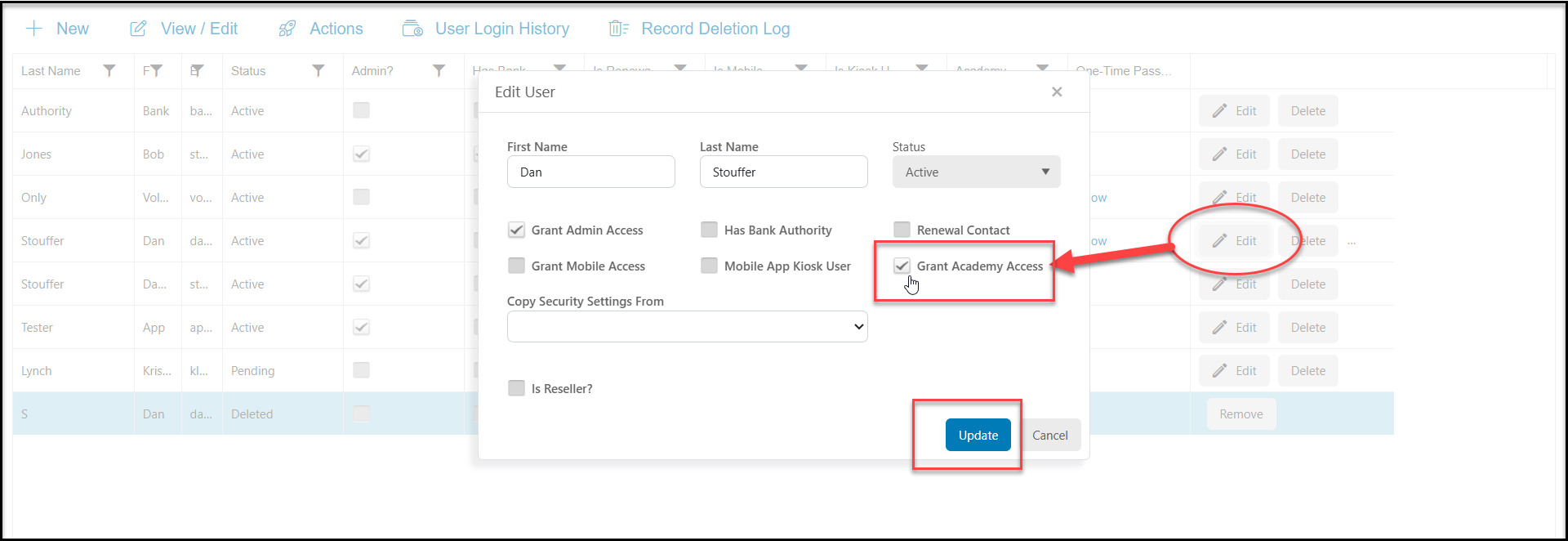
Yes, a user with Admin level user rights can update individual users access to the Support Academy from the DonorView Users grid.
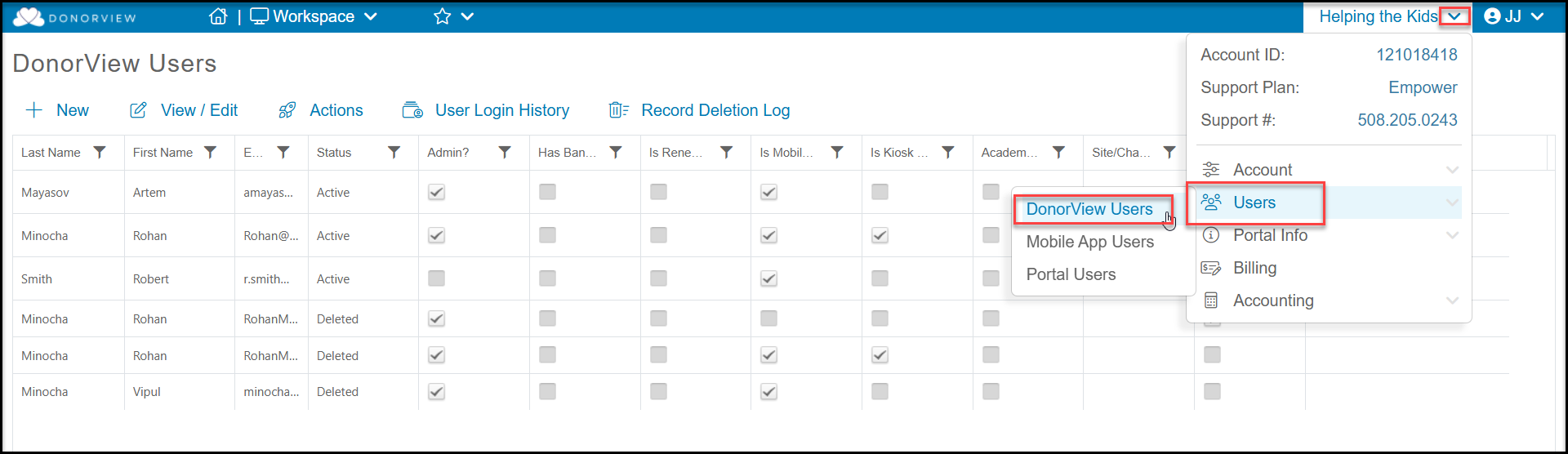
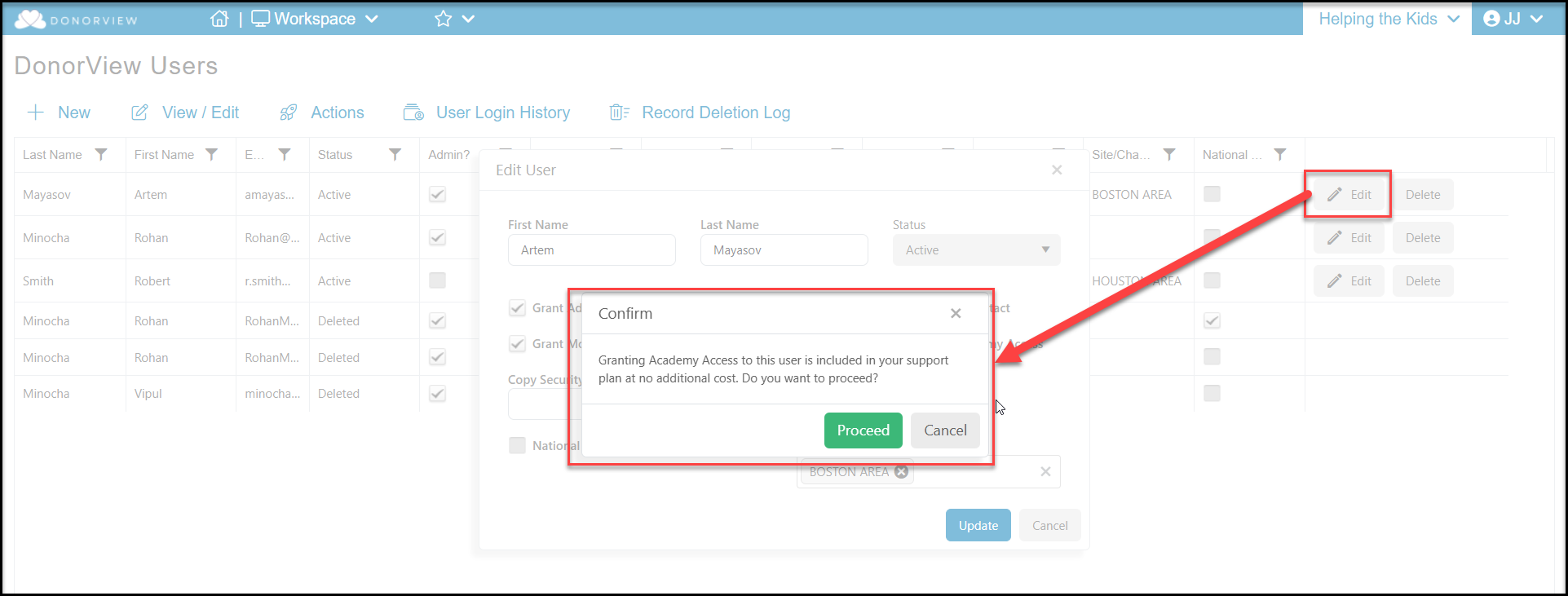
Locate the particular user you would like to update and click the Edit button. If you are adding them to the Support Academy, you will see a pop-up window confirming if there is a charge for activating the license. There would be no charge if your organization has not used all the licenses included with your support plan. Click Proceed to authorize the access for that user.
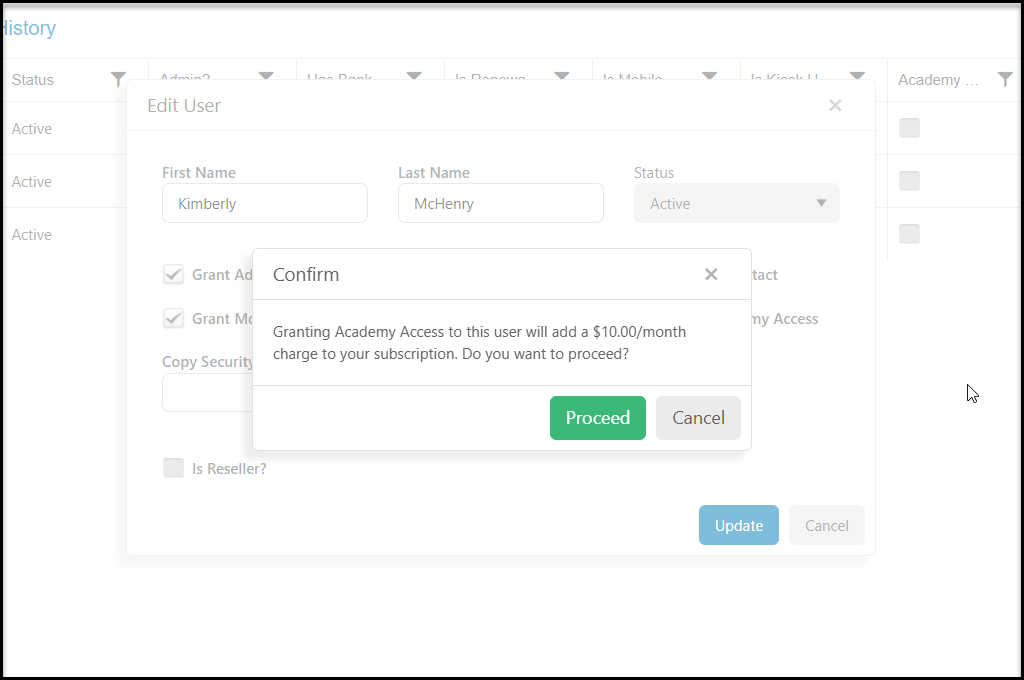
If your support plan does not include licenses or the all of the licenses have already been allocated to other users, you will see a window to confirm the additional monthly cost. Click Proceed to authorize the access.
Admin level users can also deactivate Support Academy licenses, by clicking on the edit button on the row of the user and unchecking the Grant Academy Access box. The user will continue to have access until the last day of the month. If there was a cost associated with this license, it will discontinue at the end of the month.