DonorViewHelp center
Ask AIAll articlesContactContact supportSign inSign up
Browse
  • General Information & Overviews
  • Organization Account Management
  • DonorView User Management
  • Grids, Dashboards & Software Functionality
  • CRM Module
  • Fundraising Module
  • Events Module
  • Peer To Peer Fundraising Module
  • Volunteer Module
  • General Memberships Module
  • Youth Memberships Module
  • Auctions Module
    • Auction Guides & FAQs
    • Auction Pages
    • Online Auctions
    • Auction Add-ons & Paddle Raises
    • Traditional Paper Silent Auction
      • Can the software create paper bid sheets?
      • How do I record traditional paper silent auction bids?
    • Live Auctions
    • Auction Reporting & Checkout
  • Email Marketing Module
  • Surveys/Forms Module
  • Reports Module
  • Constituent Portal
  • Mobile Devices & DV Connect App
  • Quickbooks Integration
  • Training
  • Blog Posts
Help center/Auctions Module/Traditional Paper Silent Auction

Can the software create paper bid sheets?

Updated Nov 4, 2025·1 min read
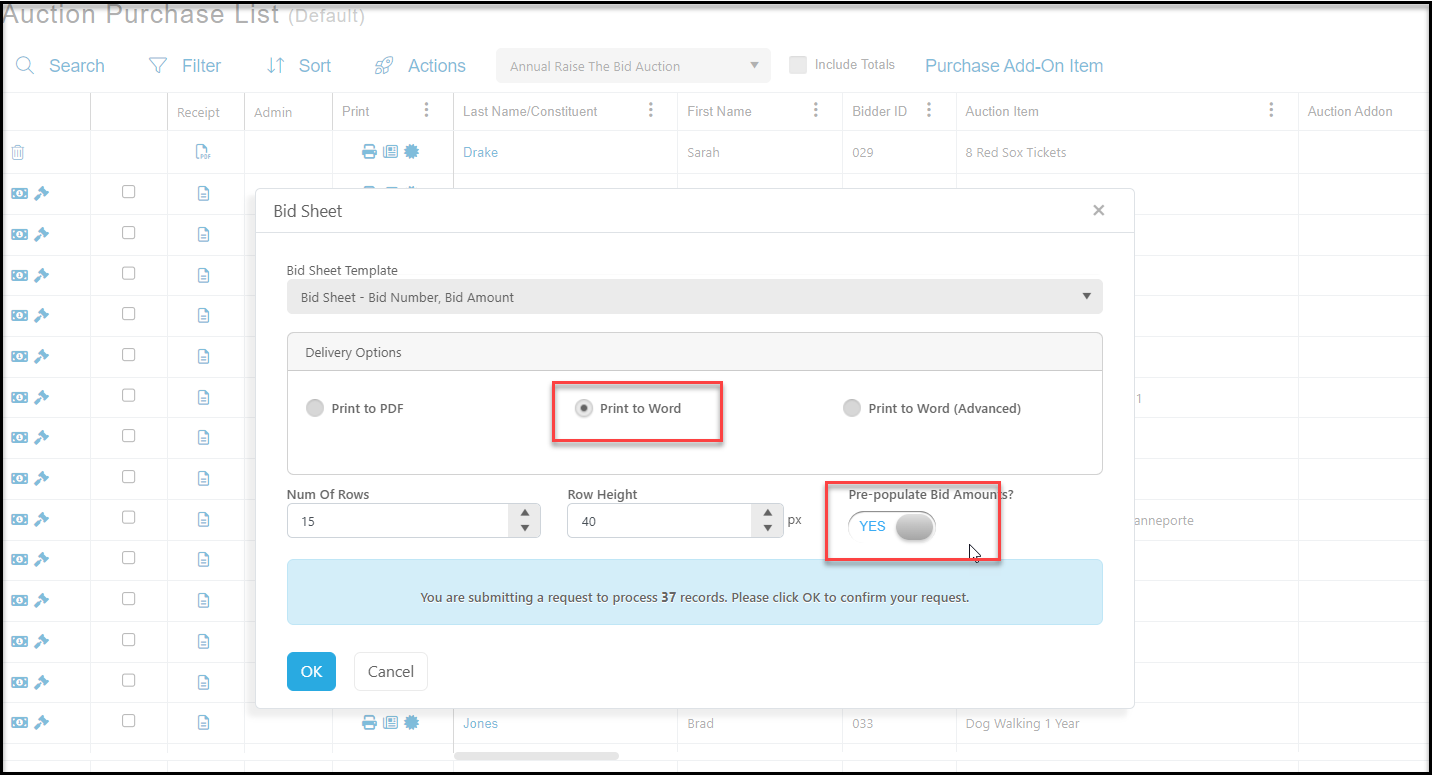
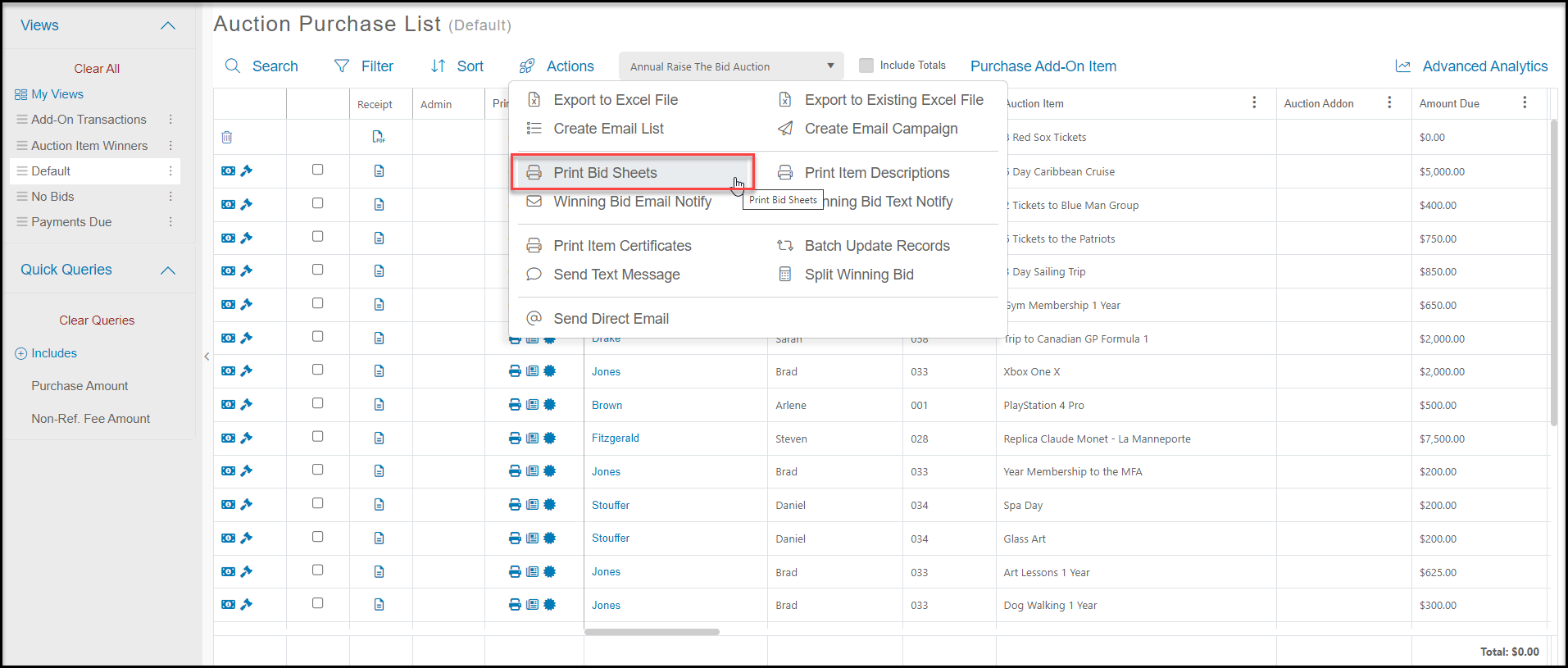
  1. Yes, from Workspace > Auctions > Auctions, in the Auctions grid (Auction Purchase List) you can print individual bid sheets by clicking on the printer icon on the item's row or use the actions menu to print all the bid sheets.

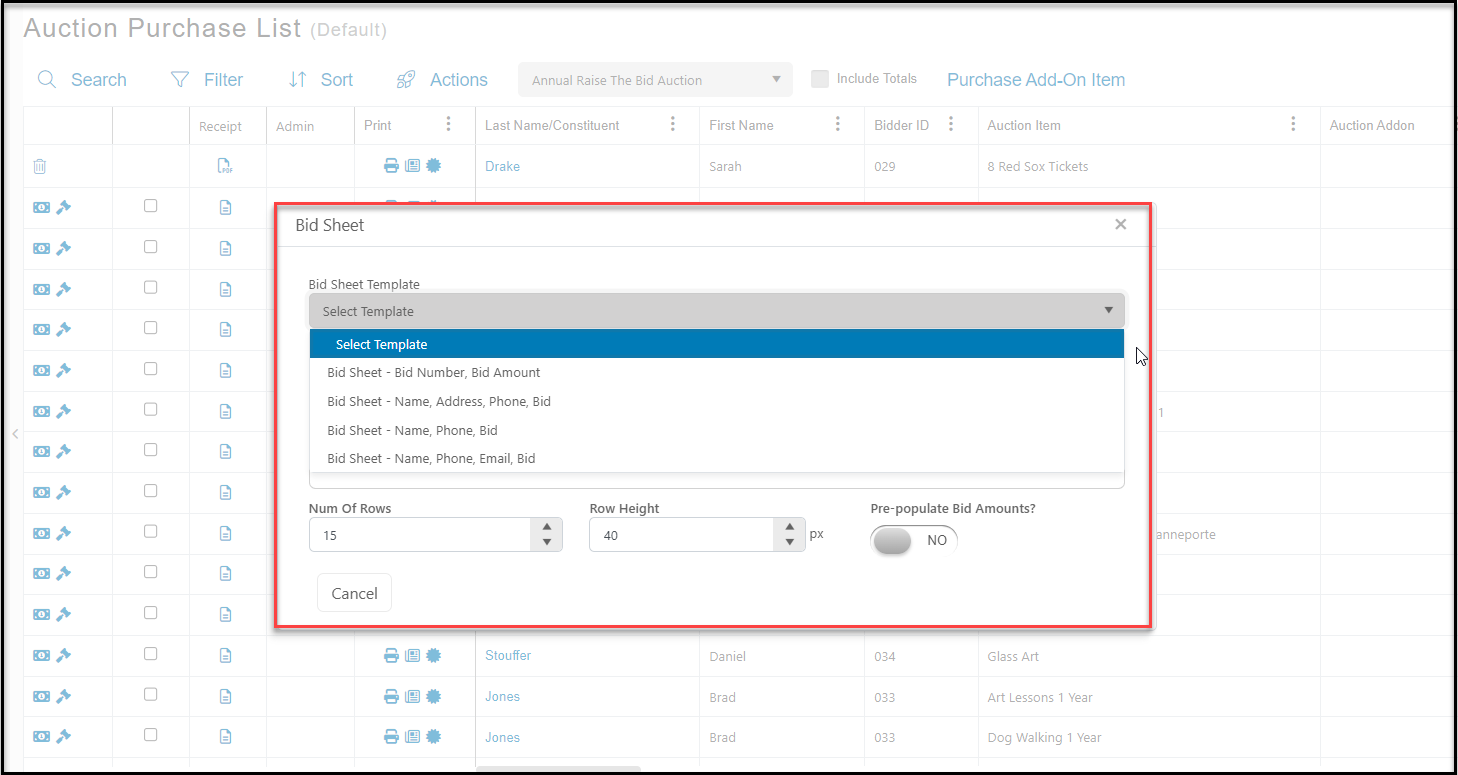
  2. You can also choose the format for the bid sheet, include your pre-assigned bid increments, and if you export it to Word, you can edit the bid sheets as desired.
Was this article helpful?

Linked from

  • Auctions Overview

Related articles

How do I record traditional paper silent auction bids?
NextHow do I record traditional paper silent auction bids?
Linked from
  • Auctions Overview
© ConnectedView LLc
Help centerContact supportPowered by BlueHill