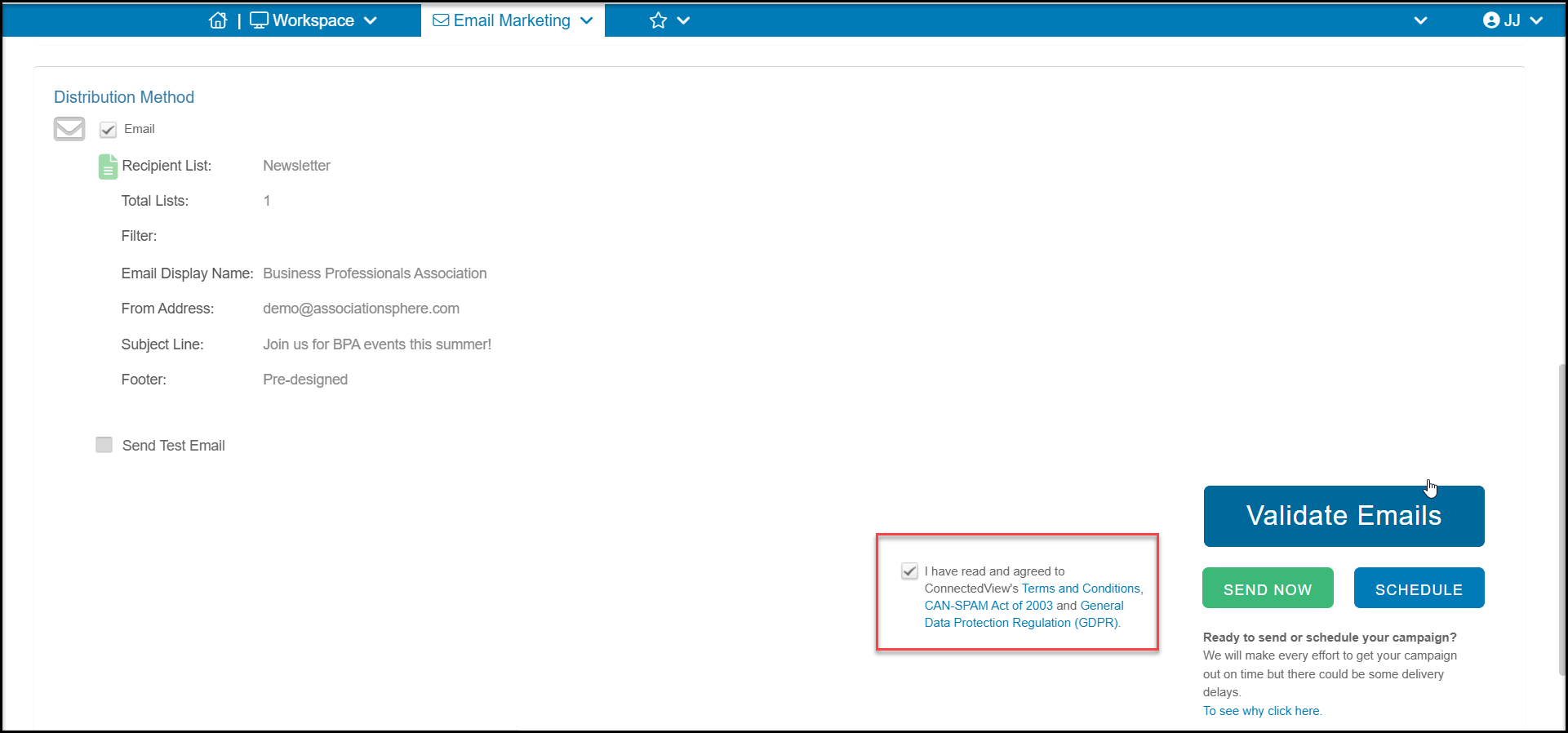
Yes. Once you have completed the steps in the campaign wizard, you can specify when to email the campaign on the Schedule or Send step. Check the box to confirm that you agree to the Terms & Conditions and are complying with the CAN-SPAM Act, then click on the blue Schedule button.
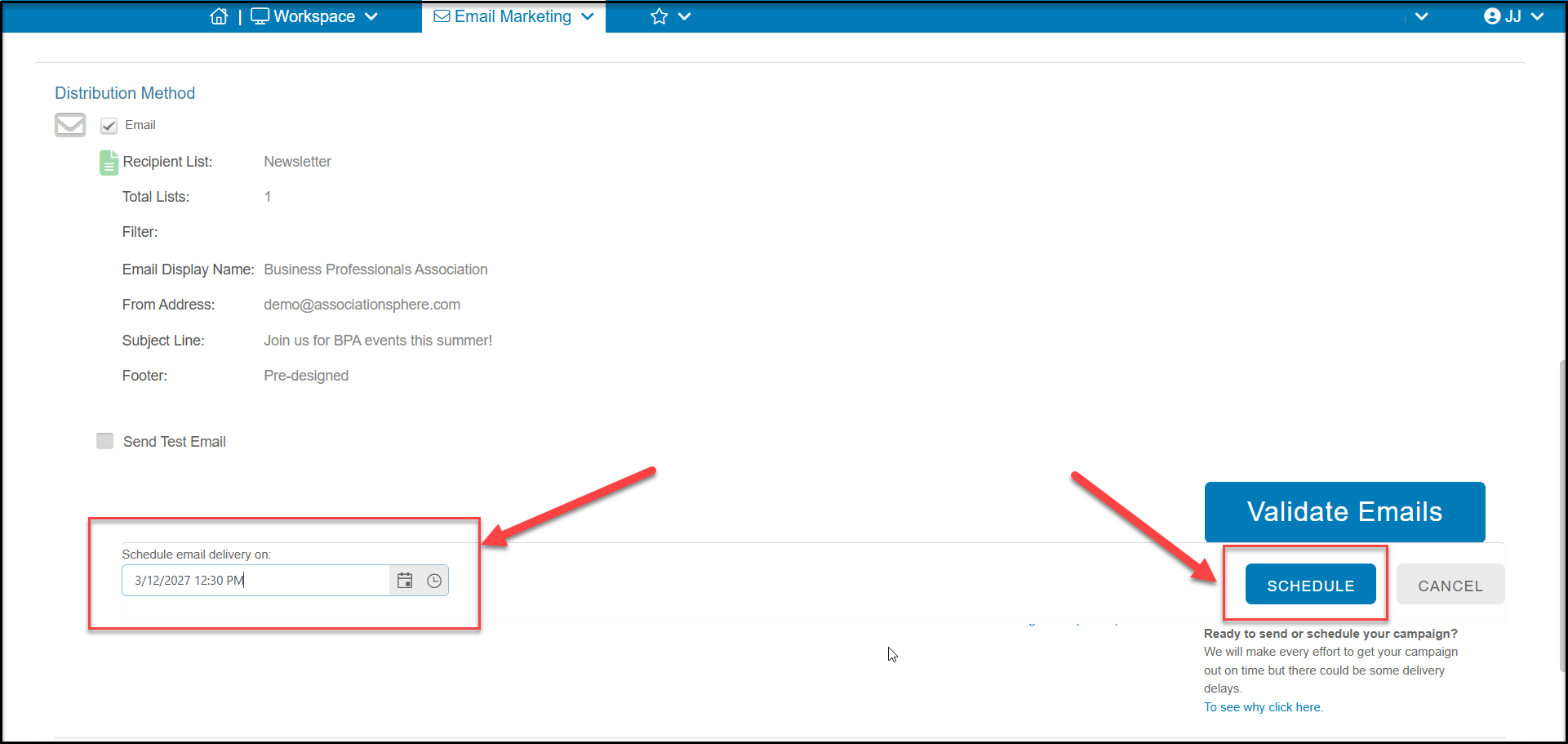
You can then specify the date and time when the campaign should be emailed. Click the Schedule button again to schedule the campaign or click Cancel to return to the previous screen.
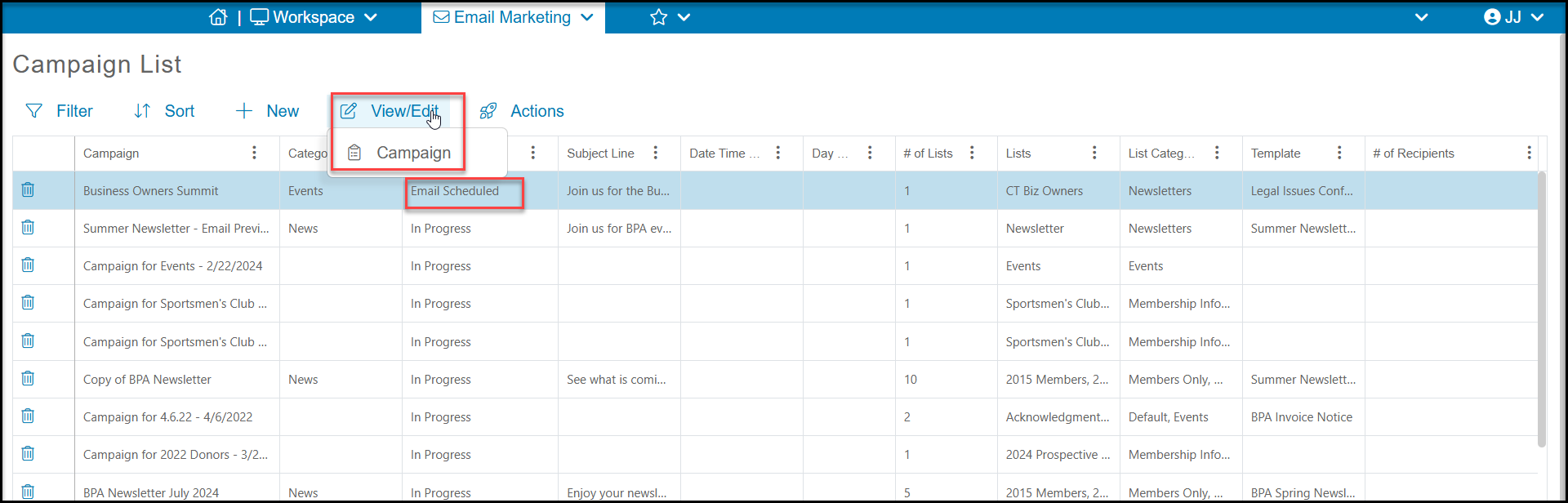
You can select the campaign and use View/Edit > Campaign from the top of the Campaigns List grid if you need cancel the campaign schedule.
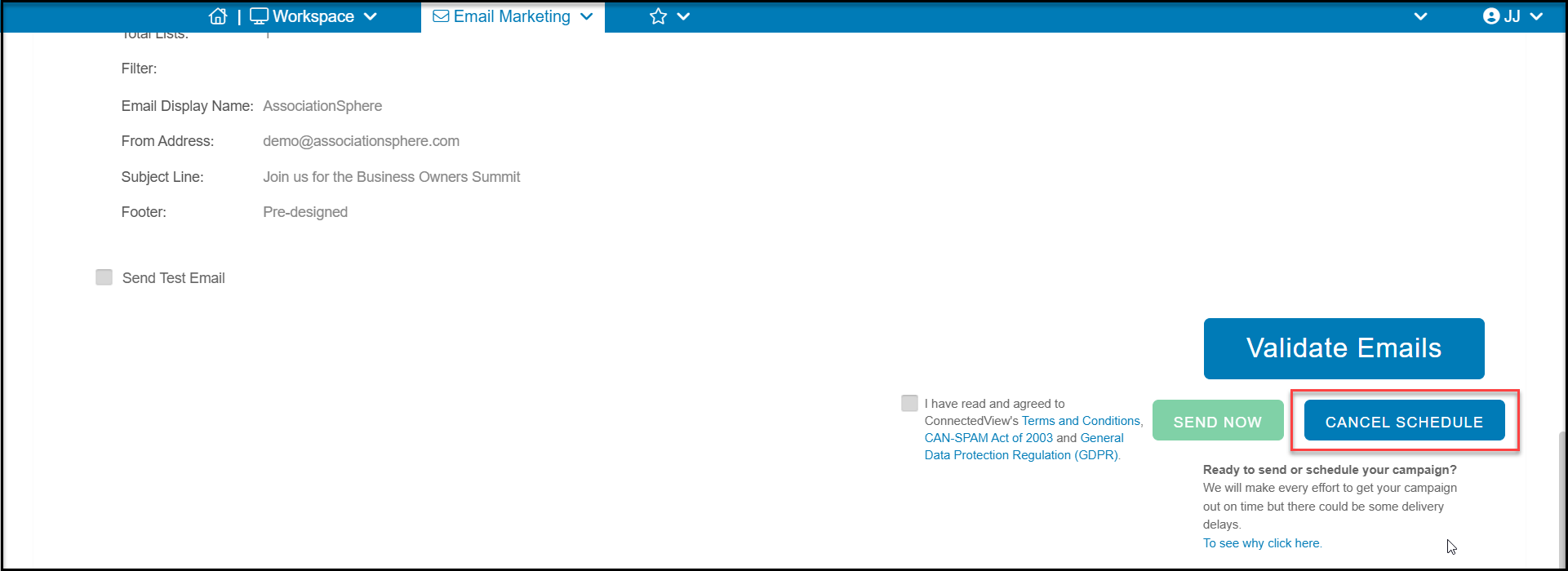
Click Cancel Schedule to cancel the current schedule. Once cancelled, if you wish to reschedule, you can go through the steps again to assign a new date/time.