Can I see which survey recipients unsubscribed or did not receive my email?
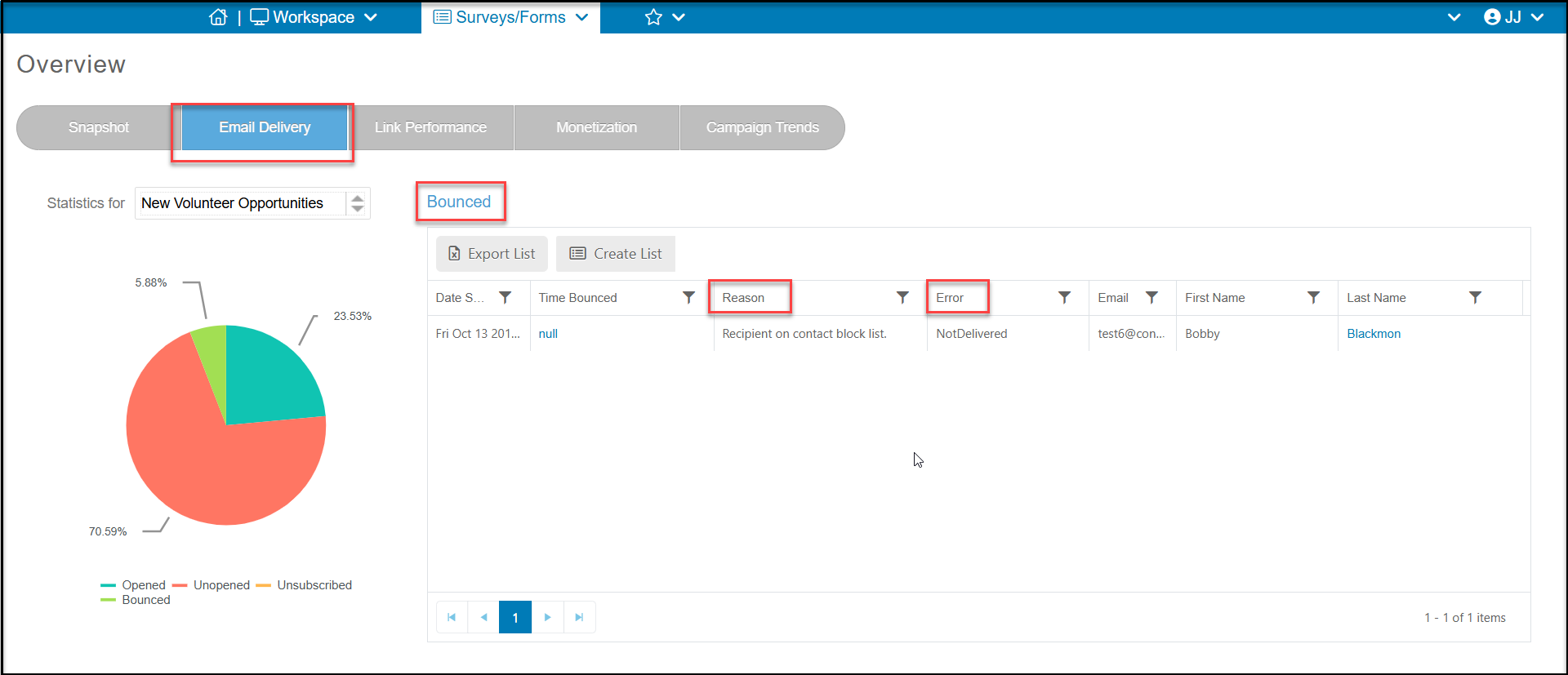
Yes, on the Surveys/Forms Overview page, click on the Email Deliverability tab to see the statistics for the campaign selected in the Statistics For dropdown list. Click on the part of the pie you wish to view and the grid will populate with the constituent details.
If you have any bounced emails, you can click on that section of the pie to show the Reason and Error that occurred resulting in the bounce. If there is an obvious spelling error, such as Tiffany Bailey, below with yahoo incorrectly spelled "yshoo"," you can click on the constituent's Last Name to open their record and make a correction and clear the hard bounce status.
Unsubscribed will indicate that the constituent requested to unsubscribe from all your email marketing. They will no longer receive any bulk email marketing or survey campaigns.