
How do I record the winner for a live auction item?
Updated Apr 1, 2026·1 min read
-
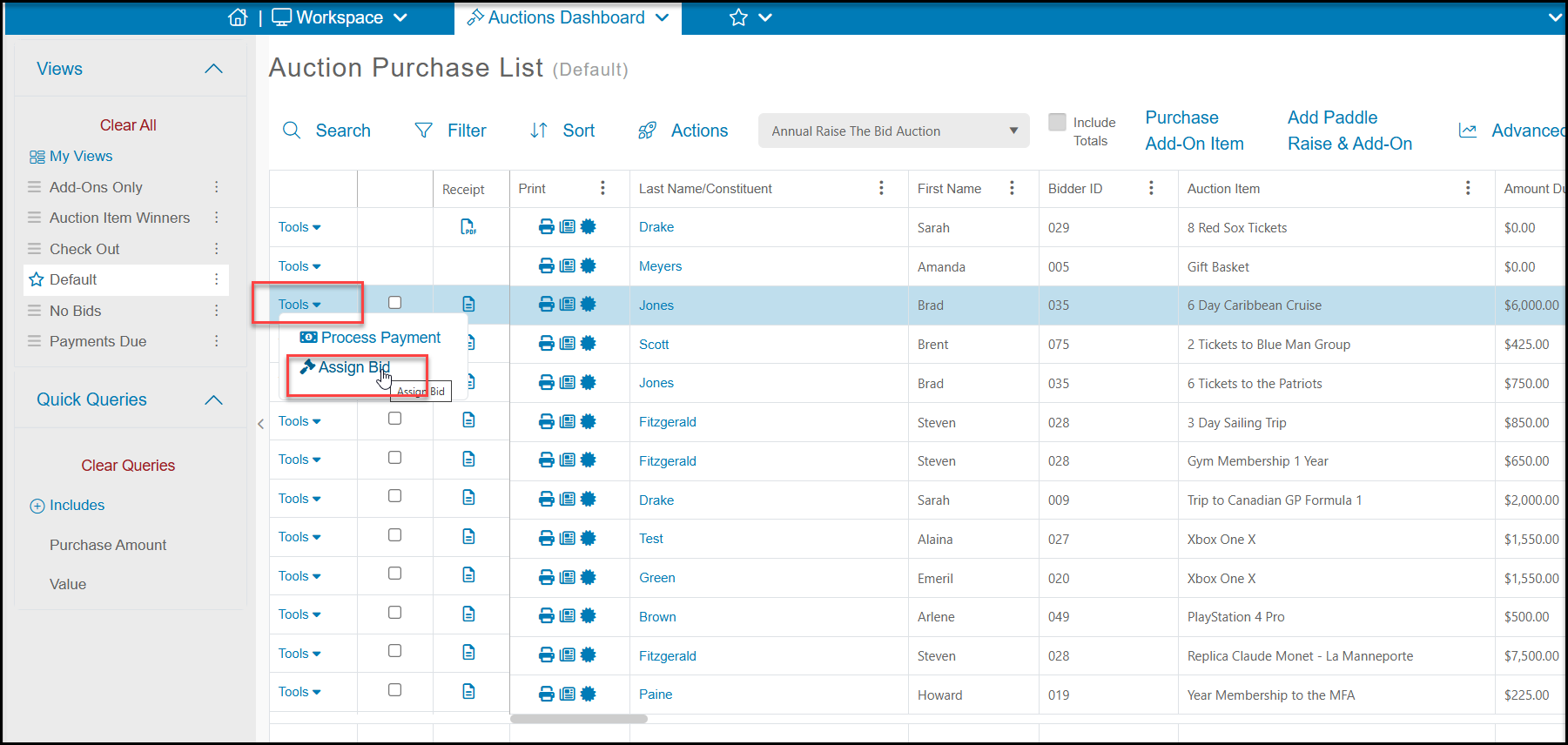
From the Auctions grid, use the gavel icon to assign the winning bidders.
-
Click on the Tools menu on the row of the item you wish to assign the winning bidder and select Assign Bid.
-
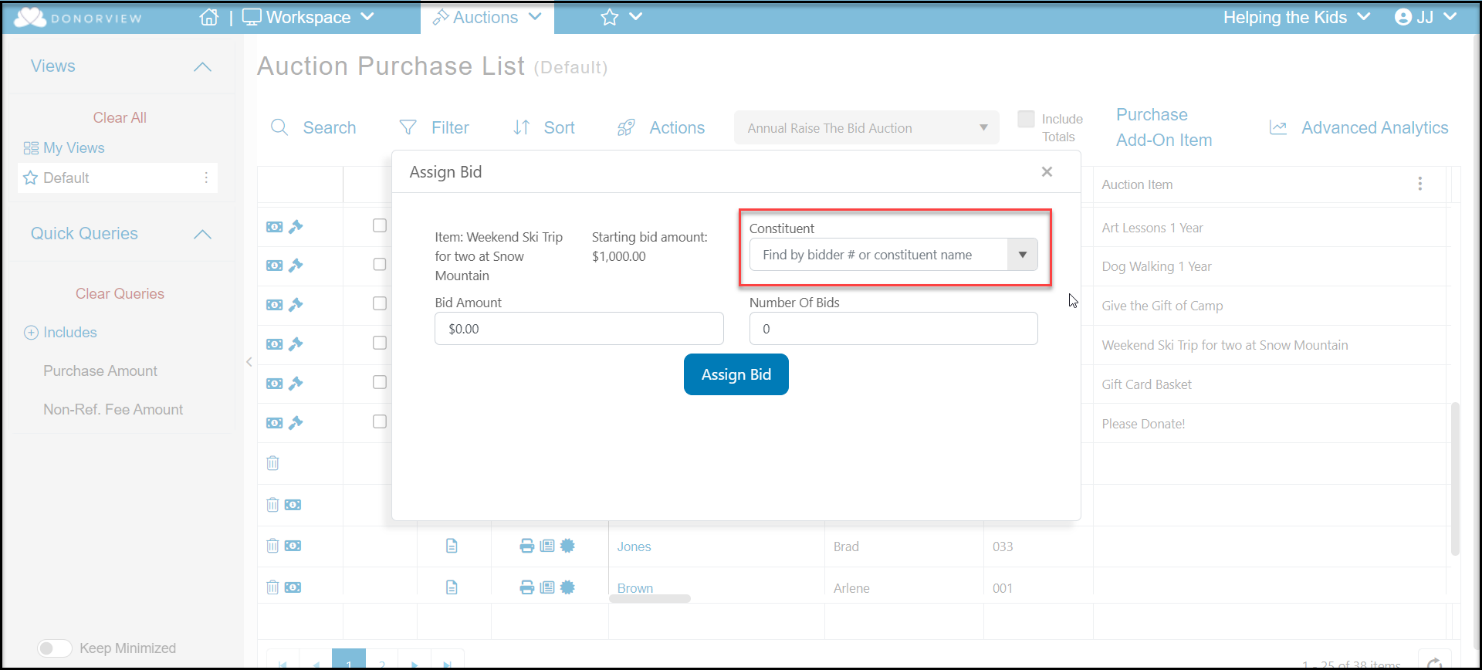
Search by bidder number or attendee last name to identify the bidder.
-
Enter the bid amount.
-
Entering the number of bids is optional.
-
Click the blue Assign Bid button to record the bid.
Was this article helpful?