
How do I record the donation pledged during a paddle raise?
The auction paddle raise feature is as easy way to create and manage paddle raises, fund-a-need, or call-to-heart donation drives at an event. See these article for more information about auction paddle raises.
How do I add a paddle raise level?
How do I assign a paddle raise to a bidder?
You also have the option of using a donation page. Each donation page has a unique URL, Text, and QR code that can be shared with guests to make their donations using their phones.
-
From the mobile app, you can use the Payments feature the swipe credit cards and record donations.
-
You can also write the names down and manually record the donations using a donation page.
-
Log in to the DonorView desktop software.
-
Go to the Fundraising module, then click on the Donations Pages link.
-
This video provides an example of entering a gift via a donation page. Entering a Donation via a Donation Page - https://vimeo.com/846388257/609ad251b6
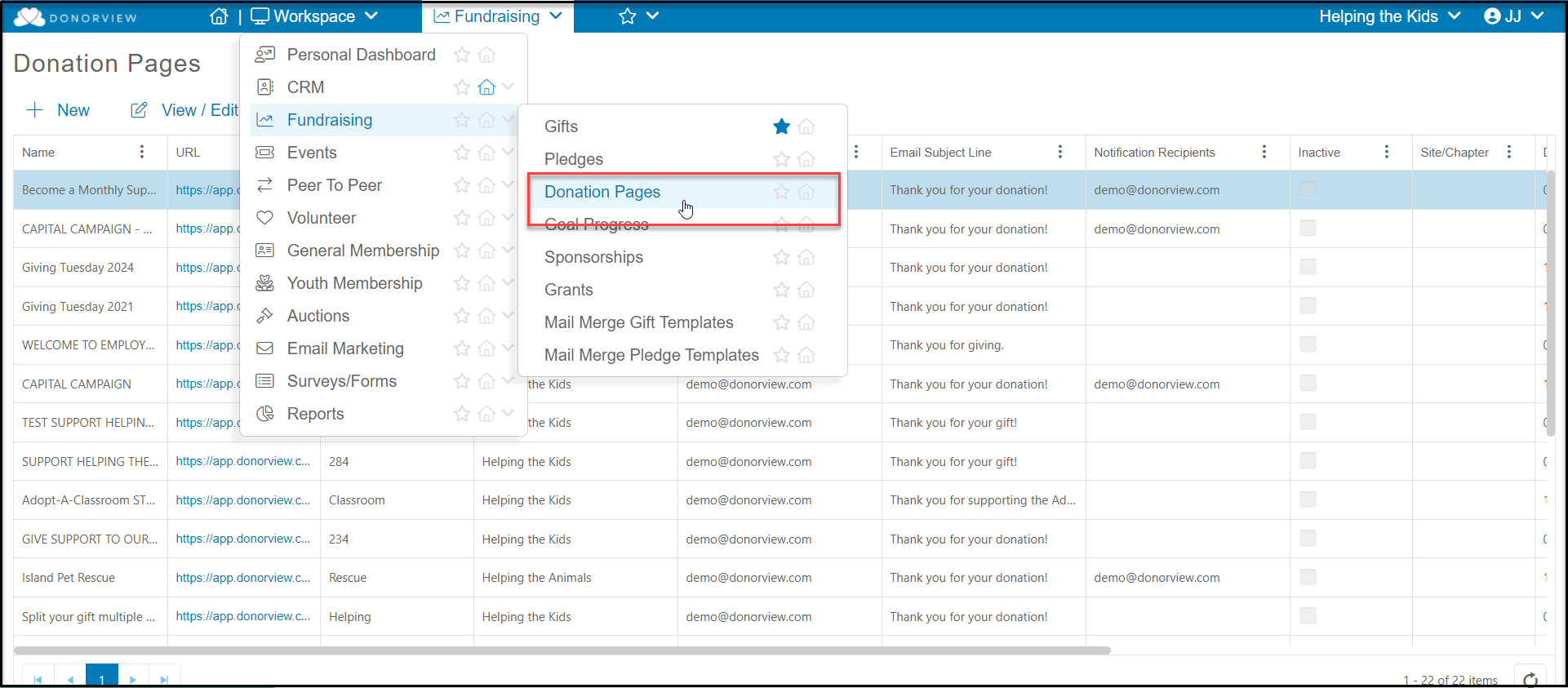
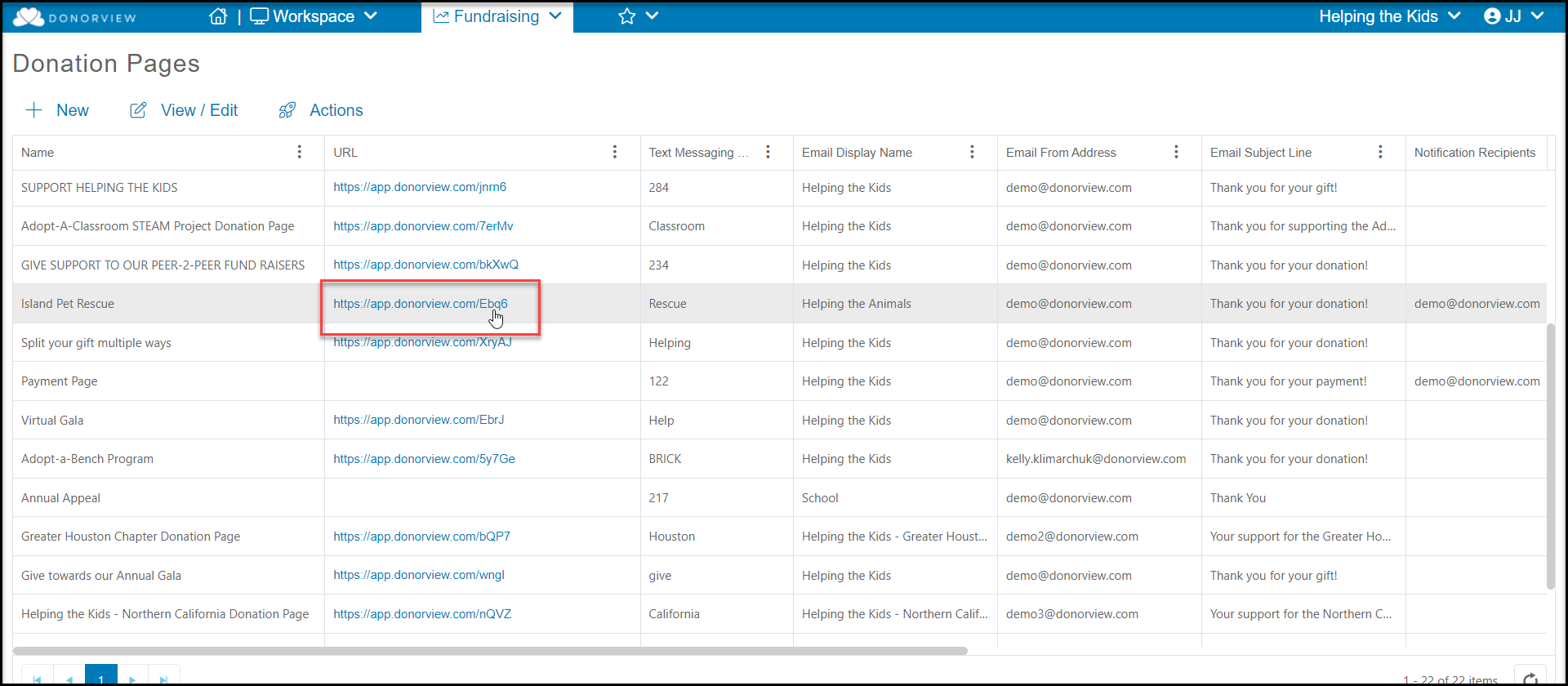
- Find the appropriate donation page and click on the URL link to open the page using the same browser.
-
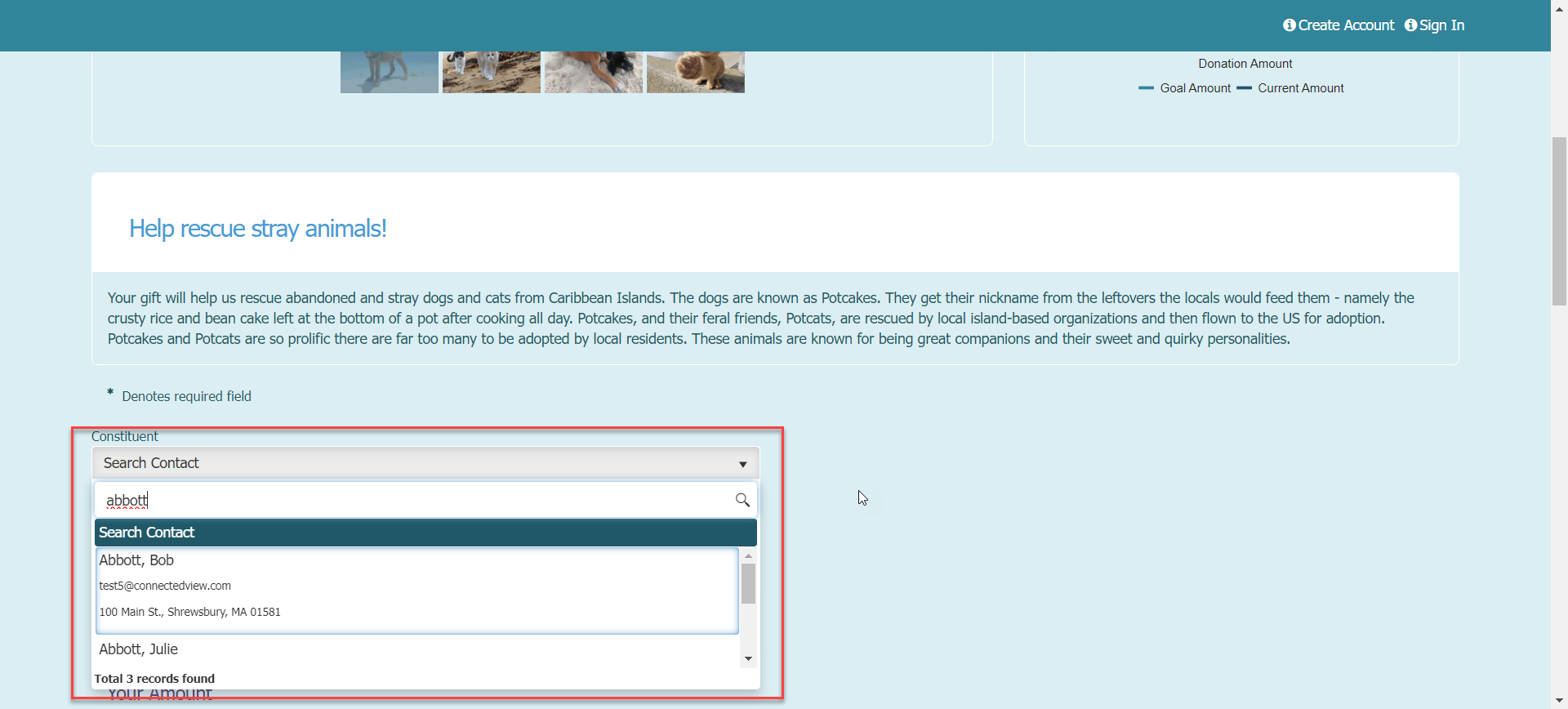
At the top of the donation page, use the search bar under Constituent to find the constituent that is making the donation.
-
If the constituent cannot be found, their information can be recorded at the bottom of the page.
-
Selecting a constituent will auto-populate all the existing information in the payment area.
-
Enter the amount of the donation.
-
If activated, pledges can be recorded with a pay later option.
-
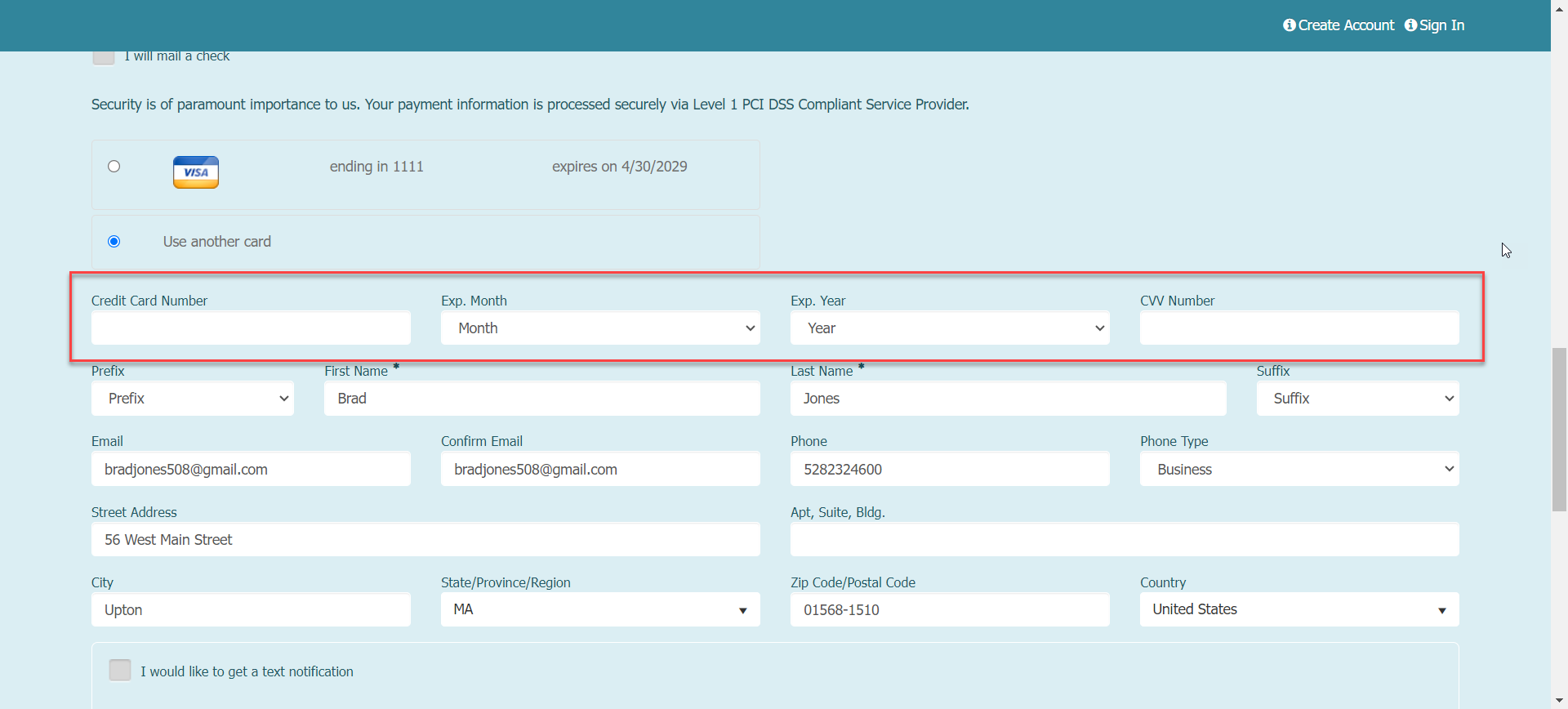
If payment is being made immediately and there is a credit card already on file, it will be defaulted to charge that card.
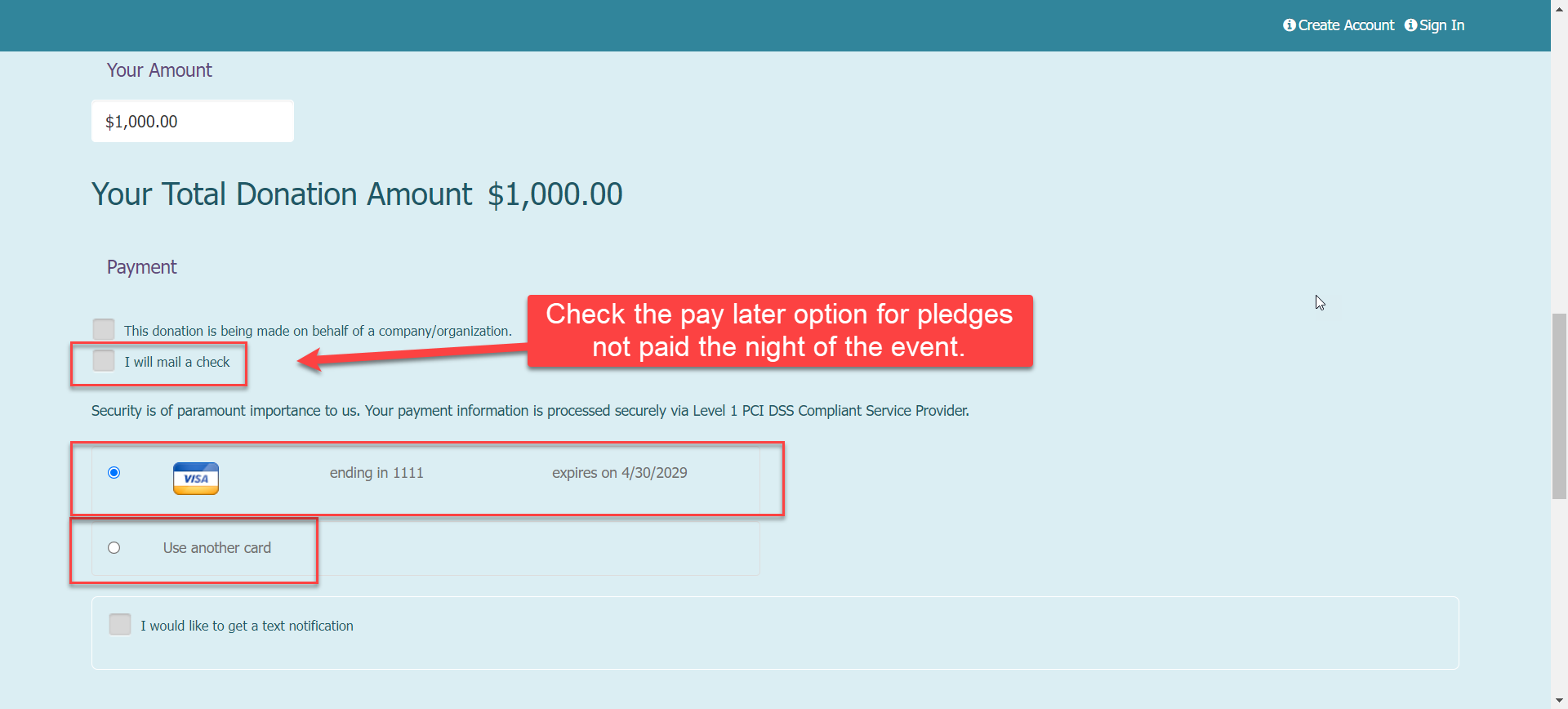
- If the constituent prefers to use a different credit card, select Use another card and enter the information.
- Pledges made via check or cash can be recorded via the Add Gift feature. See this video for information on adding a donation. Entering and Managing a Pledge - https://vimeo.com/846378072/4eeb670bcc.