
How do I create/print Member Statements?
Updated Jun 20, 2025·1 min read
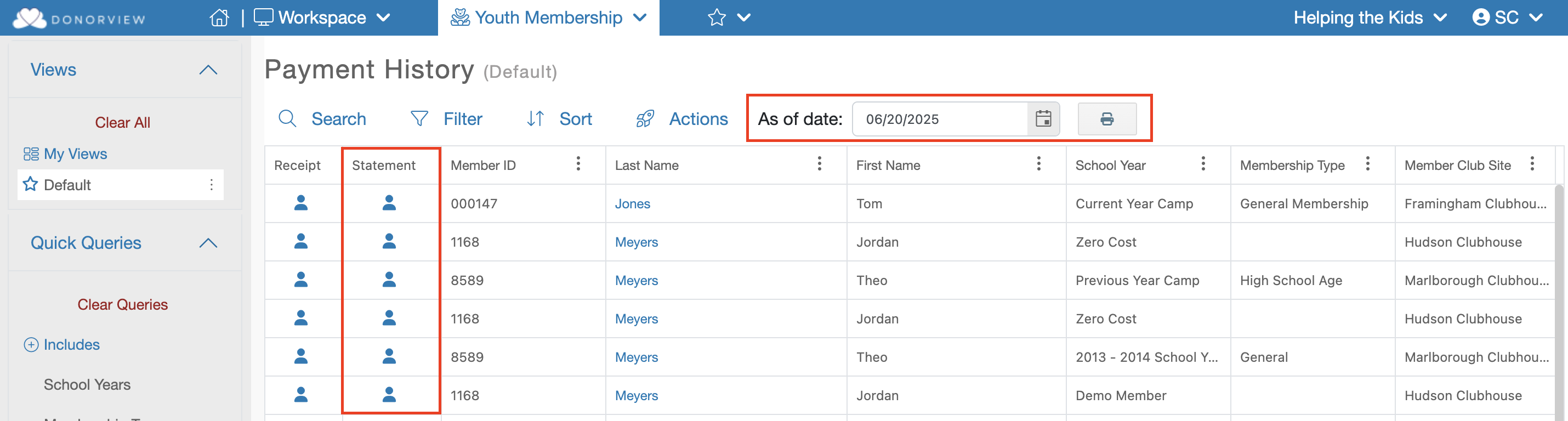
Member Statements can be created a number of ways on the Payment History grid:
- Print/create a Statement for a single Member – This can be done by finding the desired Member on the Payment History grid and clicking on the single individual icon under the “Statement” column.
- Print/create a statement for a single Household - This can be done by finding the desired Member on the Payment History grid and clicking on the multiple individual icon under the “Statement” column.
Was this article helpful?