
How can I remove or edit an online bid?
Updated Mar 22, 2024·1 min read
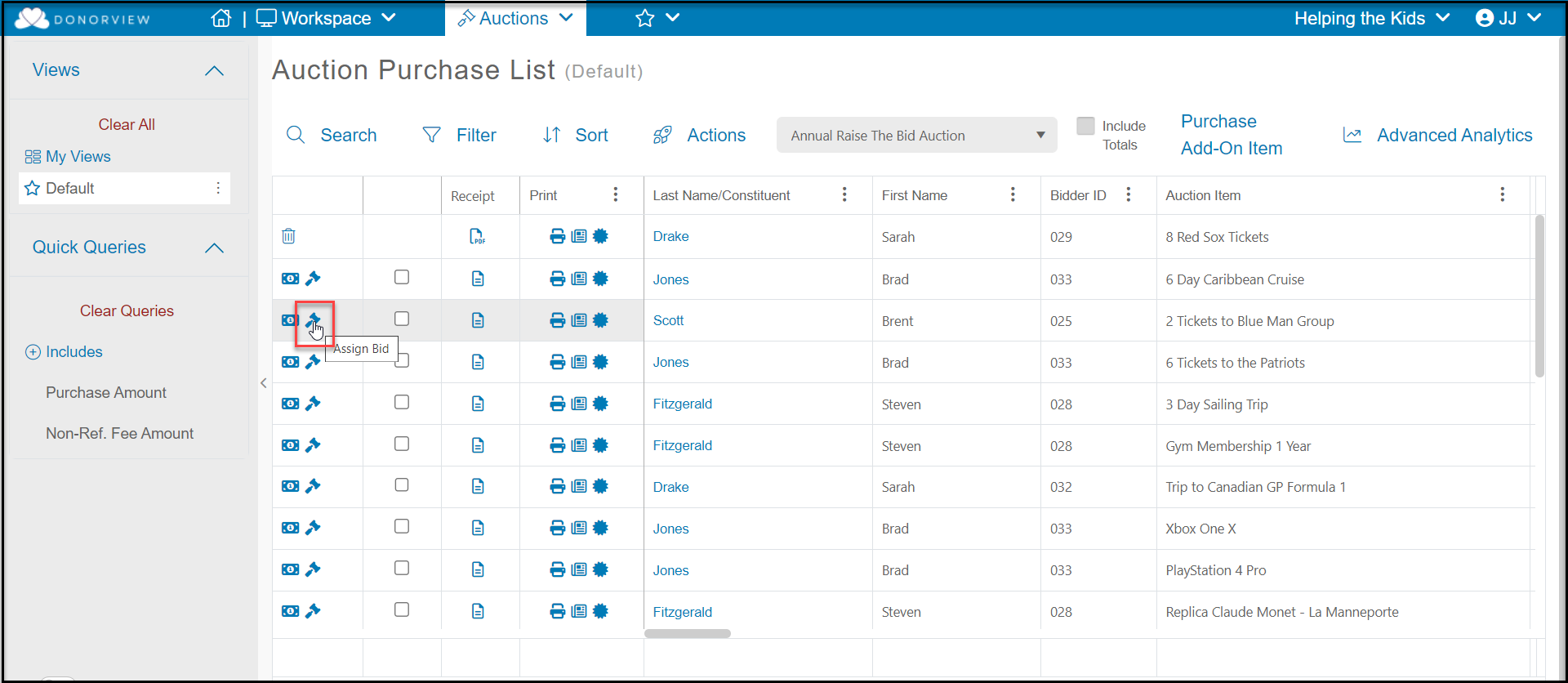
- Click on the edit icon next to the item with the bid that needs to be edited or removed.
-
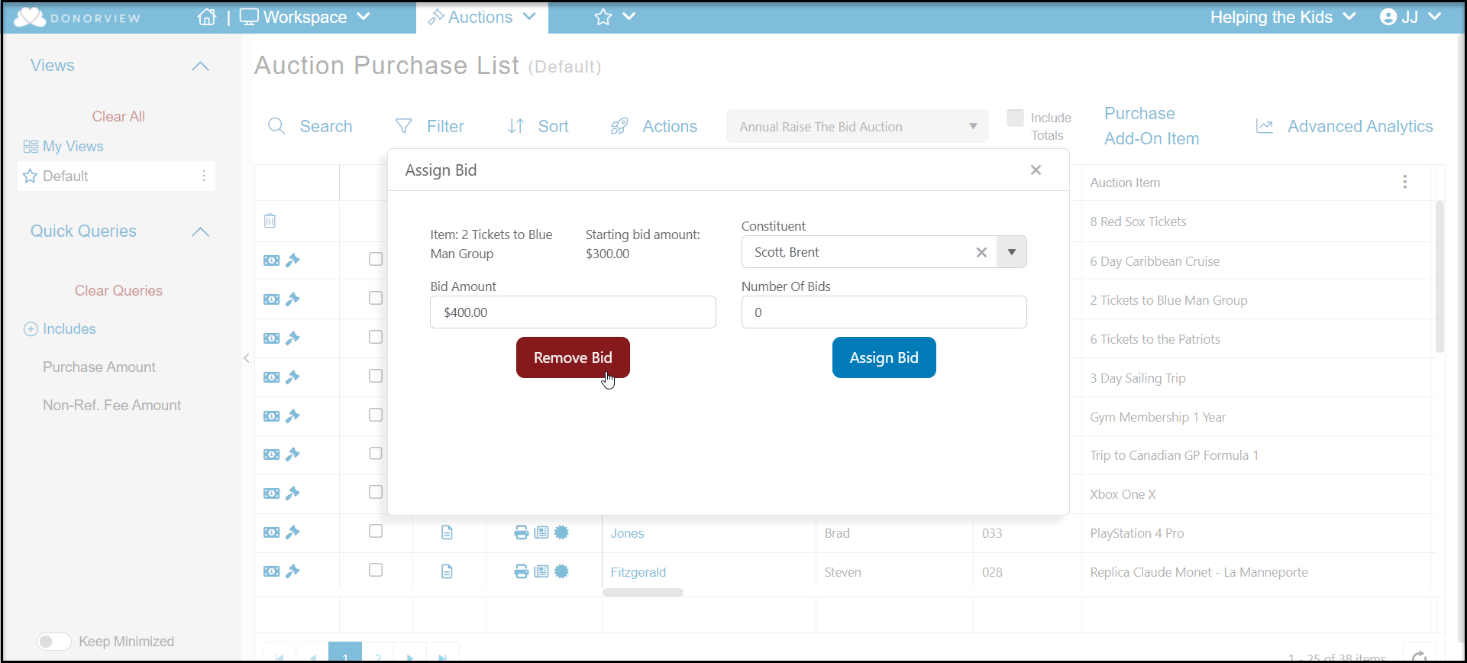
Click the red Remove Bid button to remove the bid and allow the next highest bidder to be shown as the current winning bid.
-
The bidder and/or bid amount can also be edited and saved by clicking on the blue Assign Bid button.
Was this article helpful?