
How do I record traditional paper silent auction bids?
Updated Jul 28, 2026·1 min read
-
If your auction is using traditional paper silent bid sheets, you will use the tools menu to enter the bids.
-
Each item must be assigned individually, there is no batch or bulk assign process.
-
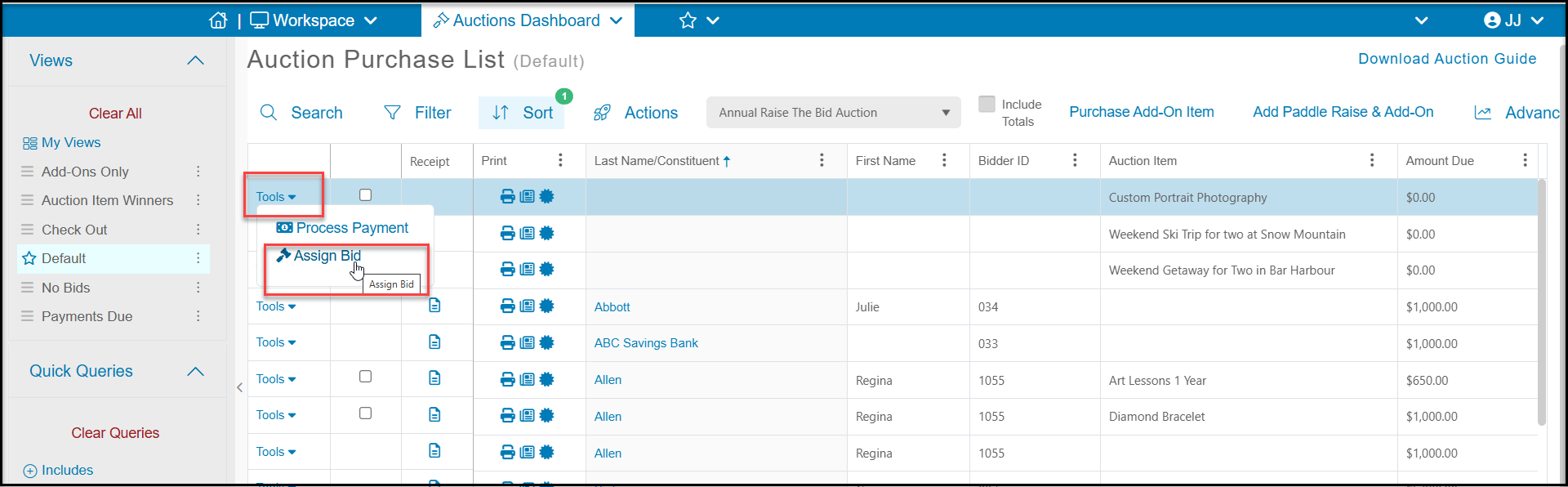
Click on Tools the Assign Bid from the Auctions grid on the row of the auction item.
-
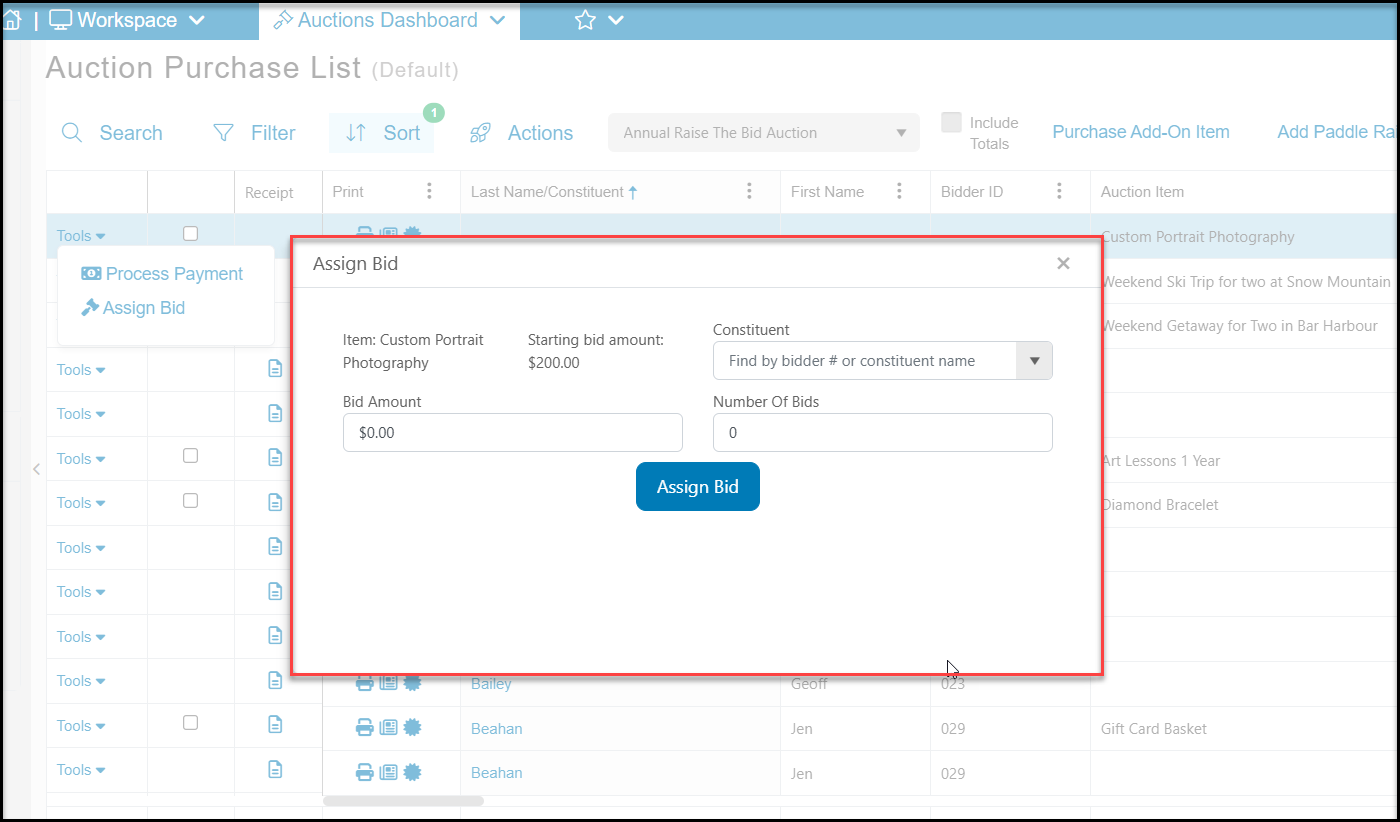
Search by bidder number or attendee last name to identify the bidder in the Constituent field.
-
Enter the Bid Amount.
-
Entering the Number of Bids is optional, but could help you identify those items that had a lot of interest.
-
Click the blue Assign Bid button to record the bid.
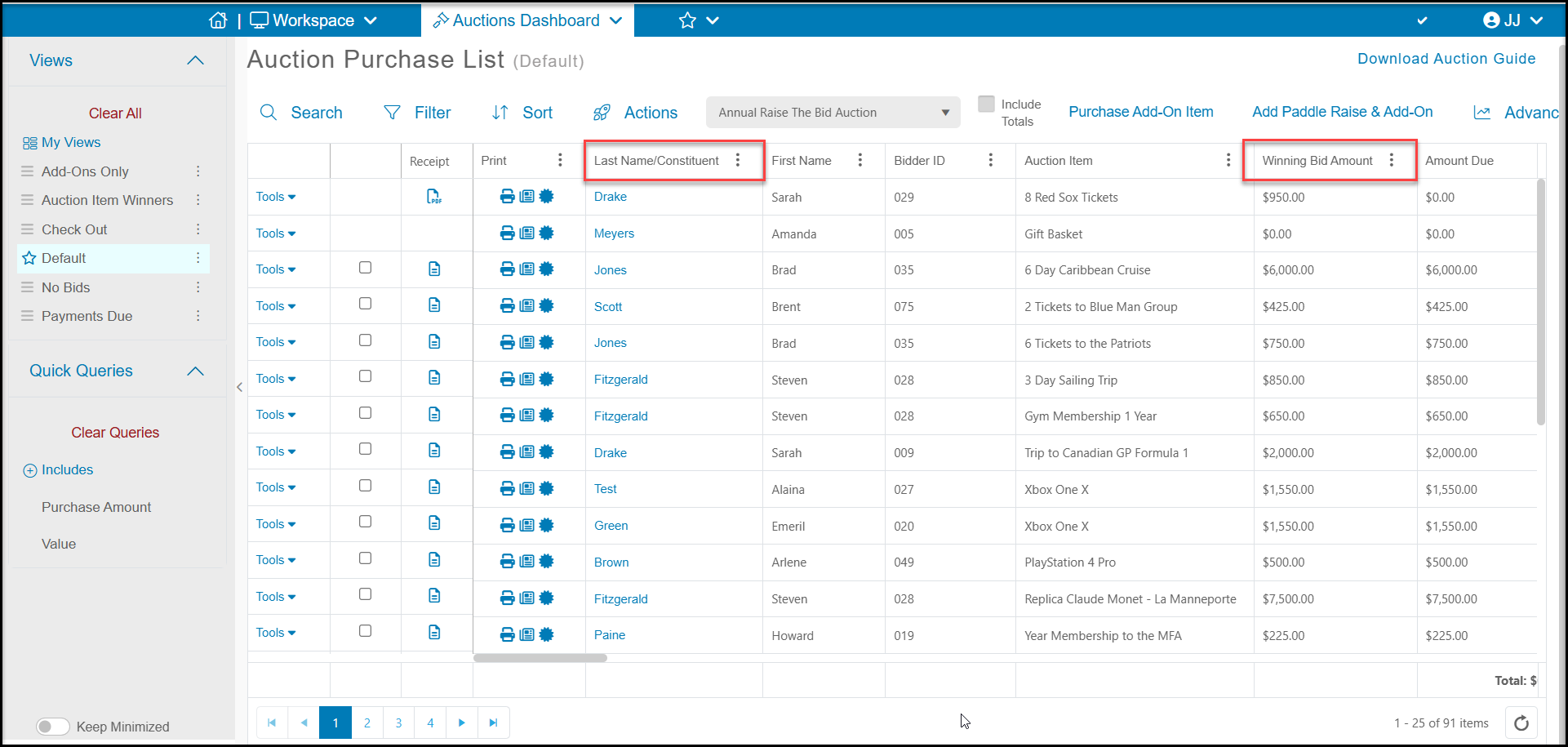
- The window will close and you will see the assigned bidder under Last Name/Constituent and Winning Bid Amount on the grid.
Was this article helpful?