
How do I add or edit a bidder number?
Updated Apr 14, 2026·1 min read
- Within the Event page editor, on the Event Settings tab, the Allow To Edit Bidder # must be set to YES in order to add or edit bidder numbers.

-
Check the Auction Bidders grid to find the highest bidder number assigned so far. You will be using the next one to assign to your event attendee.
-
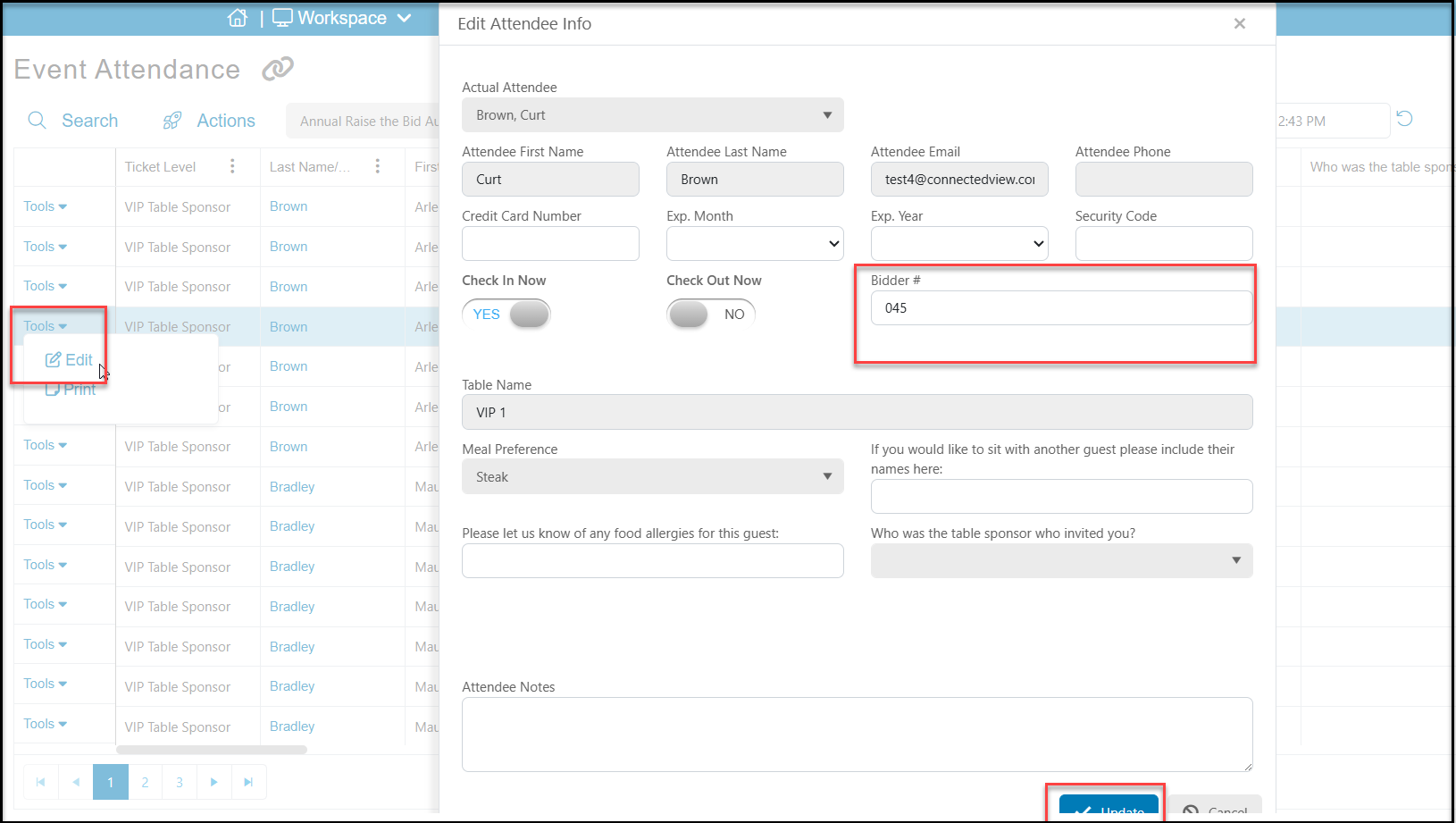
Bidder numbers can then be added by clicking on Tools from the left side of the row on the Event Attendance grid.
-
Bidder numbers can only be added one at a time, not in a batch.
-
Be sure to click the blue Update button at the bottom of the window to save your changes.
Was this article helpful?