
How can I change the order of my auction items?
Updated Sep 10, 2026·1 min read
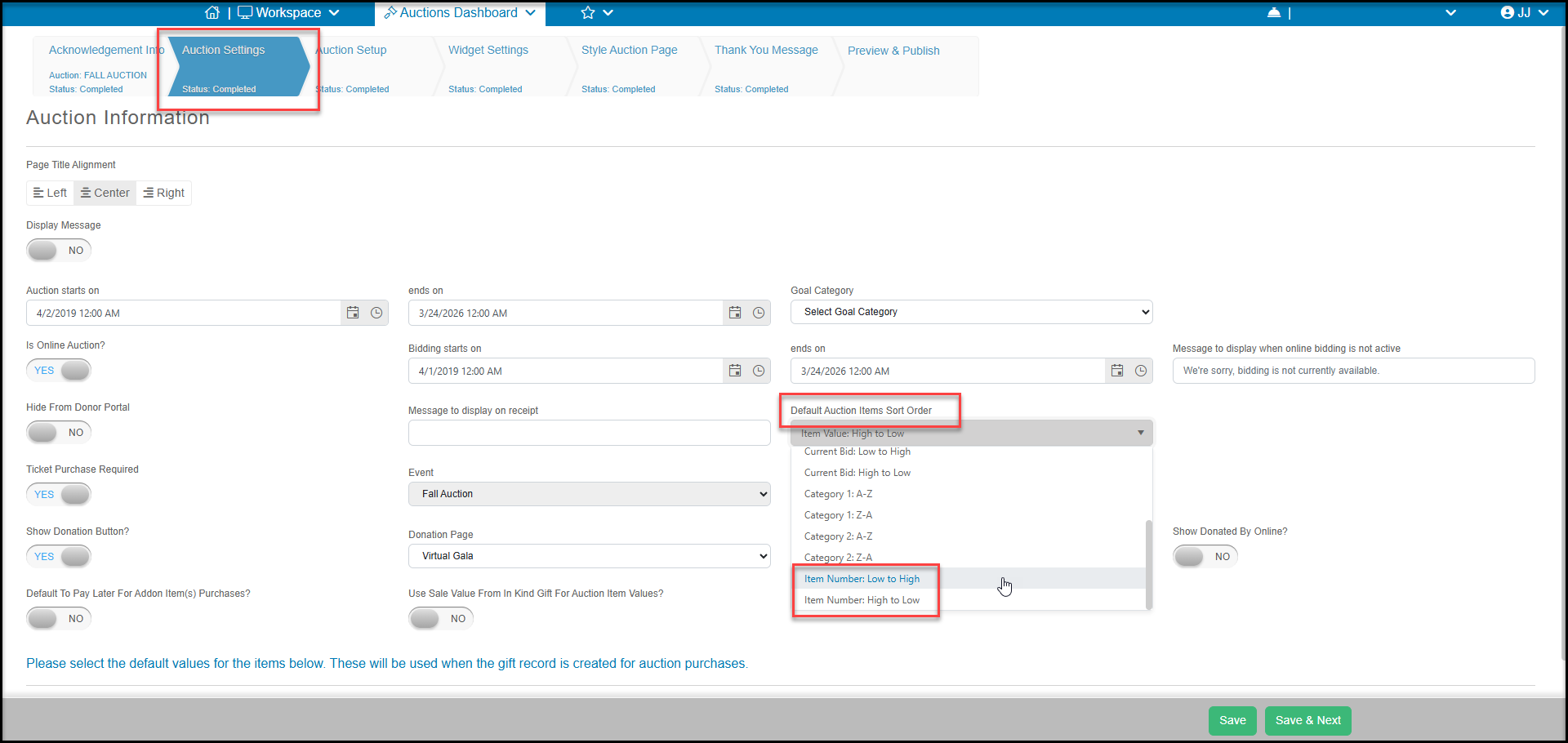
To change the sort order of your auction items, begin by setting your Default Auction Items sort Order from the Auction Settings tab. If you choose Item Number: Low to High for example, you can customize your item numbers to show in the order you desire.
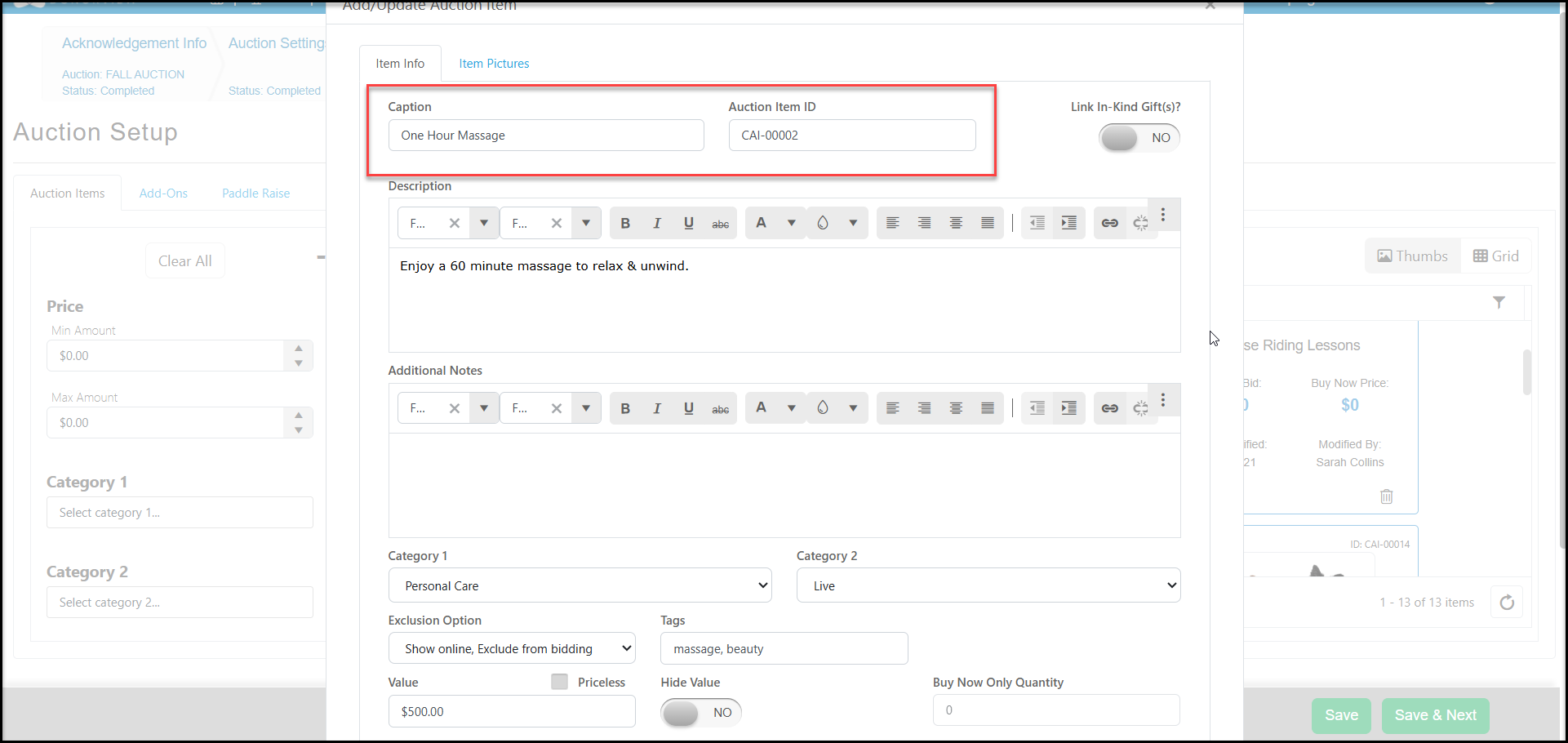
On the Auction Set-up tab, use the edit icon in the bottom left corner of each auction item to edit the Auction Item ID.
You could also select the Item Name: Z - A as a default sort order and customize the Caption (which is the item name) to display in a specific order. For example, adding the word "Live" in front of all live items and the word "Silent" in front of all silent items will show all the silent items first and live items last.
Was this article helpful?