Events - Details Grid Overview
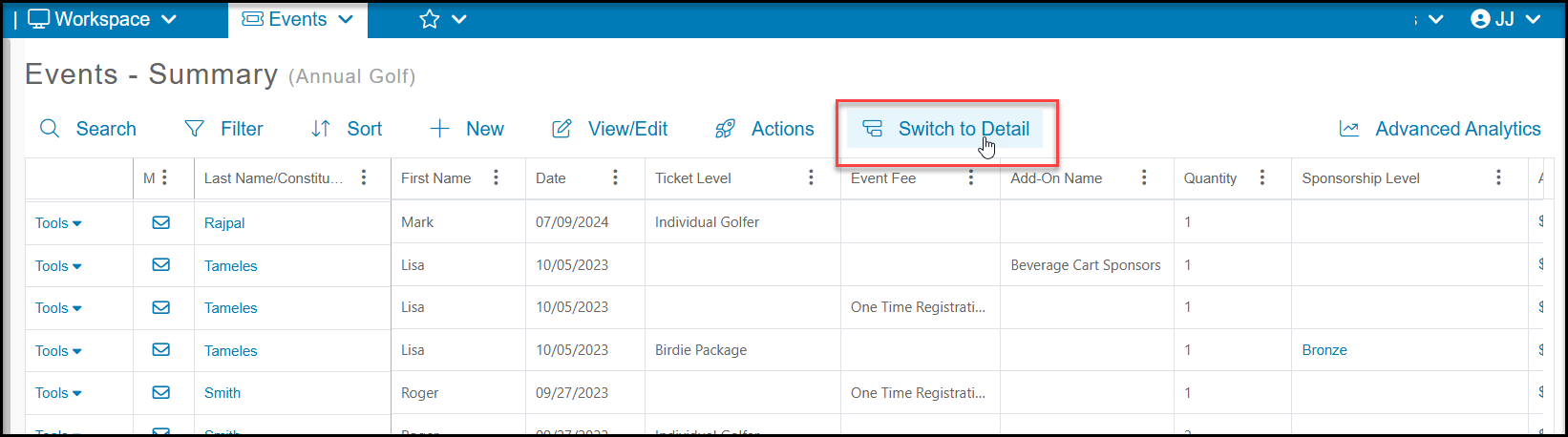
The Events - Detail grid has information about the actual event attendees. To view this grid, click on Switch to Detail at the top of the grid.
The view on the Events - Detail grid can be set up differently than the Summary grid, so you can move columns where ever you would like for this view. The purpose of the Detail grid is to show information about each individual attendee. Note that the attendee information cannot be edited from this grid, you will need to use the Event Attendance grid to edit attendee details, as well as to see answers to any attendee info questions you created on your event.
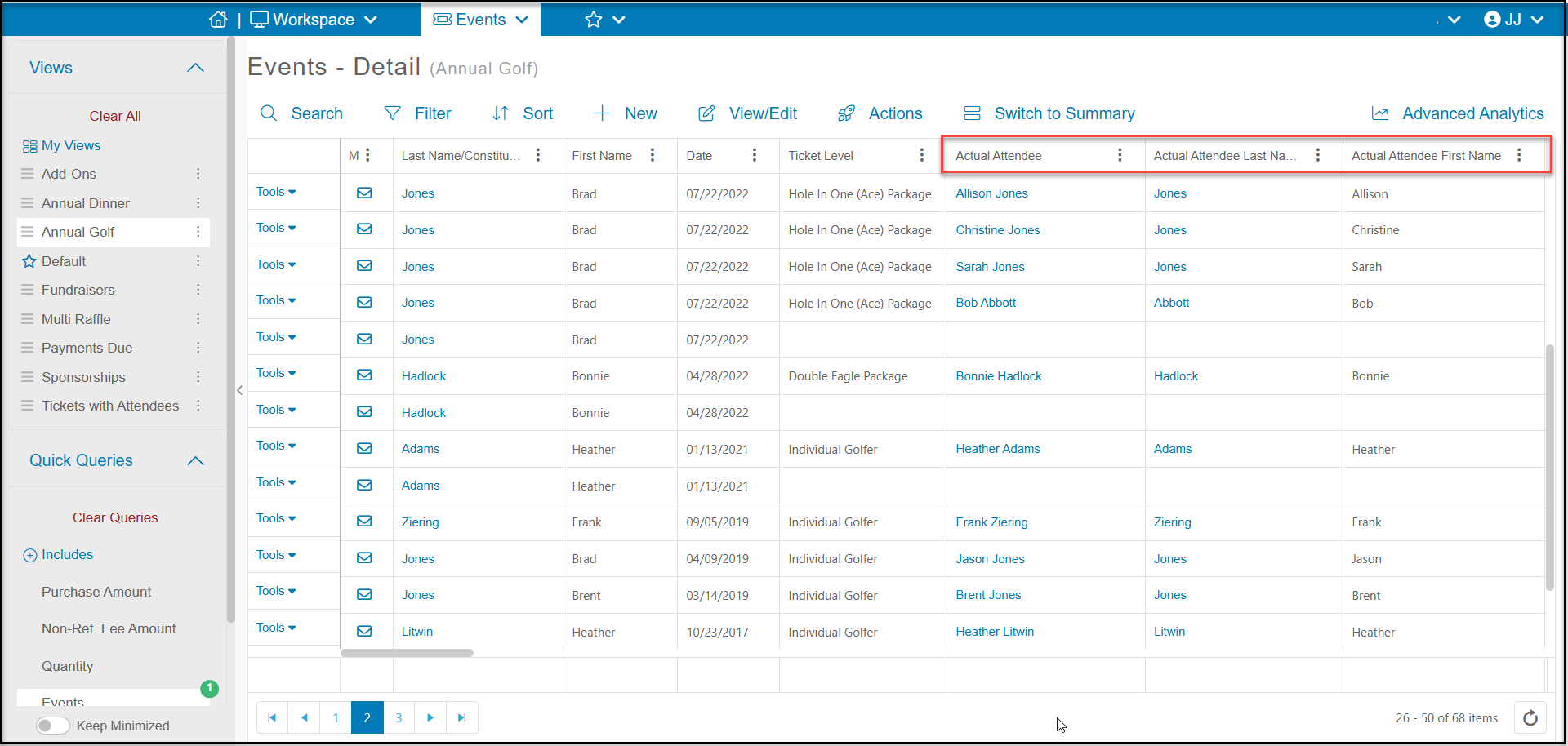
Under the Actual Attendee columns, you can see whatever details have been provided about the registrant and their guests who are attending the event.
The Event- Detail grid will also include information about:
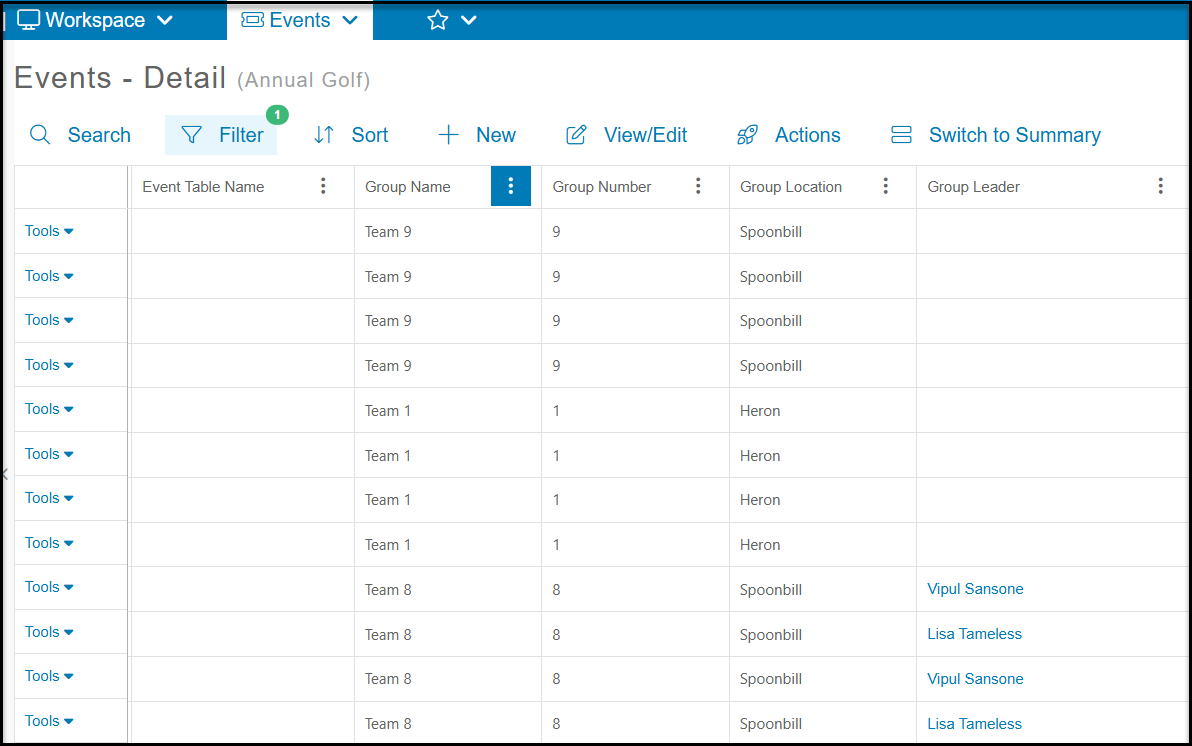
- Groups and table assignments
- Bidder ID numbers for events which are linked to auctions
- Peer to Peer Campaign and Team Name for events which are linked to Peer to Peer campaigns.
The Event Attendance grid will be used to manage attendees and check in guests for the event. It is also where you will find the answers to any custom Attendee Info questions you created on your event page.
Deleting Part of an Event Transaction
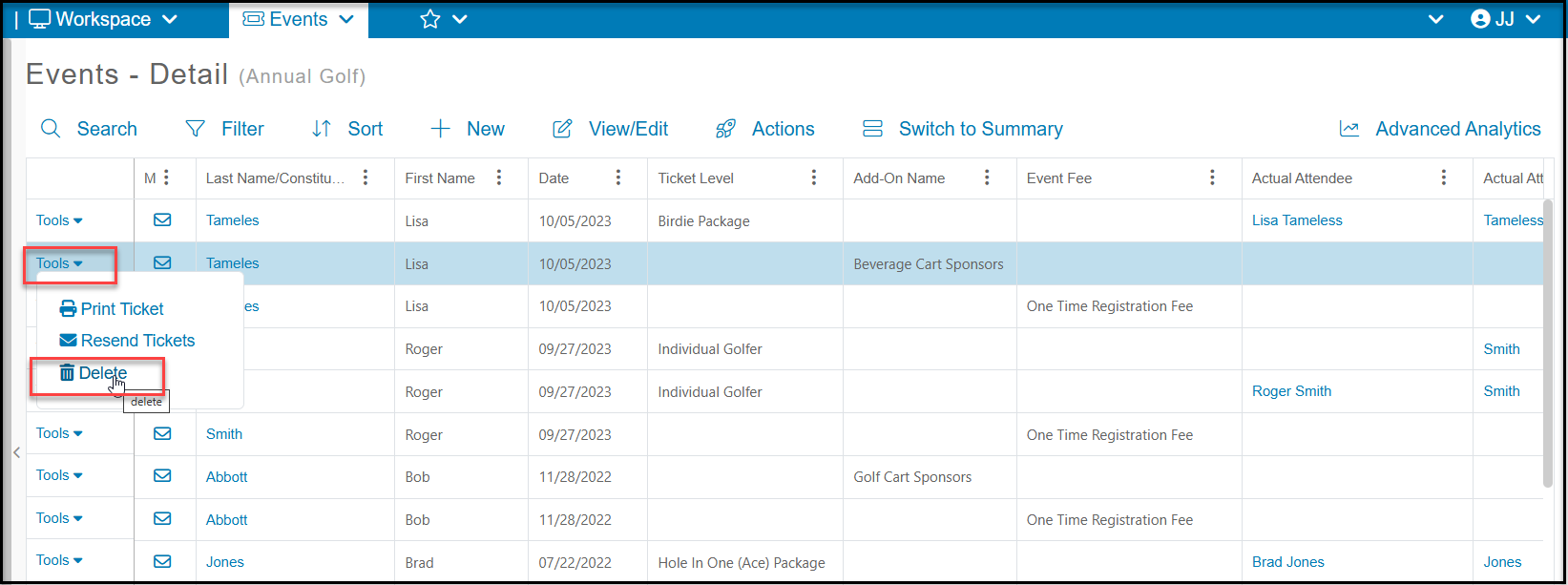
Unlike the Event - Summary grid, if you select Delete from the Tools menu on the Event - Detail grid, it will only delete that part of the transaction, so you could delete a single attendee, add-on or fee from the transaction. The transaction will be updated to remove the cost of that part of the transaction.
Note that a refund is not automatically generated by deleting all or part of a transaction. You must use the Gifts grid to process a credit card refund.
The Difference Between Registrants and Attendees
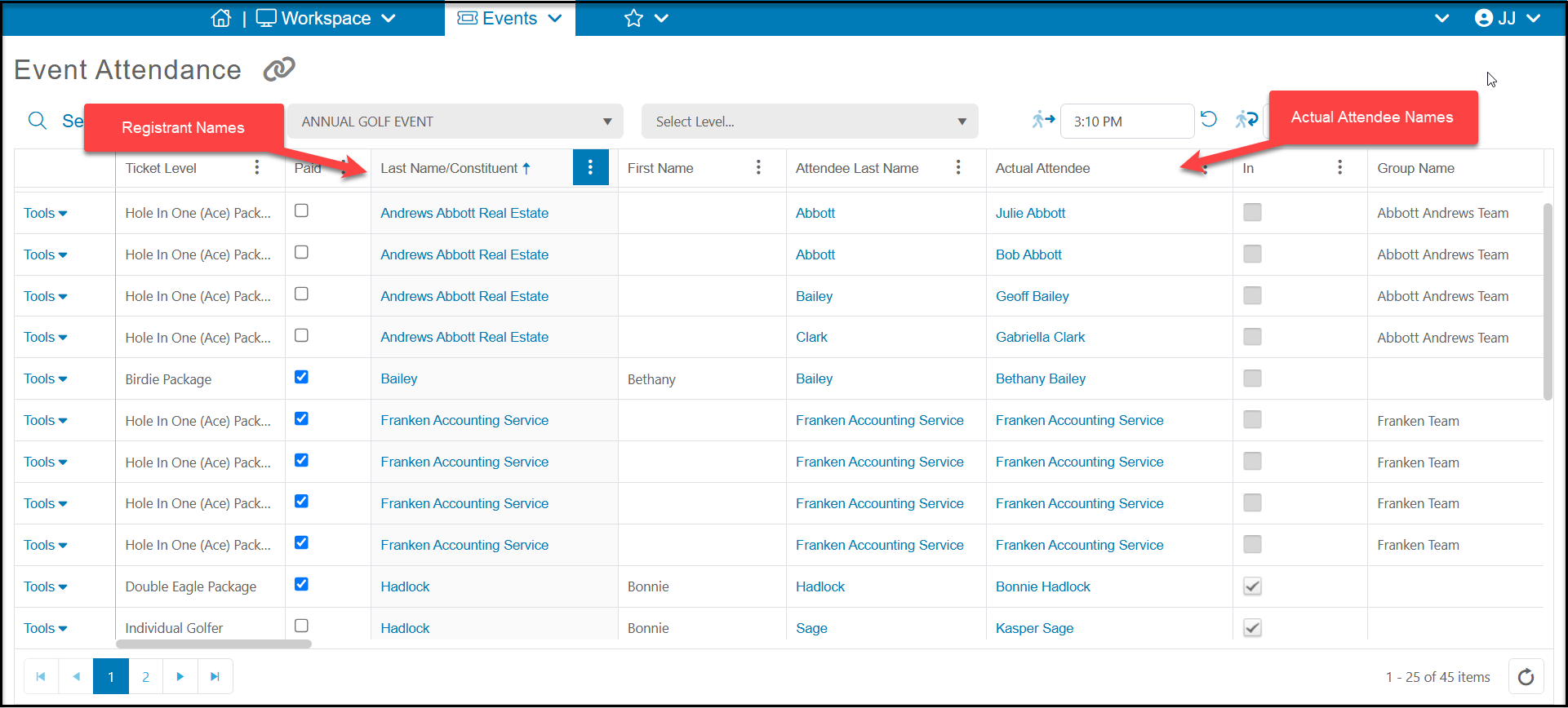
The software uses the terminology registrant when referring to the person or organization that purchases the tickets. The registrant's name is shown in the Last Name/Constituent field on the Event and Event Attendance grid. The attendees are those people who are actually attending the event. On the Event grid > Details View and the Event Attendance grid, the attendees are listed under the Actual Attendee column.
If the registrant does not provide the names of their guests (attendees) the registrant's name will be used as a placeholder until the actual attendees' names are updating on the Event Attendance grid using the Tools menu.
In the example below, Andrews Abbott Real Estate is the constituent that purchased the tickets. That constituent is the registrant. Their guest names, Julie Abbott, Bob Abbott, Geoff Bailey, and Gabrielle Clark are the attendees.
Franken Account Service is shown as both the registrant and actual attendee because that constituent purchased the tickets, but did not provide the names of the actual attendees at the time of purchase.
Bonnie Hadlock also purchased two tickets and she is shown as the registrant and well as one of the attendees along with her guest, Kasper Sage.