
Advanced Donation Page - Select Template
Updated Aug 4, 2026·1 min read
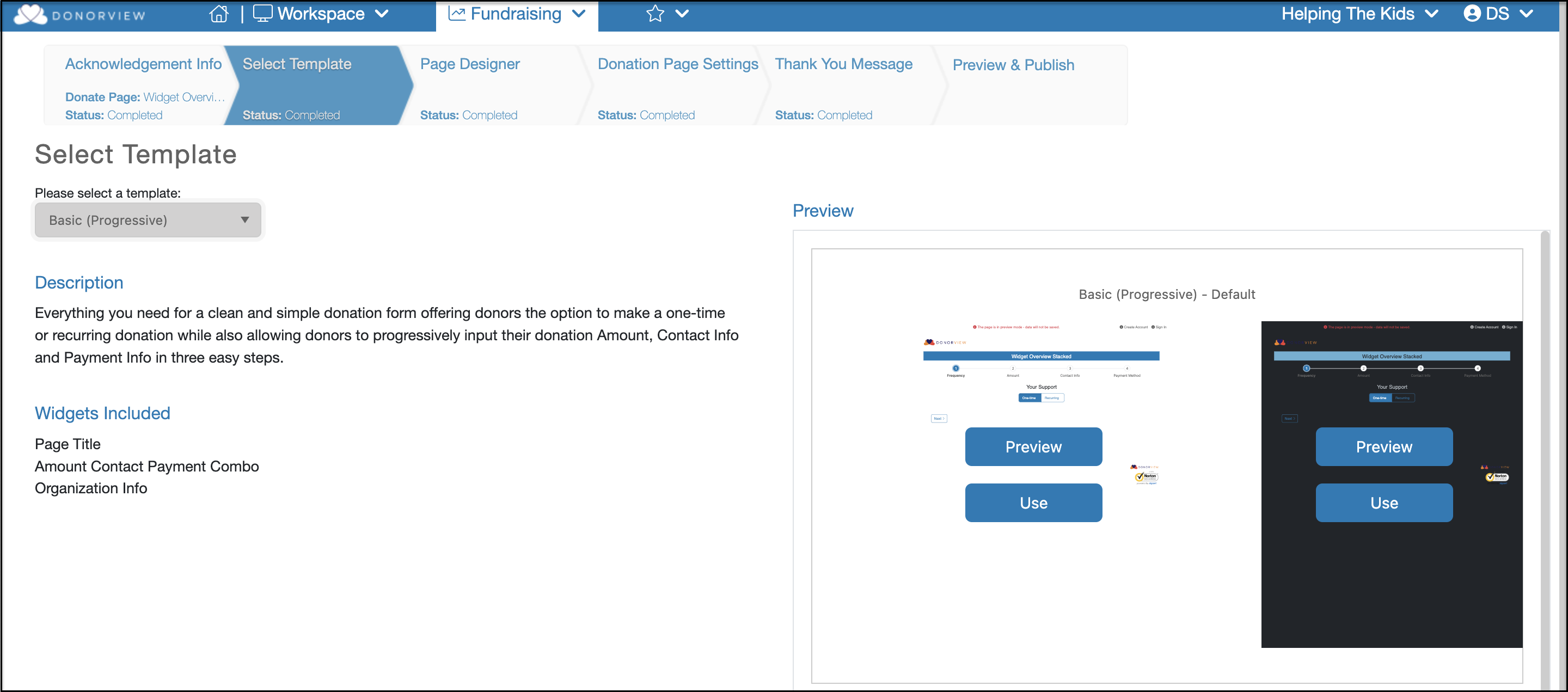
On the Select Template tab, you are able to select a base template for the design of your donation form in the Please select a template field. Choices include Progressive or Stacked options.
- Progressive indicates that each step will be a separate page for the constituent to complete, then click Next to go to the next step.
- Stacked indicates that all the fields will be on one page and the constituent will scroll to the bottom of the page to complete all the information.
Once a template is selected, under the Preview on the right side of the window, you can see the color themes available. Click Preview to open an preview and click Use when you have selected which you would like to use.
After the selection of a template and which color theme should be used, click on Use for the template to open the advanced page designer.
Was this article helpful?