
How can I manage my email lists?
The Contacts Page in the Email Marketing Module is used to manage all of your email lists and the contacts on those lists. Contacts (also known as "subscribers" or "recipients") are the constituents who will receive the emails sent to those lists. All of the contacts shown in the contacts page are also constituents in the database.
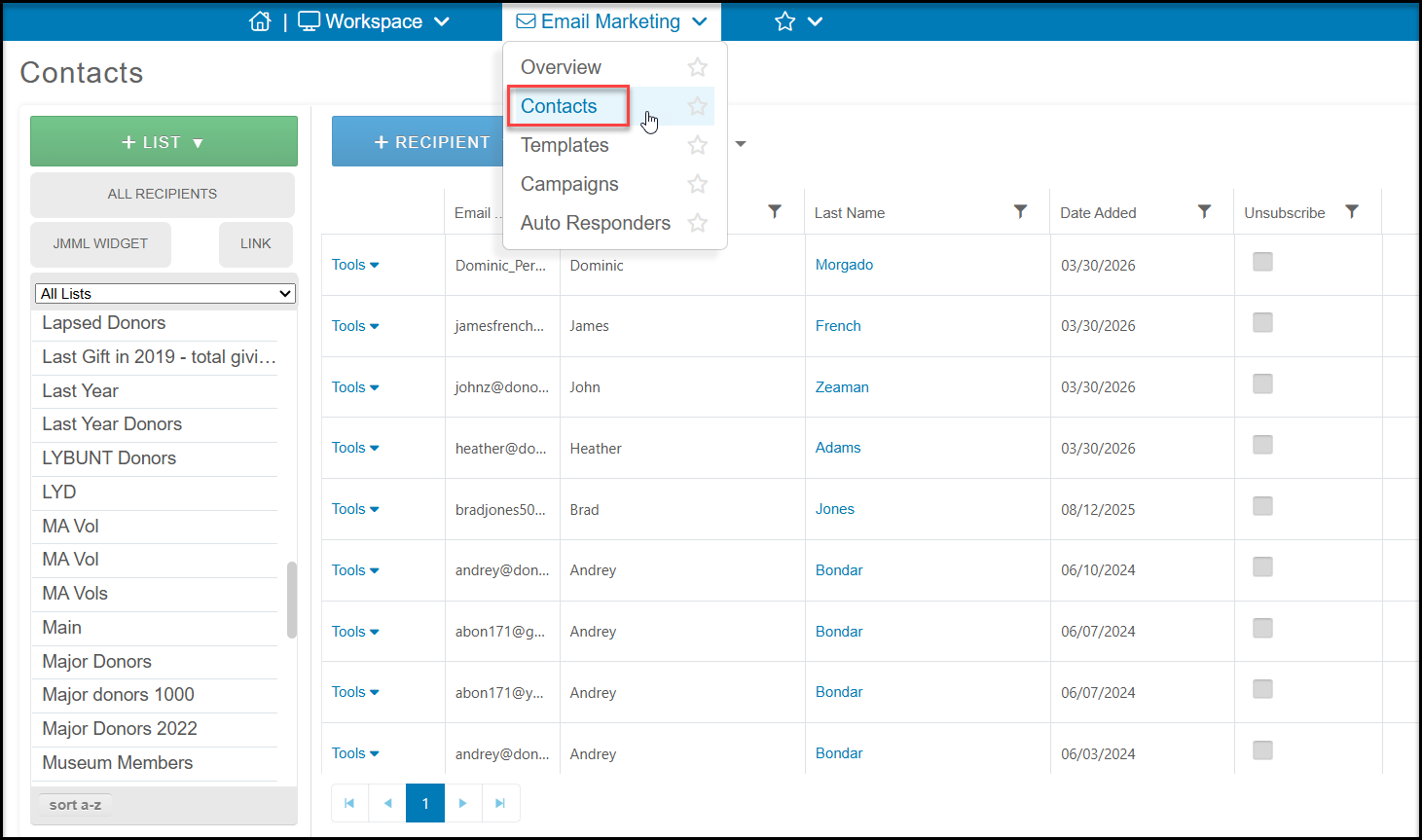
Managing the Email Lists
You can rename, change the list category, deactivate, and delete lists using the Contacts page.
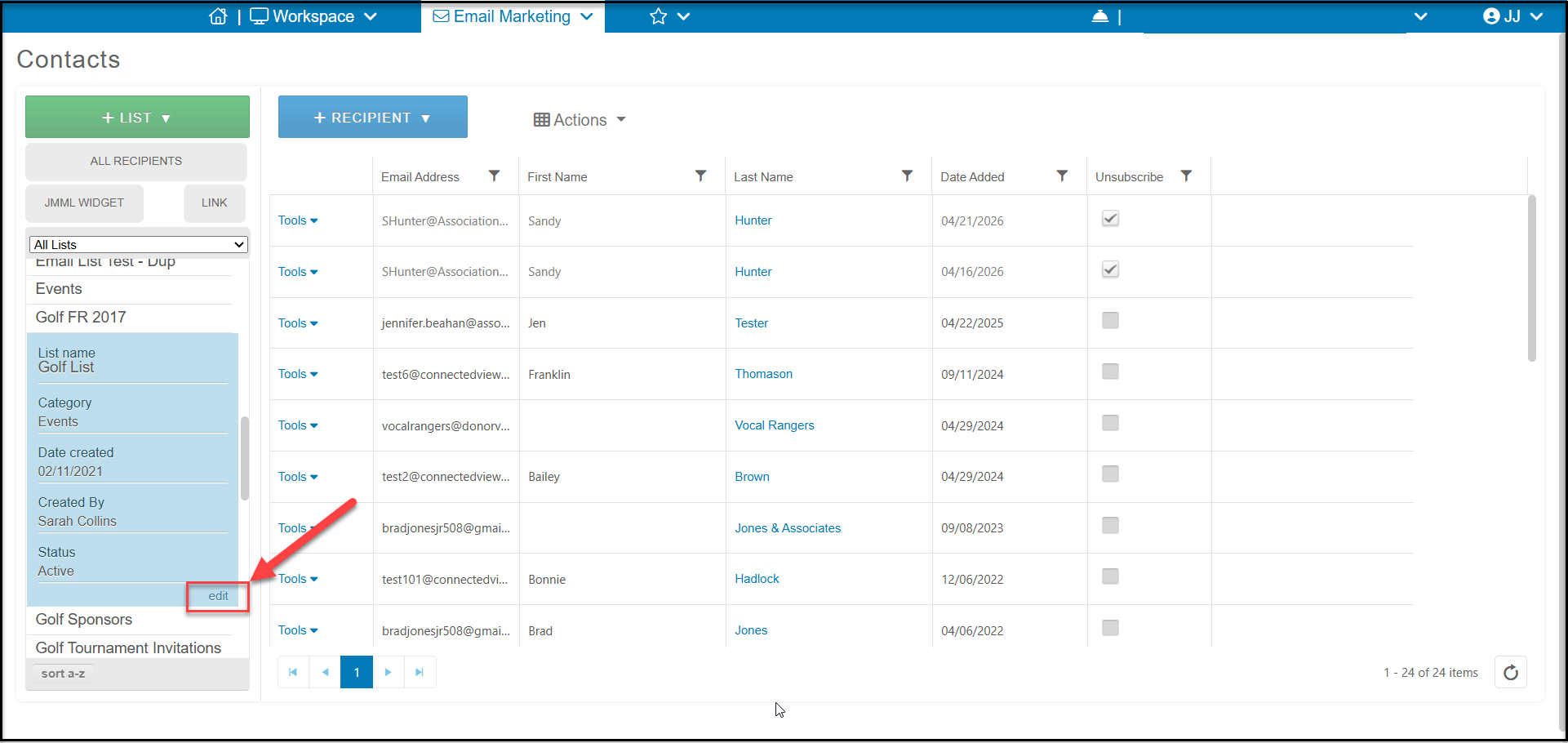
Click on a list name to show the currently assigned List Name, Category, Date Created, Created By, and Status information. You can click on the Edit icon to open a pop-up window to make edits.
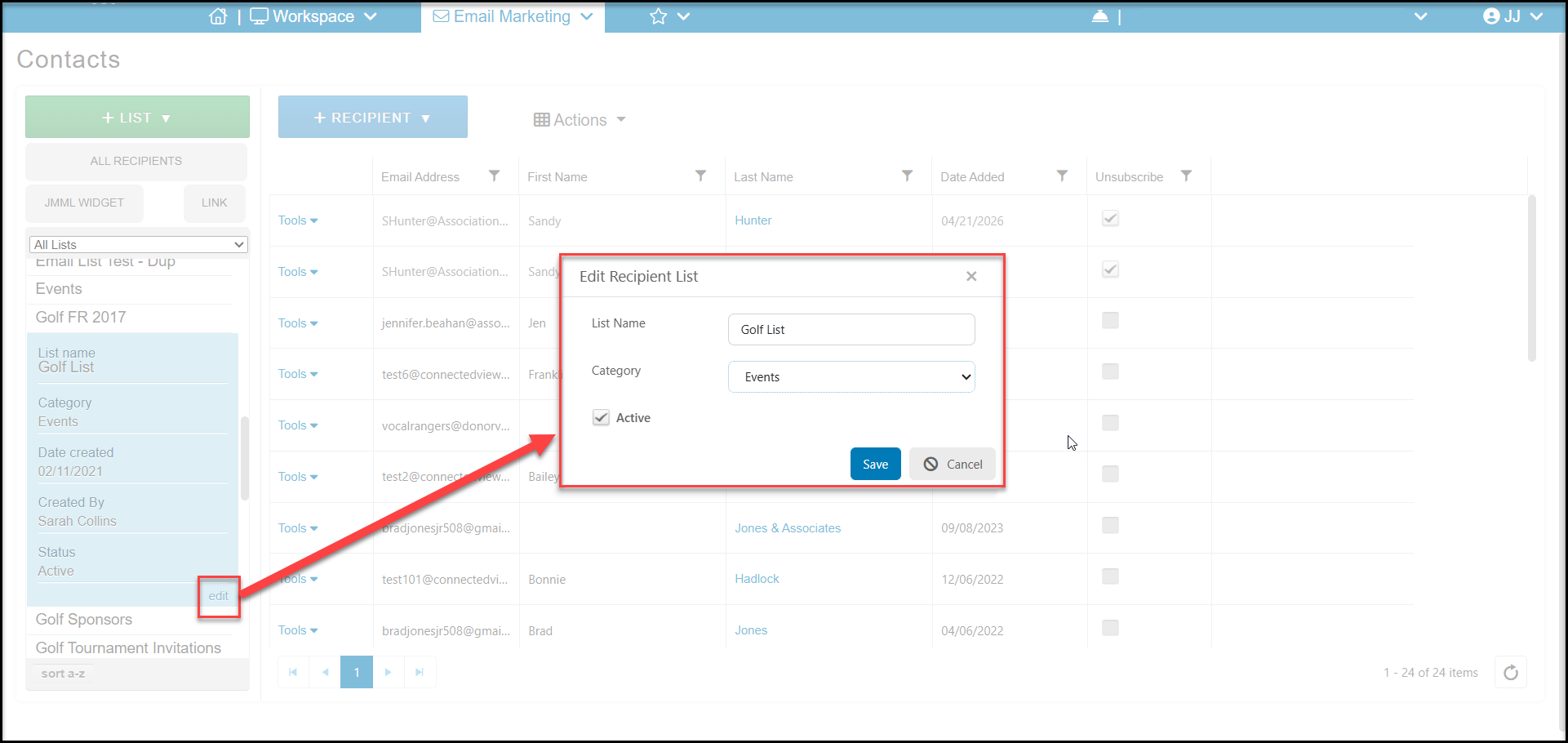
In the new window you can change the List Name, select a new list Category and mark a list as Active. Unchecking this box will hide the list from future use. Click Save to save any changes or Cancel to exit without making changes.
You can learn more about email list Categories in this article "How can I create or edit my email list categories?"
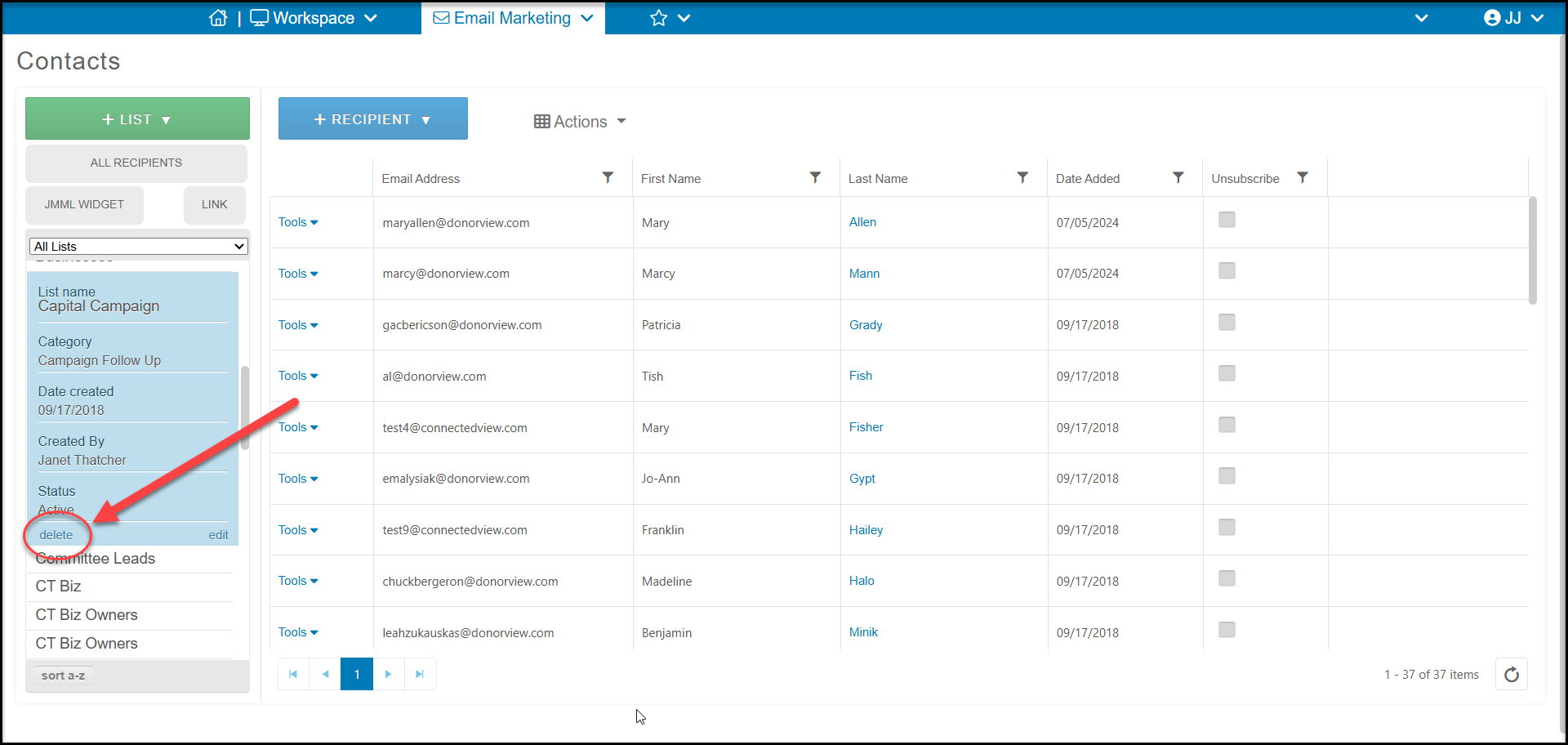
Note that you can only delete an email list if it has never been used for an email marketing or emailed survey campaign. If a list has never been used in one of these campaigns, you will see an option to delete it at the bottom of the list information window. If the delete option is not shown, you can mark it as inactive, or delete all the previous campaigns which used this list. You can learn more about deleting an email list in this article "Can I delete an email list?"
Managing the Contacts on Email Lists
You can add new recipients to a specific list, subscribe and unsubscribe contacts from a list, combine email lists, and import new email lists. See this article "How do I add new email recipients, contacts, or subscribers?" for details on how to manage your email list contacts.