If a constituent inadvertently unsubscribed from your emails or if you find an email address or spelling error that caused a hard bounce status, you can update the information on the constituent's profile page.
Unsubscribe
You should only clear an unsubscribe status if you have permission from the constituent. Clearing an unsubscribe status without permission could mean the constituent will escalate their removal of your emails and mark your email as spam. This will have a negative affect on your email deliverability. The more people who assign your domain name as spam, the more likely your emails will be sent to spam and junk folders.
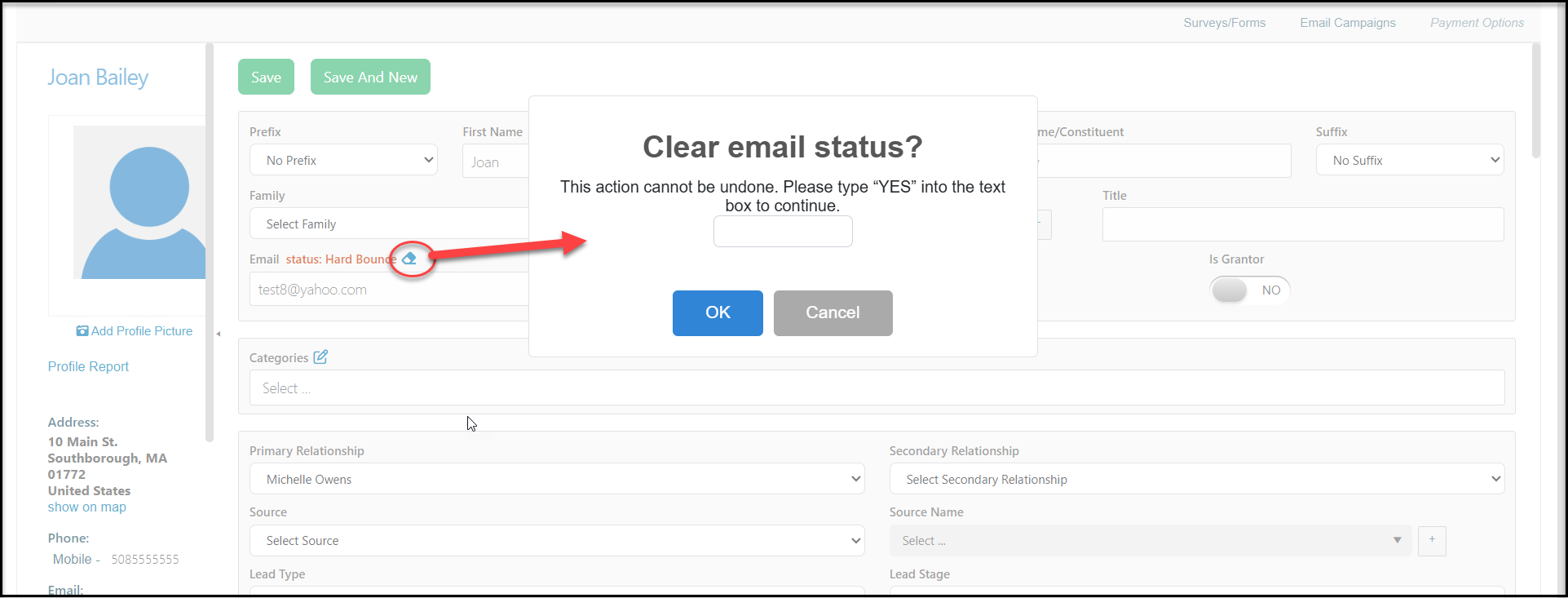
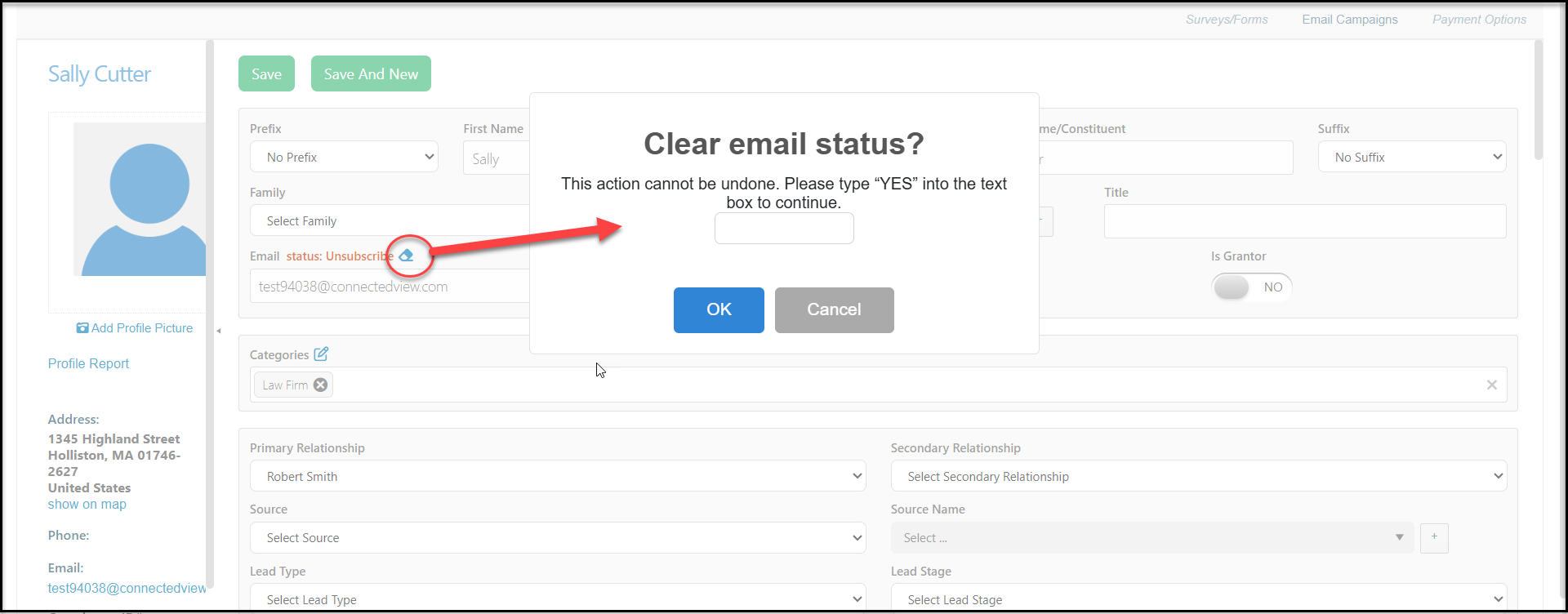
If you have the constituent's permission to resubscribe them, you can click on the small eraser icon next the the Unsubscribe status above their primary email address. In the new window, type YES into the box and click OK to clear the status or Cancel to close the window and leave the status as is.
Hard Bounce
A hard bounce happens when the email provider cannot deliver the email. It may be misspelled or it does not exist with that provider. Like unsubscribe statuses, you should only clear the hard bounce status if you are relatively sure that the email address was incorrect and you have the correct fix. Bounced emails also can impact deliverability. The higher your bounce rate, the more likely the email providers will assume you are sending spam. This is the reason that email addresses marked as hard bounce are not included in future emails, as a way to protect your email reputation.
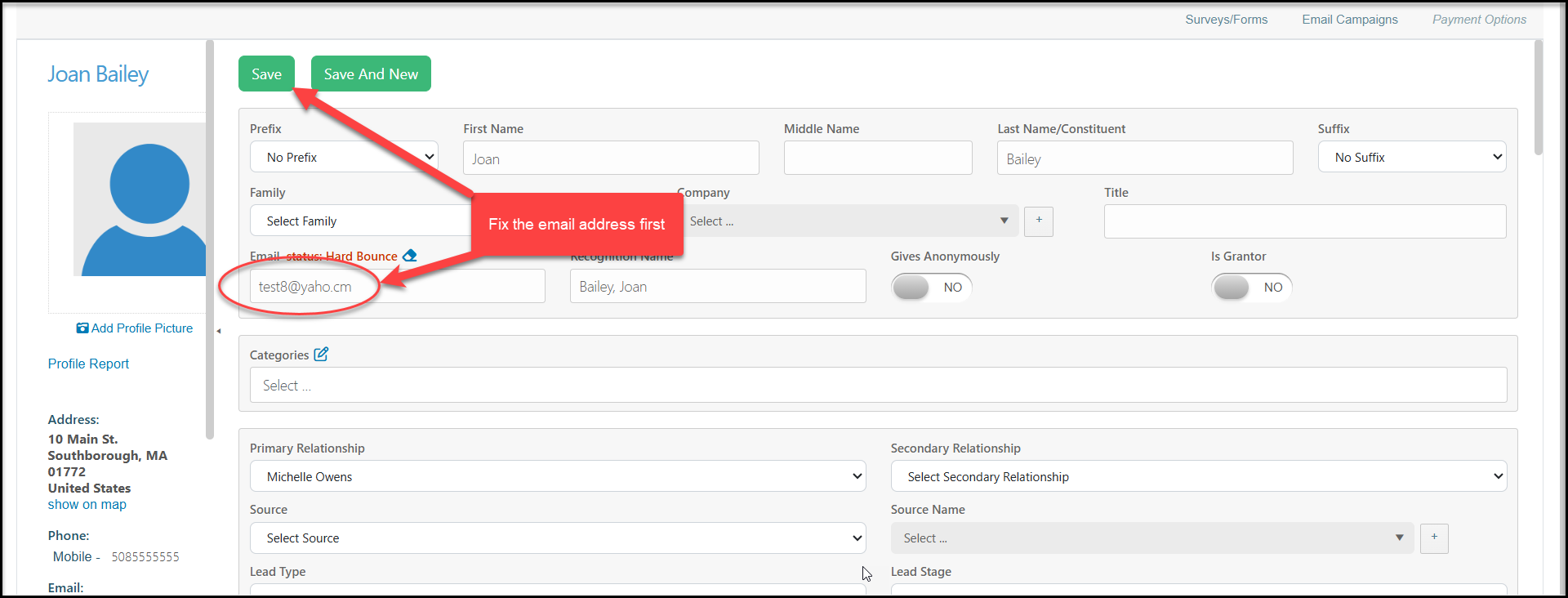
To clear a hard bounce status, first correct the email address and click Save to update the constituent's record.
Once the email address is fixed, you click the eraser icon next to the hard bounce status. In the new window, type YES into the box and click OK to clear the status or Cancel to close the window and leave the status as is.