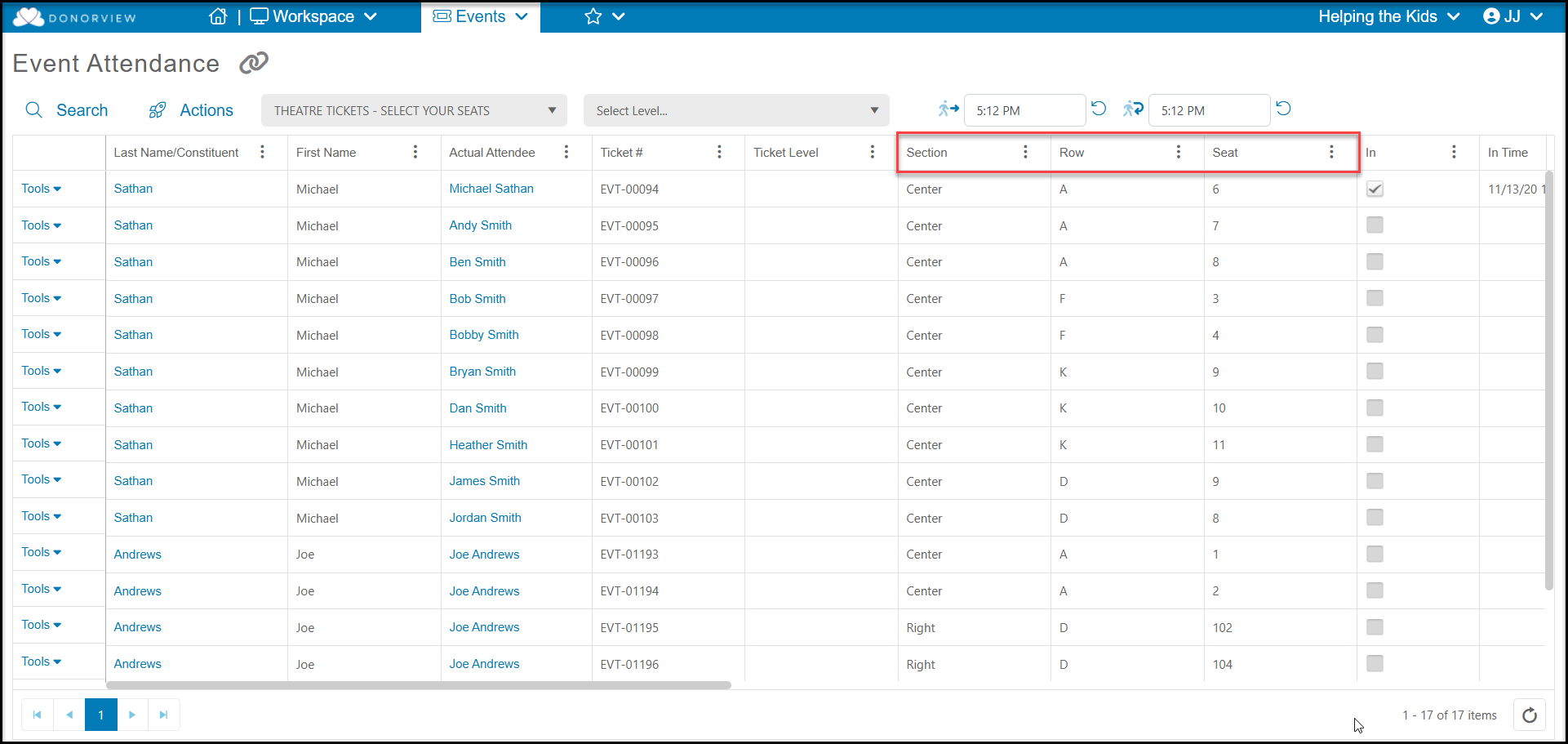
You can see information about the seats and subscriptions on the Events and Event Attendance grids. For theater seating events, the Event Attendance grid includes columns for the Section, Row, and Seat for the attendees. You can check in guests as you would for other types of events either using the check mark under the In column or using the DV Connect mobile app to scan tickets to check in guests.
Note that these tickets do not have a ticket level assigned and generally do not include Attendee Info fields. You can use the Actions menu and the Grid Column Builder option to select which columns to include in your view and what order to view them. The views are user and event specific, so you can customize your views for each event.
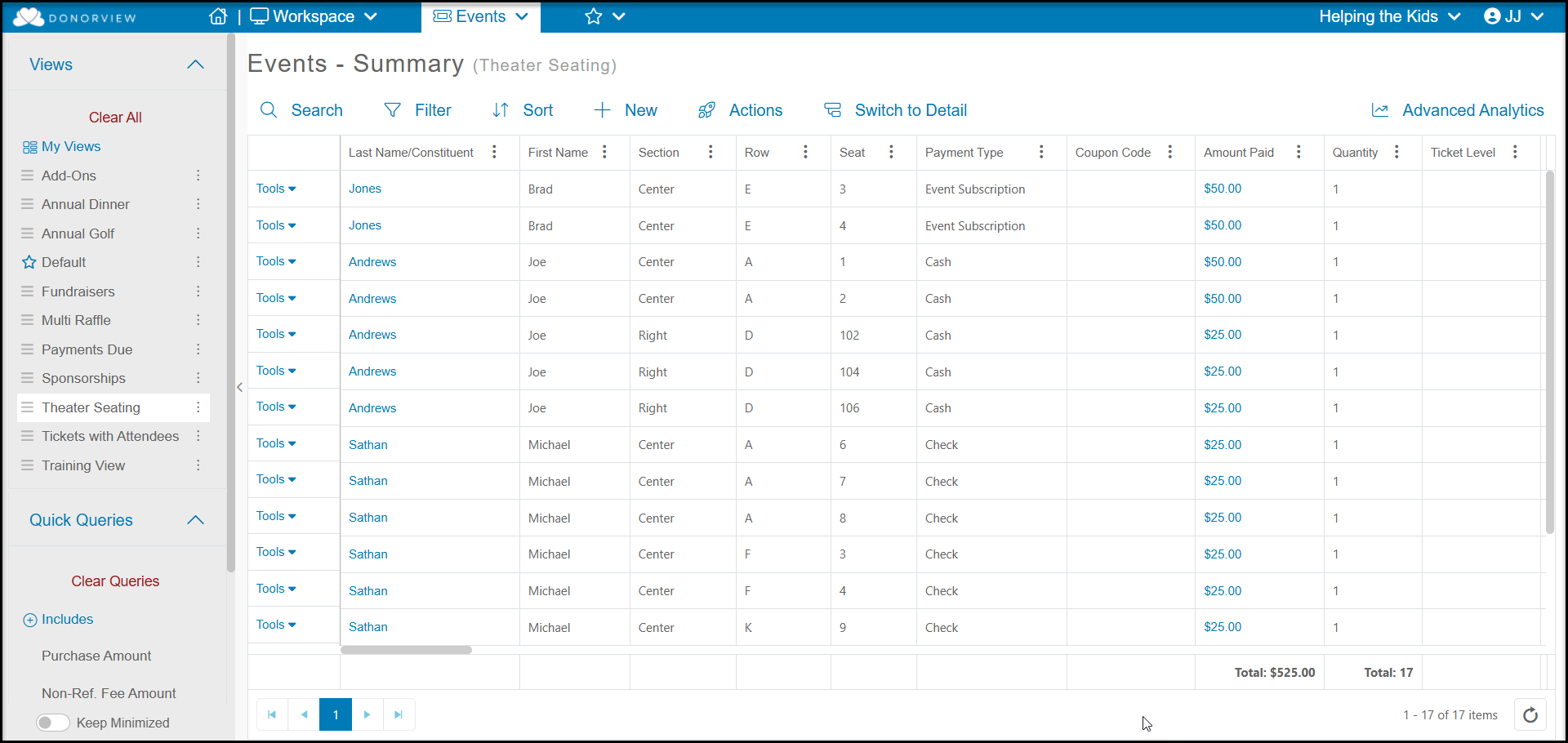
For a theater seating event, the Events grid will also show a row for each ticket purchased with the Section, Row, and Seat. Ticket level will also be blank on this grid. If the purchaser used a subscription pass to purchase their tickets, the Payment Type will show as Event Subscription, so the revenue from those transactions can be excluded from reports as desired.
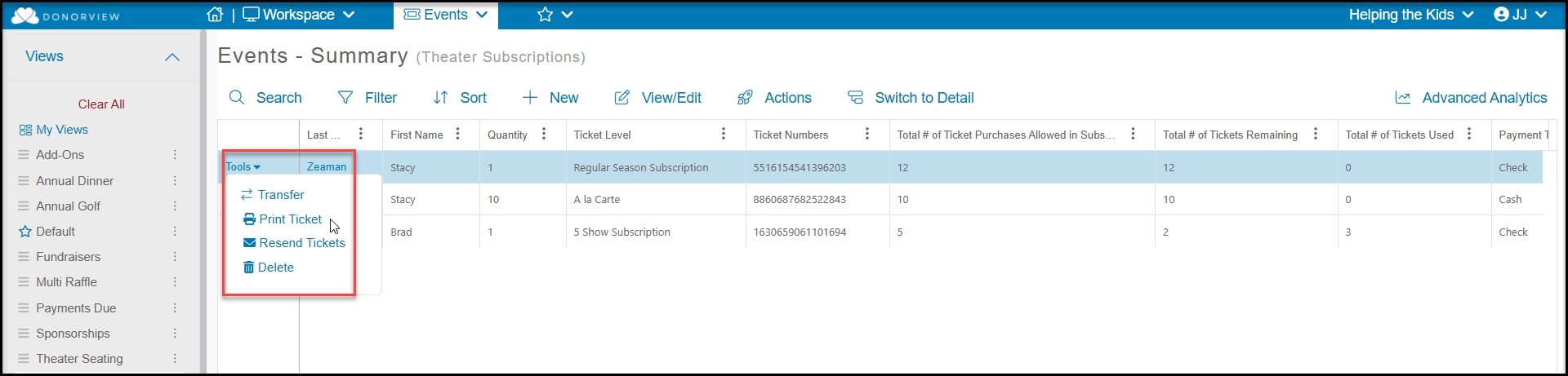
For event pages that sell subscription passes, the Events grid will include details like the Ticket Level, Ticket Numbers (which is the subscription pass number) and columns for:
- Total # of Ticket Purchases Allow in Subscription
- Total # of Tickets Remaining
- Total # of Tickets Used

If a purchaser cannot locate their subscription pass number, you can use the Tools menu on the left side of the row to Print Ticket or Resend Tickets as needed.