
Survey/Forms Module Overview
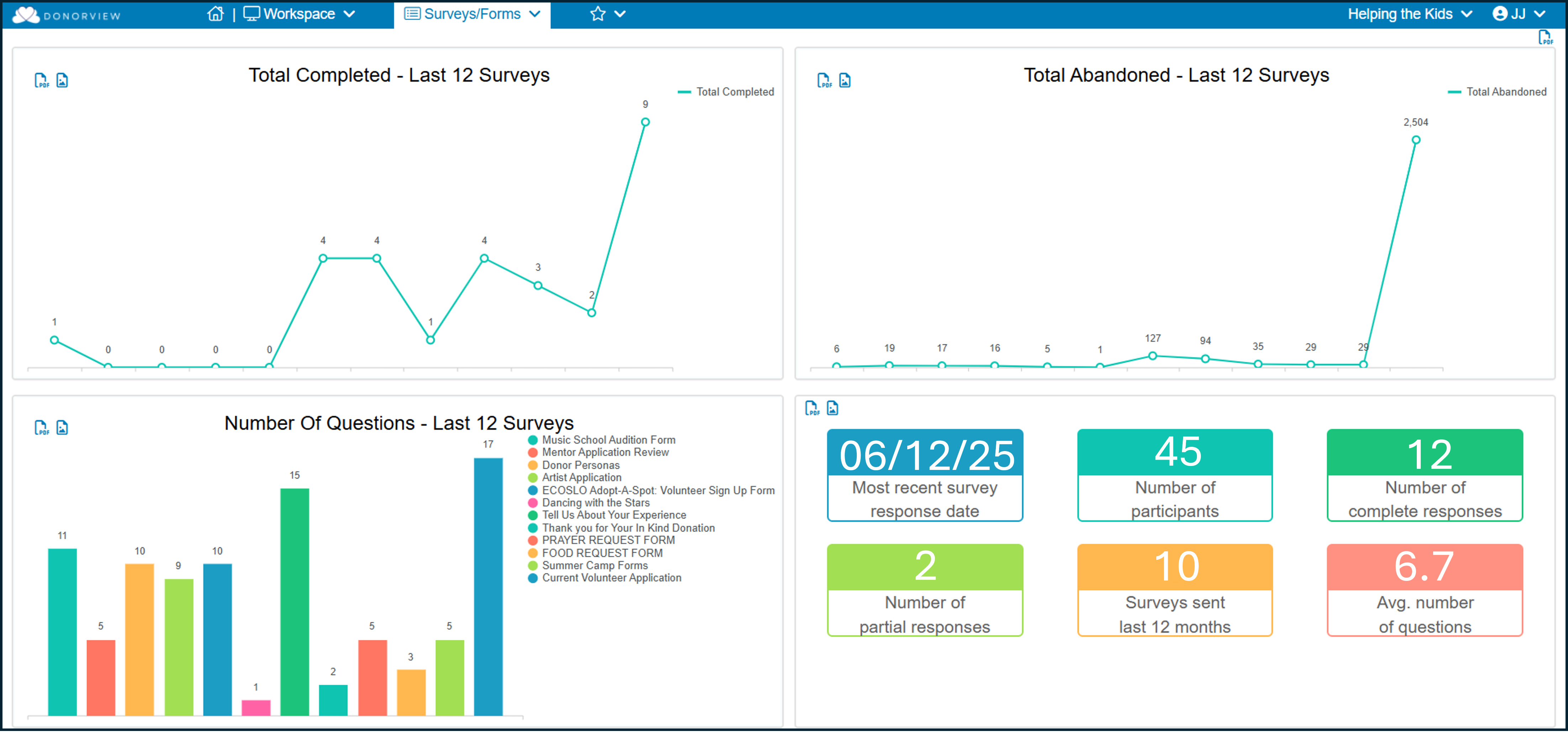
The Survey/Forms module allows you to create surveys, applications, polls and other types of forms to collect information. For simplicity, when we use the term “survey” generically in this course, it applies to any types of forms you might create. The module dashboard also uses the term “survey” generically and is actually showing responses for any type of form. The dashboard includes statistics for:
- The upper left quadrant shows the total number of completed responses for the last twelve surveys sent created in the last 12 months.
- The upper right quadrant shows the number of surveys that were started, but not submitted, for the last 12 surveys created.
- The lower left quadrant shows the total number of questions on the last 12 surveys created.
- The bottom right quadrant shows metrics for the most recently emailed survey. It will show the last date a survey response was submitted, the total number of constituents who were sent the survey, the number of complete and incomplete responses, how many surveys were sent in the last 12 months, and what the average number of questions are asked in each of those surveys.
The module includes four sub-pages.
- Overview - Similar to the Overview page in the Email Marketing module, this will show you the number of opens, unopens, bounces, and unsubscribes for a survey sent via an email campaign.
- Contacts - This is the same page found in the Email Marketing module and allows you to create and edit email lists.
- Surveys/Forms Lists - Grid to create and edit surveys.
- Survey/Forms Results - Grid to display all the responses submitted for any survey.
To create a new survey, start on the Survey/Forms Lists page where you can create a new survey, copy an existing one, or use a template from the library. The Survey/Forms wizard is similar to other page builders and has a step-by-step process you walk through to identify the type of survey, add your questions and decide how it will be distributed. You can learn more about creating a new survey in these articles: https://support.donorview.com/en/support/solutions/folders/9000122808