
DonorViewHelp center
Ask AIAll articlesContactContact supportSign inSign up
Browse
  • General Information & Overviews
  • Organization Account Management
  • DonorView User Management
  • Grids, Dashboards & Software Functionality
    • Grid Features
    • Views
    • Quick Queries
    • Actions Overview
    • Batch Updates
    • Dashboards
      • What is a dashboard?
      • How do I create and edit my personal dashboard?
      • Can I customize the graphics shown on the dashboards?
      • How do I print the dashboards?
      • How can I set a homepage?
      • Can I create favorite shortcuts for the workspace?
    • Advanced Analytics
    • Other Software Functions
  • CRM Module
  • Fundraising Module
  • Events Module
  • Peer To Peer Fundraising Module
  • Volunteer Module
  • General Memberships Module
  • Youth Memberships Module
  • Auctions Module
  • Email Marketing Module
  • Surveys/Forms Module
  • Reports Module
  • Constituent Portal
  • Mobile Devices & DV Connect App
  • Quickbooks Integration
  • Training
  • Blog Posts
Help center/Grids, Dashboards & Software Functionality/Dashboards

How do I print the dashboards?

Updated Jul 18, 2024·1 min read

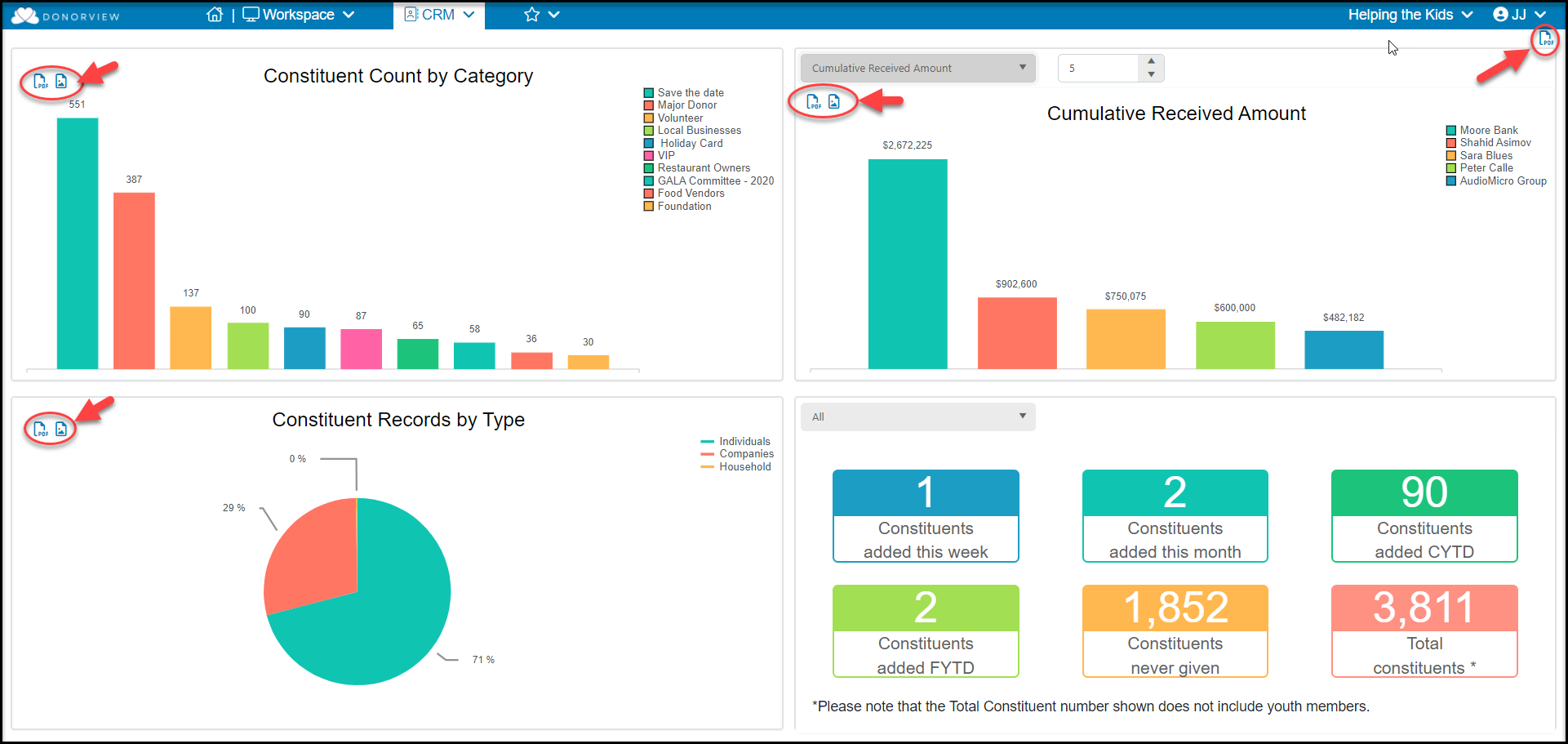
You can download the entire dashboard as a pdf file by clicking on the pdf icon in the top right corner of the dashboard, or you can download the individual graphics as image (png) or pdf files by clicking on the icons in the top left corner of each of the graphics.
Was this article helpful?

Related articles

What is a dashboard?Can I create favorite shortcuts for the workspace?How can I set a homepage?How do I create and edit my personal dashboard?Can I customize the graphics shown on the dashboards?
PreviousCan I customize the graphics shown on the dashboards?NextHow can I set a homepage?
© ConnectedView LLc
Help centerContact supportPowered by BlueHill