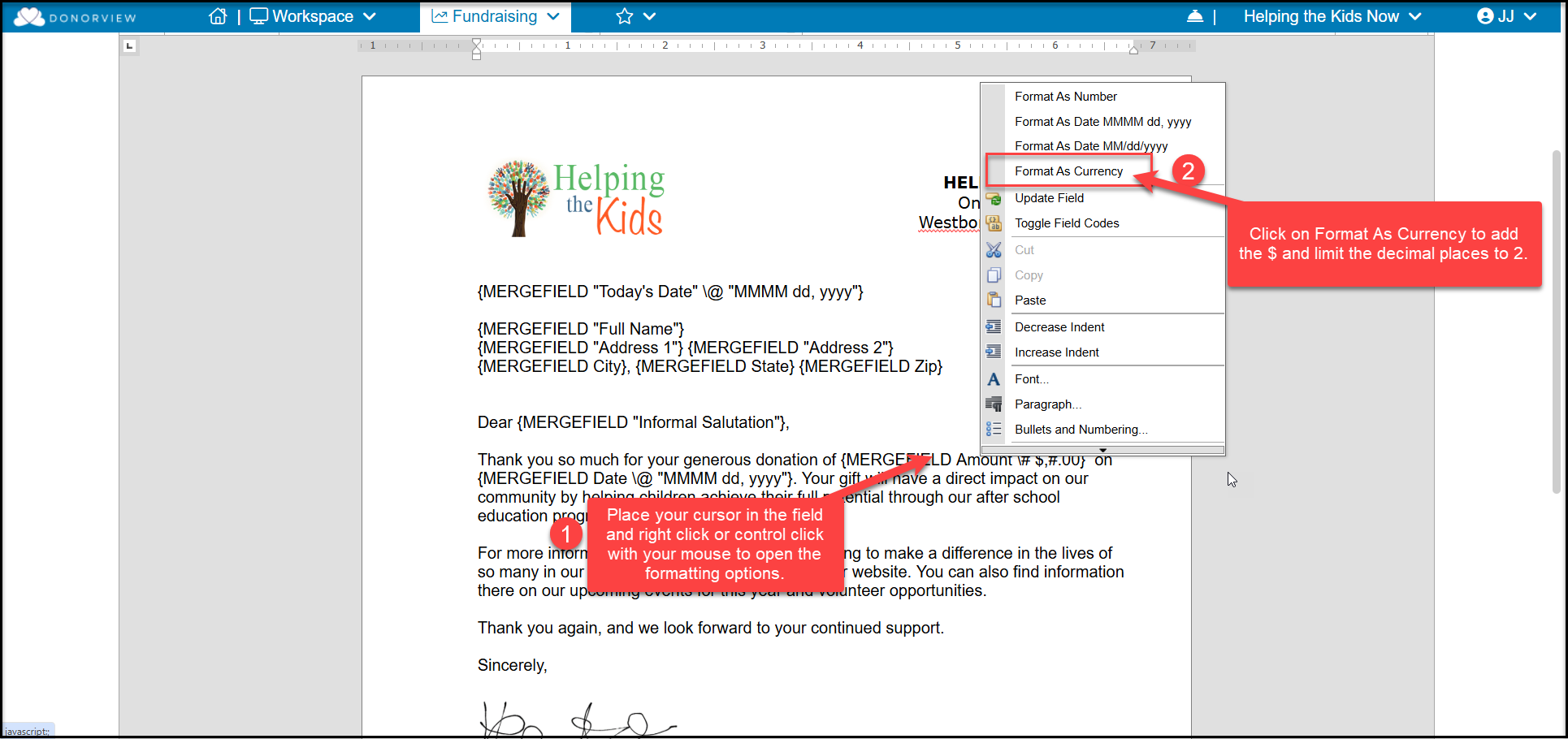
On mail merge letter templates, a mail merge dollar amount field will print with no $ and four decimal places by default. For example, $150.00 will print as 150.0000.
To format the dollar amount with a leading $ and only two decimal places, open the applicable mail merge template and right-click on the currency field and select Format As Currency.
This only needs to be done in mail merge letter templates, not direct emails or email templates.