
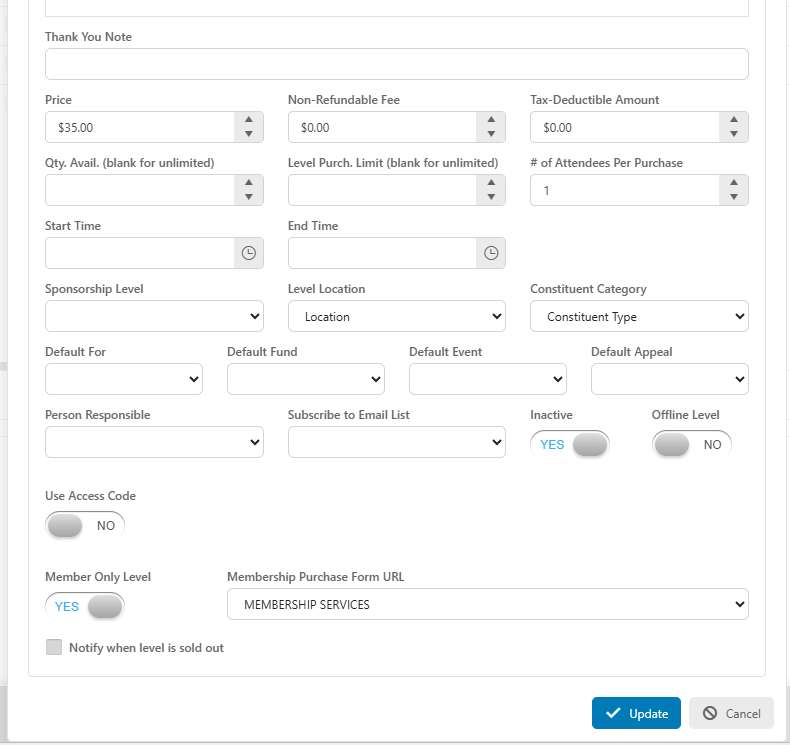
Yes, inside the setup of your Event, go to the Event Setup tab and create or edit an Event Level. Once the level dialog window launches you can scroll to the bottom of the popup and find a setting titled, “Member Only Level.” Marking this as “Yes” means only a Constituent with an active membership on file can access that Event Level. This is verified by asking the Event Registrant to input their email addresses which is then checked against the active member list within your account. Beyond just being an Active Member, you can also specific which Membership Level the Event Registrant must have to gain access to the Event Level.
After setting “Member Only Level” to YES you will be able to select which Membership form a non-member or inactive member will be directed to to purchase/renew their membership to gain access to the Event Level.
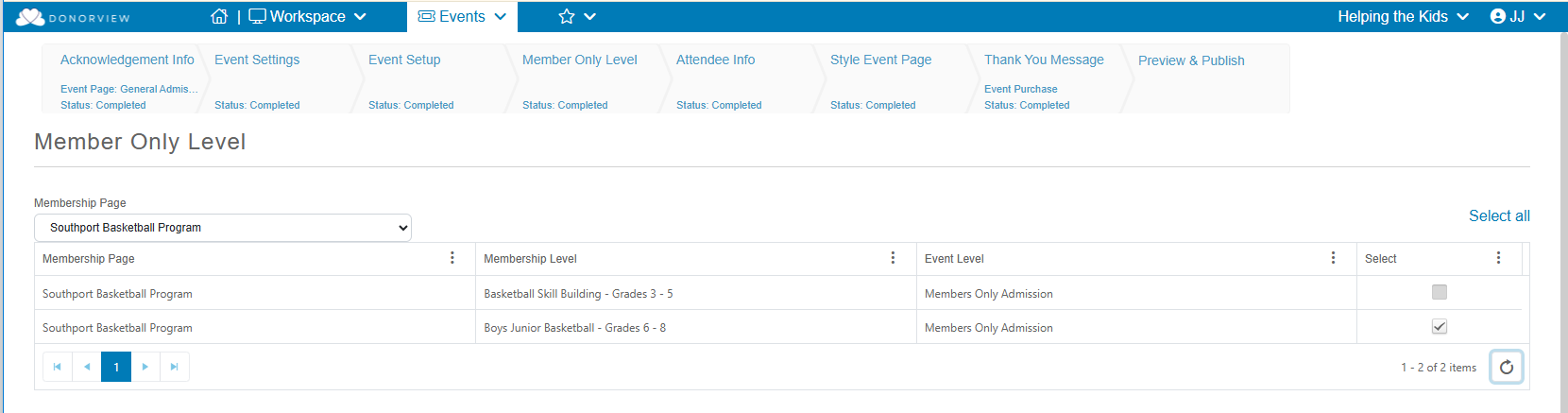
On the Member Only Level step, select the Membership Page and Membership Level(s) that apply to the Event Level by checking off the Select box or clicking Select All.
On the Event registration form, any Event Levels with the “Member Only Level” setting activated will have their Quantity Selector replaced with the following message, “Member Only Click here to unlock with your email.” To select the Event Level, the registrant will click the “here” link and a new dialog box will launch asking for them to enter their email address.


After submitting their email addresses, the software will check it against all the active members to see if a Constituent with the submitted email address set as their default email address has a current/active membership record for the level specified. If they do, they will be able to select the Member Only Event Level and continue to register for the Event. If there is no Membership, they do not have the correct level, or their Membership is expired, the following message will appear: “Sorry, there is no active membership connected to this email. To renew or purchase a new membership please click here.” The “click here” link will direct them to a Membership Form where they can process/renew their membership. After their new Membership transaction has been submitted, they can retry the Event registration.
