
Where can I track the P2P donations?
Updated Jun 12, 2026·1 min read
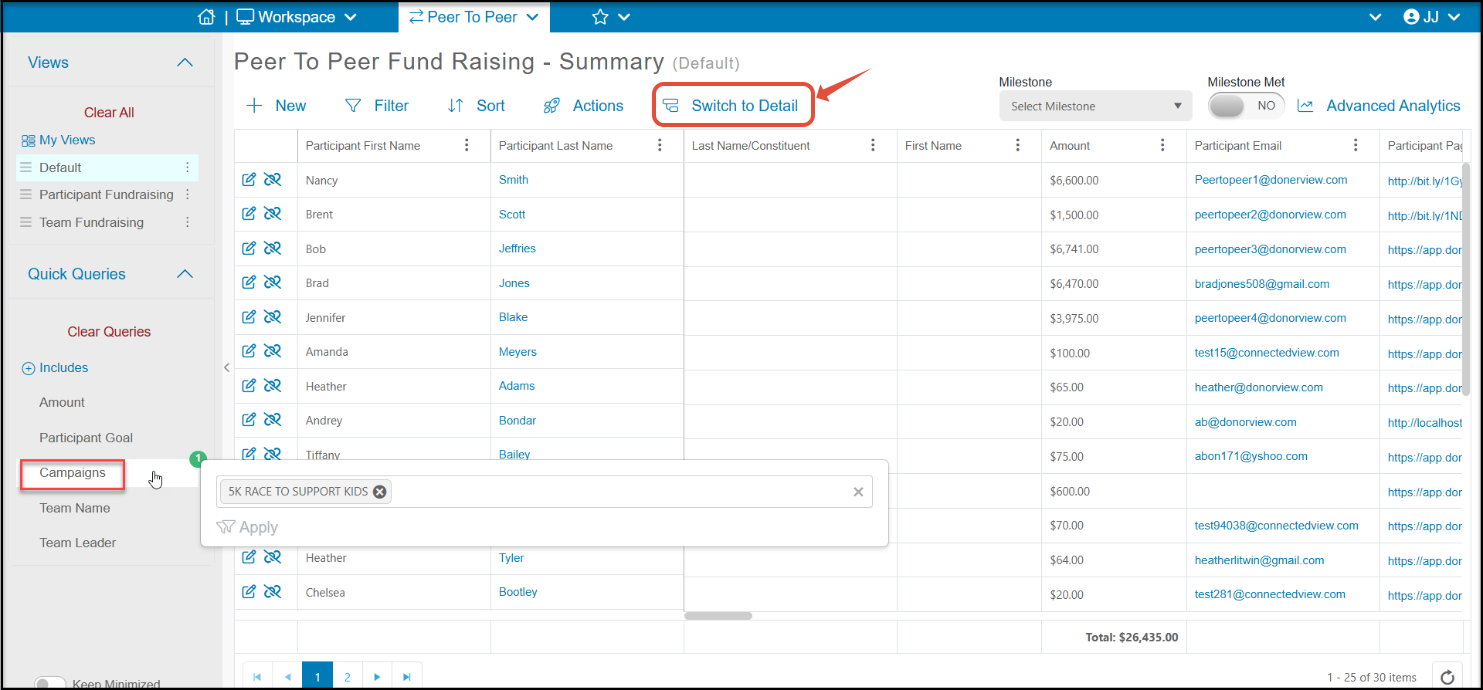
P2P donations are shown on the P2P Dashboard. First select the campaign to view using the Quick Queries menu. Once the campaign is selected, click on Switch to Details to see each individual contribution.
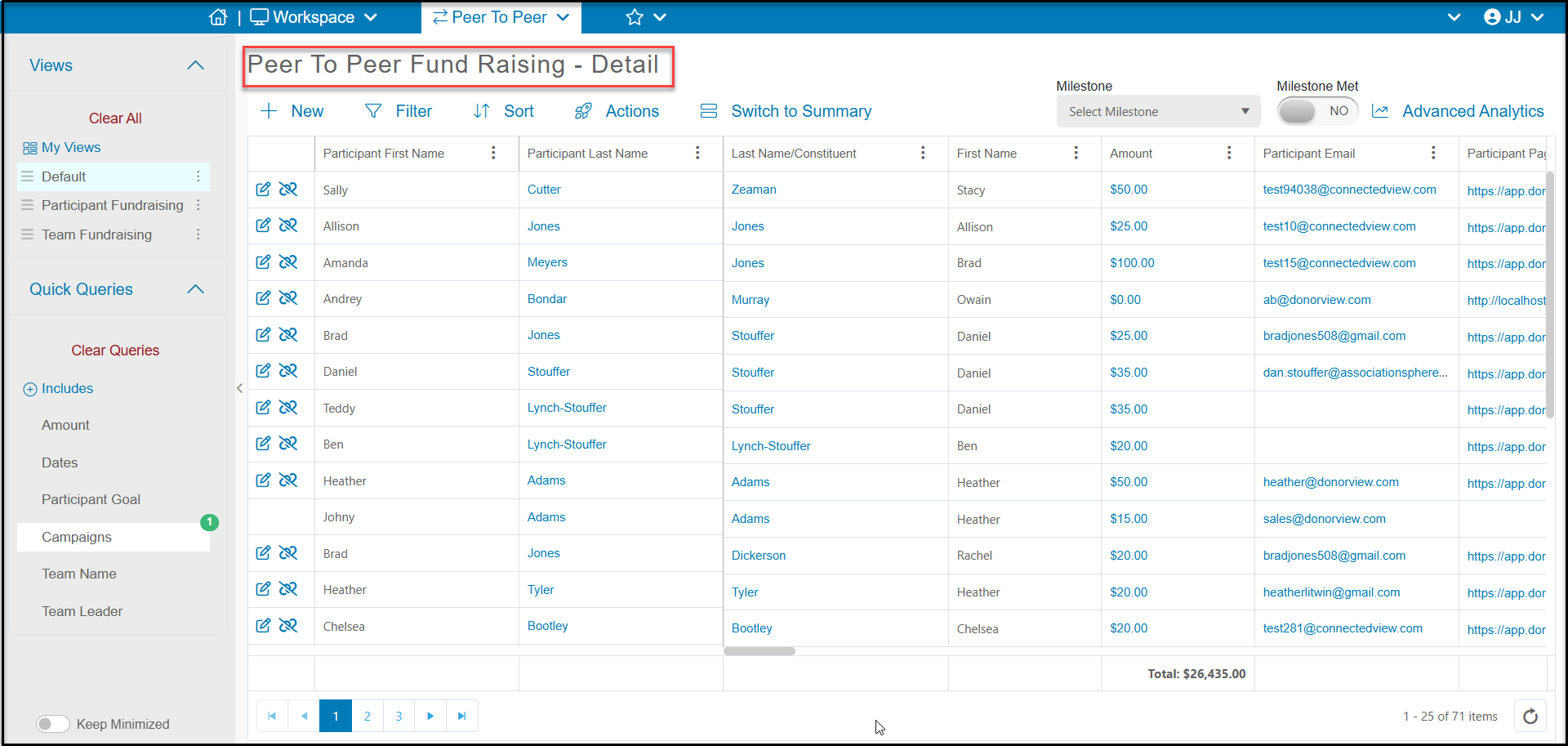
On the Details grid you can see the name of the donor under the Last Name/Constituent field and the fundraising page, participant's name, amount and other details.
You can also see all contributions to this campaign on the Gifts grid. You can filter the gifts grid by the For-Fund-Event-Appeal revenue category fields you have assigned for this campaign.
Was this article helpful?