
How do I see all the donations for a P2P campaign?
Updated Mar 26, 2024·1 min read
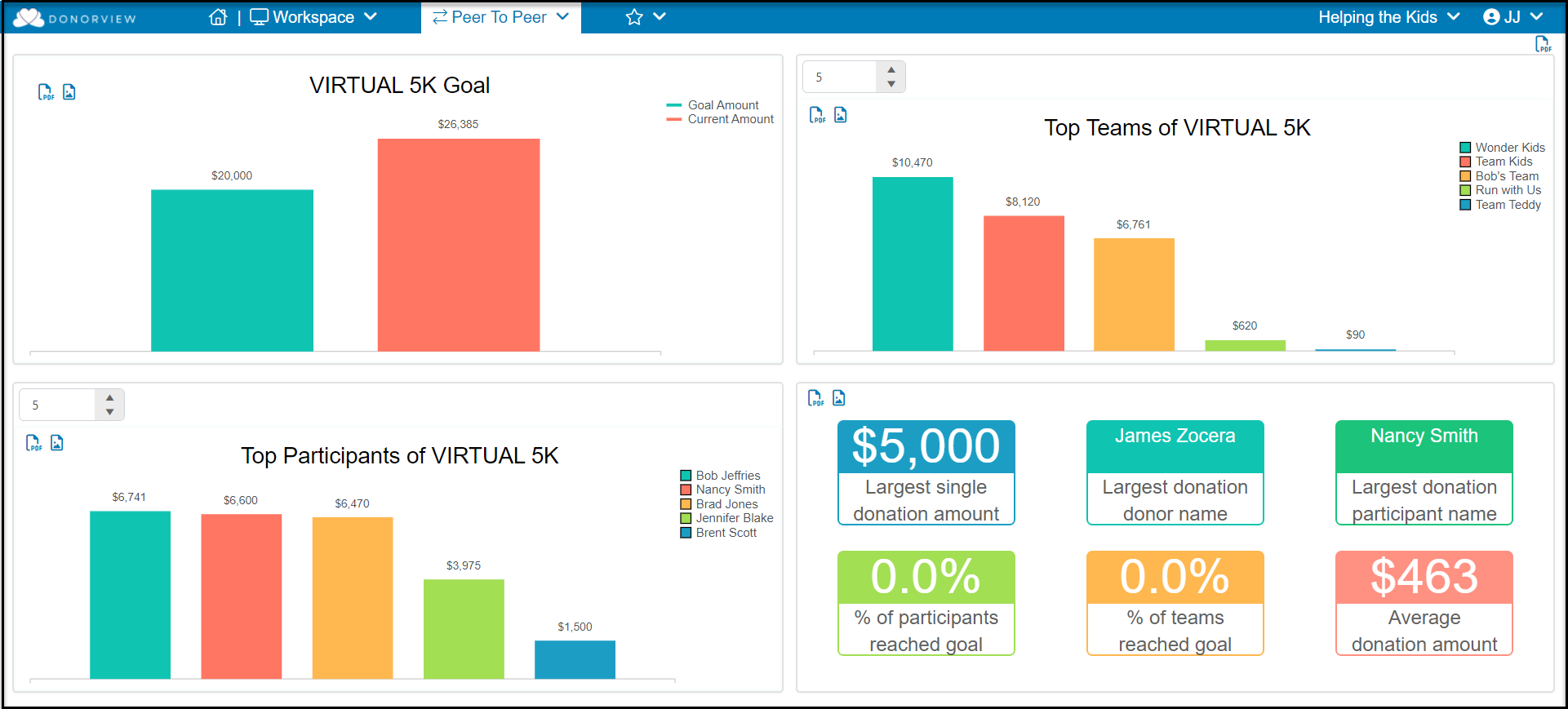
- The P2P Summary Dashboard found under the Workspace menu shows graphs for the most current P2P campaign.
a. The entire dashboard can be exported as a pdf file using the icon in the top right corner of the screen.
b. The individual graphs can be exported as a pdf or image file using the icons in the top right corner of each graph.
-
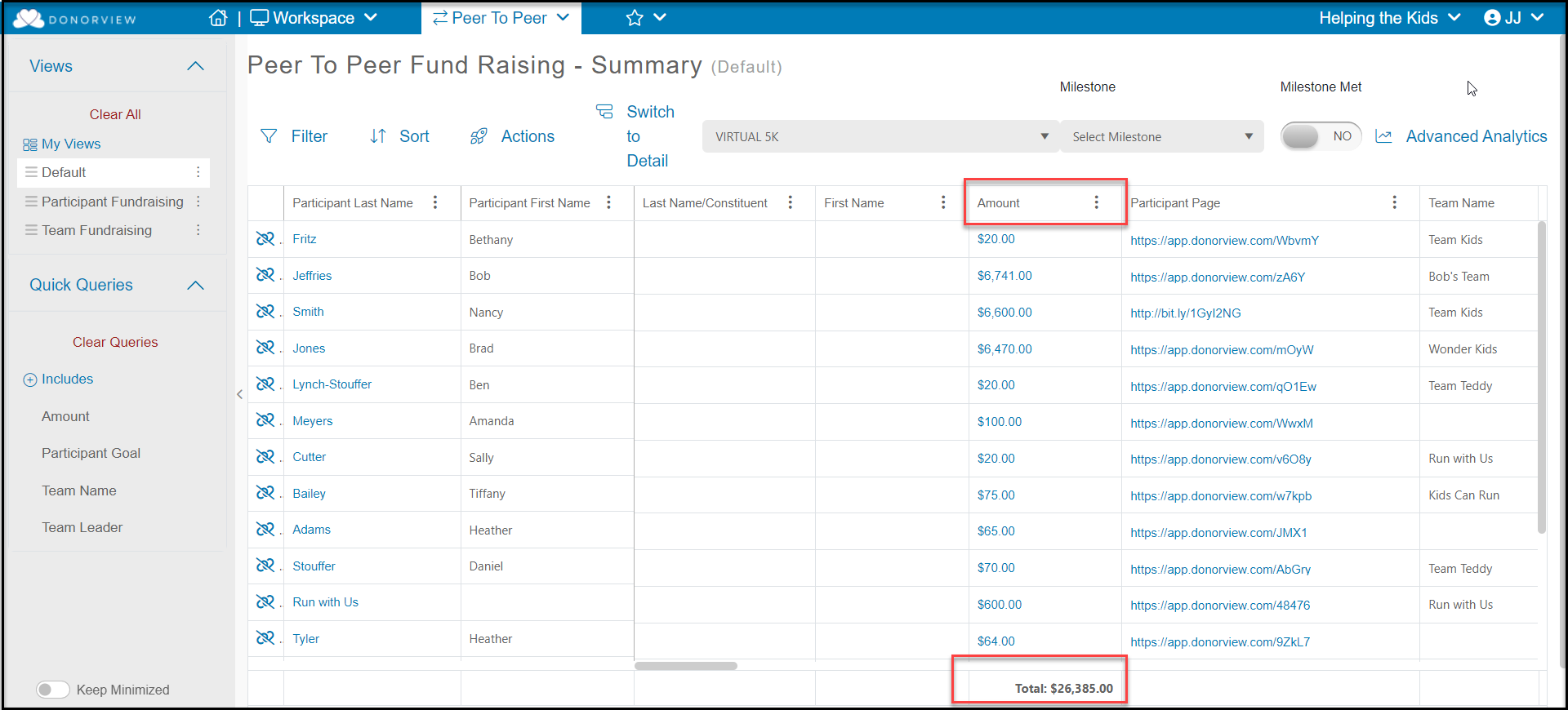
The total raised so far for the campaign is shown under the Amount column.
-
The P2P Dashboard Detail view will show each individual donation or pledge.
Was this article helpful?