
Saving a View
Updated Jul 17, 2024·1 min read
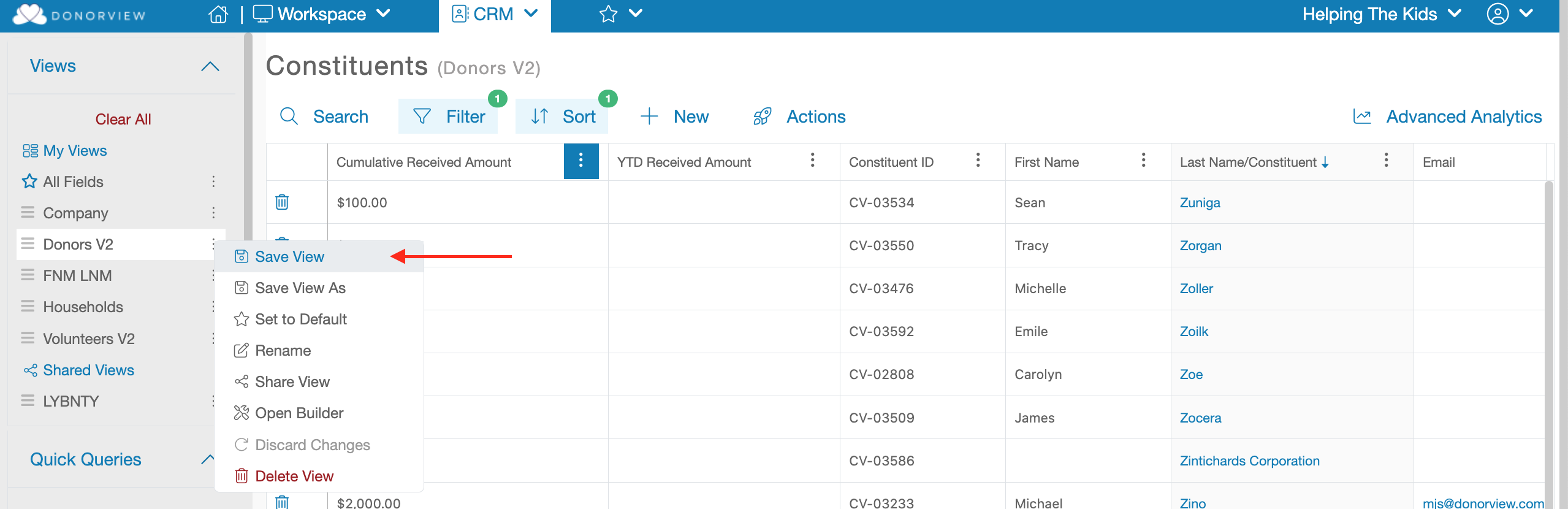
To save a View click the three menu dots that appear next to the desired View’s name on the left-hand side bar. Within that menu you will find an option called, “Save View”. Clicking that menu option will Save all the changes made to the View.
Was this article helpful?