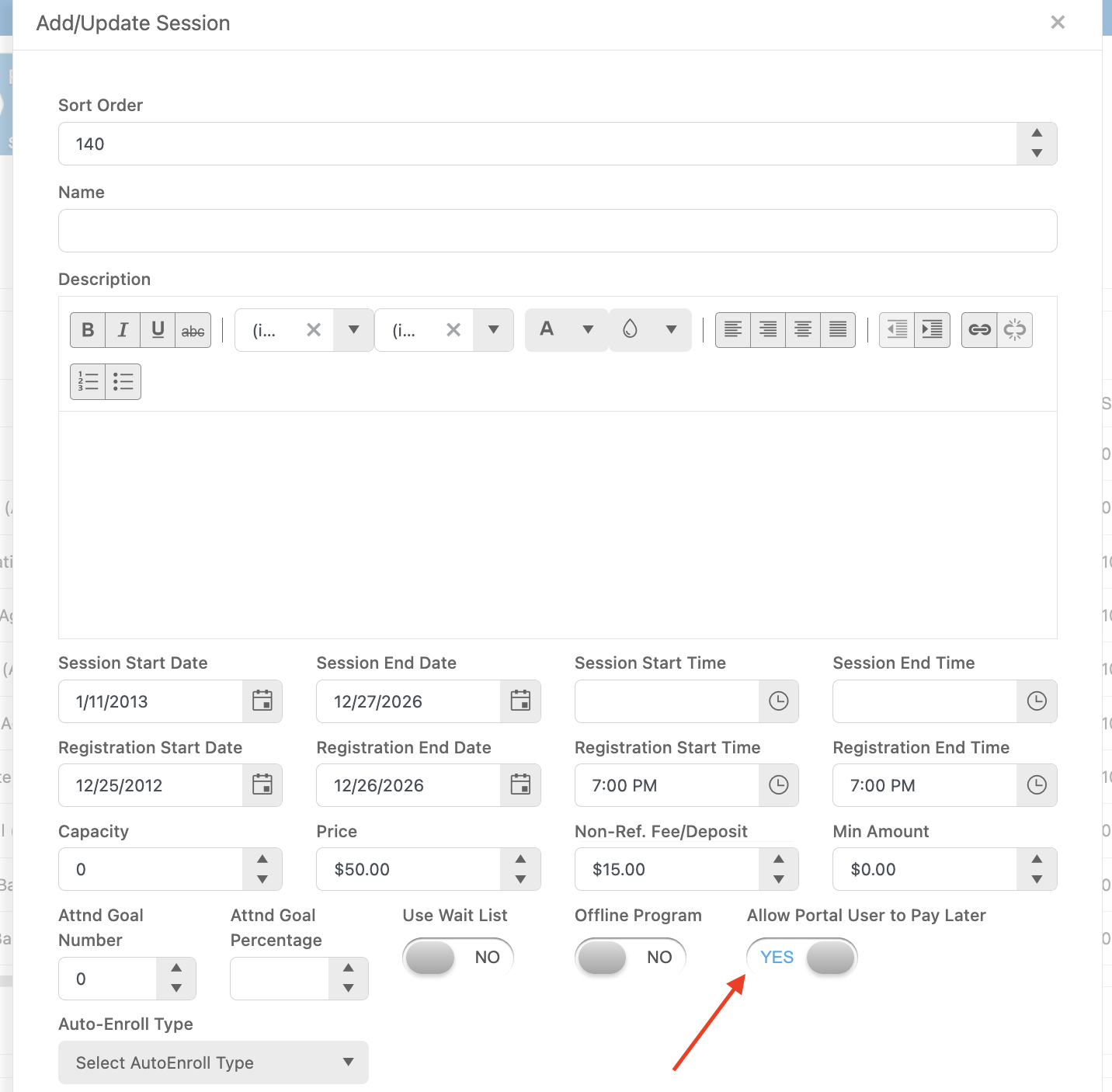
How does Pay Later work on a Session?
Pay Later allows the person enrolling to choose to not pay the full cost of the Session up front. When you turn this option on it adds a toggle switch to the enrollment form that the user a turn on or off if they want to Pay Later. To control the minimum payment amount you can enter a cost into the “Non Refundable Fee” field. For example if you enter $5 into that field the minimum amount the user will need to pay is $5. The remaining cost of the Session will be added as a balance on their enrollment. They will then have to make payments manually on that balance.
The minimum Pay Later amount can also be affected by Add-On purchases. Any Add-Ons that the user purchases will also need to be paid up front. Using the example from above the minimum cost of the session is $5 and then they Add-On a $10 Uniform. Their total minimum cost to enroll will be $15.
The user can also choose to pay above the minimum amount. The can enter any value on top of the minimum for their initial payment on the Session enrollment.