
How do portal users check their gift card balance?
Updated Jun 5, 2026·1 min read
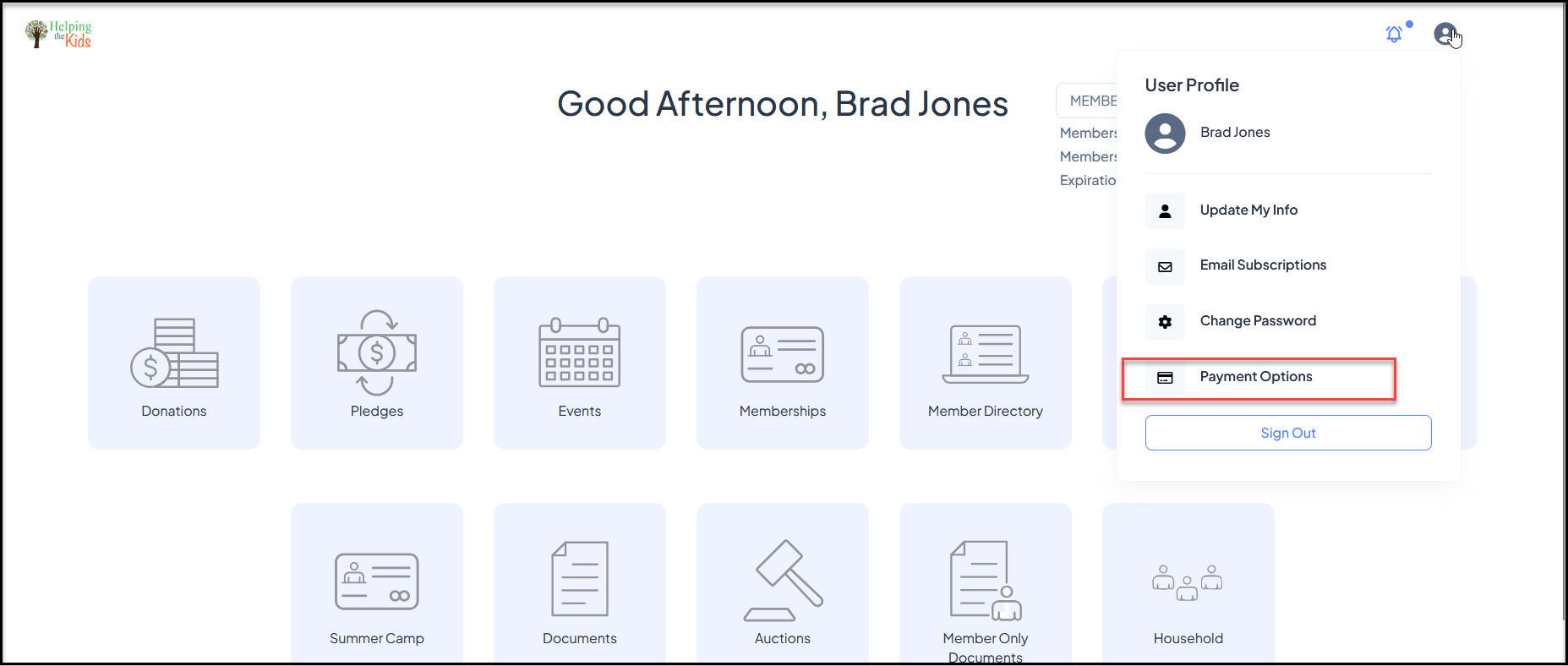
Any portal user can check their gift card balance right in the Donor Portal. To do so, they can log in and mouse over their name in the top right-hand corner and click on Payment Options.
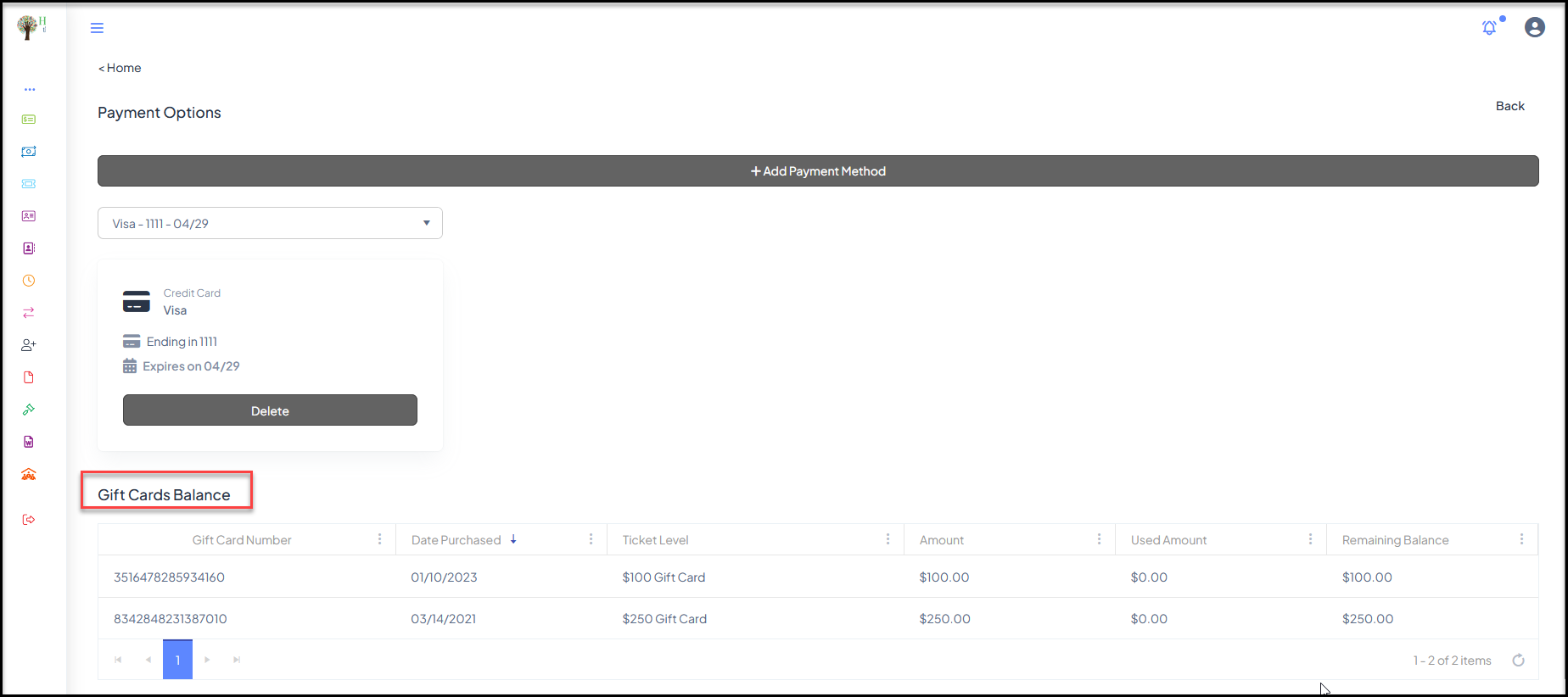
Once this is clicked, they are led to a page that shows their credit cards, gift card amounts and balance, as shown below.
Was this article helpful?