
How do I format a mail merge Amount field?
Updated Jul 21, 2026·1 min read
On mail merge letter templates, a mail merge dollar amount field will print with no $ and four decimal places by default. For example, $150.00 will print as 150.0000.
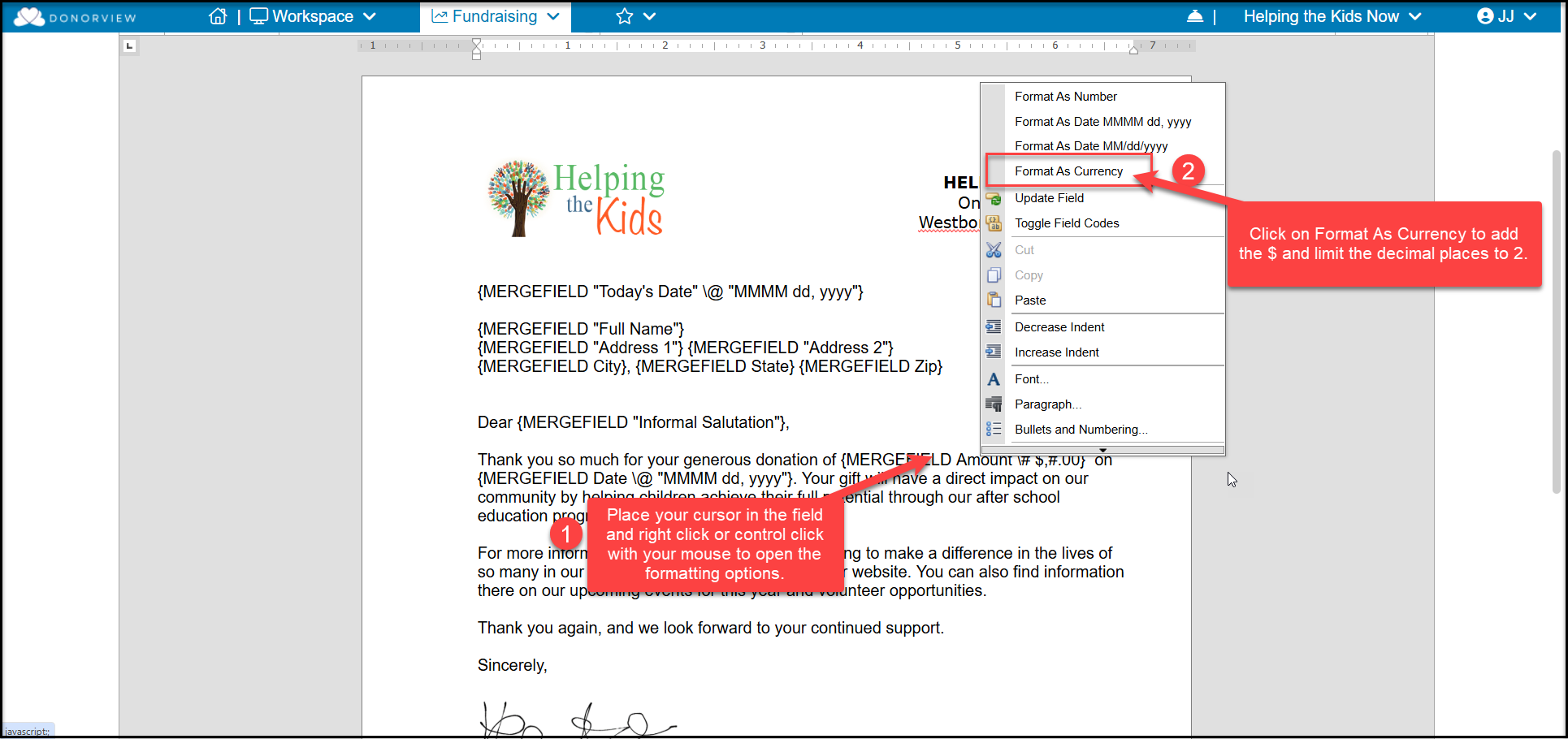
To format the dollar amount with a leading $ and only two decimal places, open the applicable mail merge template and right-click on the currency field and select Format As Currency.
This only needs to be done in mail merge letter templates, not direct emails or email templates.
Was this article helpful?