
DonorViewHelp center
Ask AIAll articlesContactContact supportSign inSign up
Browse
  • General Information & Overviews
  • Organization Account Management
  • DonorView User Management
  • Grids, Dashboards & Software Functionality
  • CRM Module
  • Fundraising Module
  • Events Module
  • Peer To Peer Fundraising Module
  • Volunteer Module
  • General Memberships Module
  • Youth Memberships Module
    • Overview & Setup
    • Youth Membership & Programs User Security
    • Youth Members
    • Youth Membership Enrollment
    • Attendance
      • How do I filter the Site Attendance grid?
      • How do I take Site Attendance?
      • How do I edit the Attendance In/Out time?
      • How do I take Program Attendance?
      • How do I see the Attendance History?
      • Can I edit Check Ins and Outs on the Attendance History grid?
    • Parent Portal
  • Auctions Module
  • Email Marketing Module
  • Surveys/Forms Module
  • Reports Module
  • Constituent Portal
  • Mobile Devices & DV Connect App
  • Quickbooks Integration
  • Training
  • Blog Posts
Help center/Youth Memberships Module/Attendance

How do I edit the Attendance In/Out time?

Updated Jun 20, 2025·1 min read

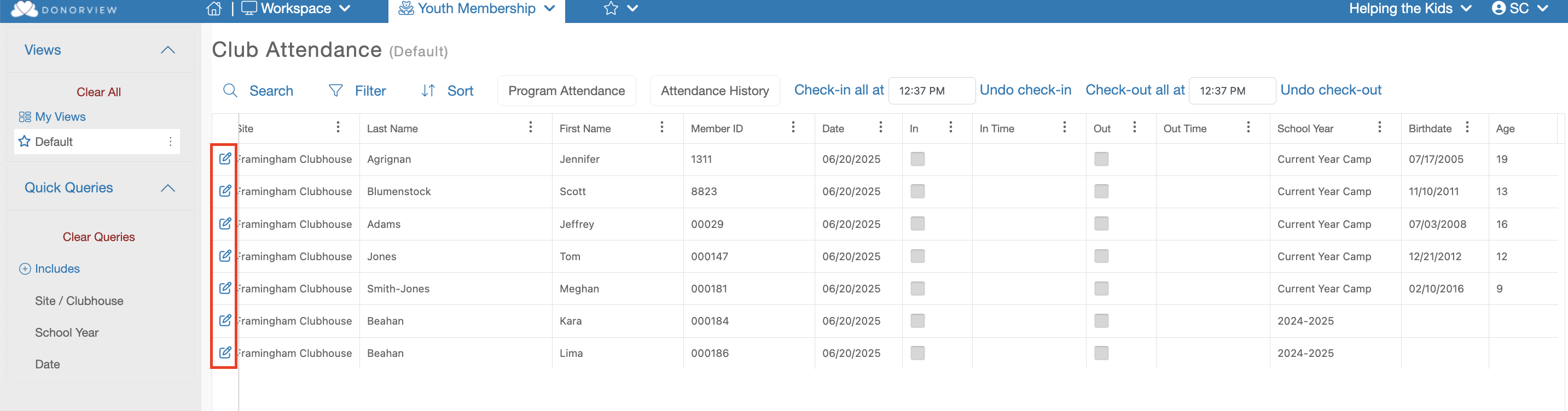
If you need to edit the Check In/Out time of any member you will find an Edit icon on each row that looks like a piece of paper with a pencil.
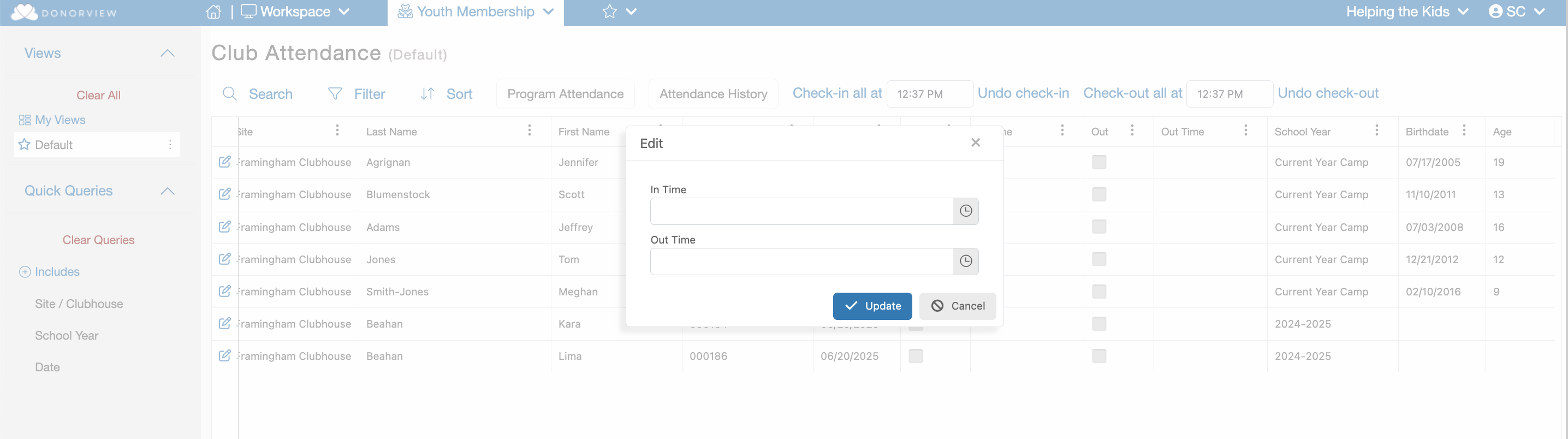
Clicking this button will open a dialog window where you can edit the times and update the grid.
Was this article helpful?

Related articles

How do I take Program Attendance?How do I take Site Attendance?How do I filter the Site Attendance grid?How do I see the Attendance History?Can I edit Check Ins and Outs on the Attendance History grid?
PreviousHow do I take Site Attendance?NextHow do I take Program Attendance?
© ConnectedView LLc
Help centerContact supportPowered by BlueHill