# Will I be notified when a new online donation is made?
> Source: https://support.donorview.com/will-i-be-notified-when-a-new-online-donation-is-made | Updated: 2026-08-03T20:16:42Z
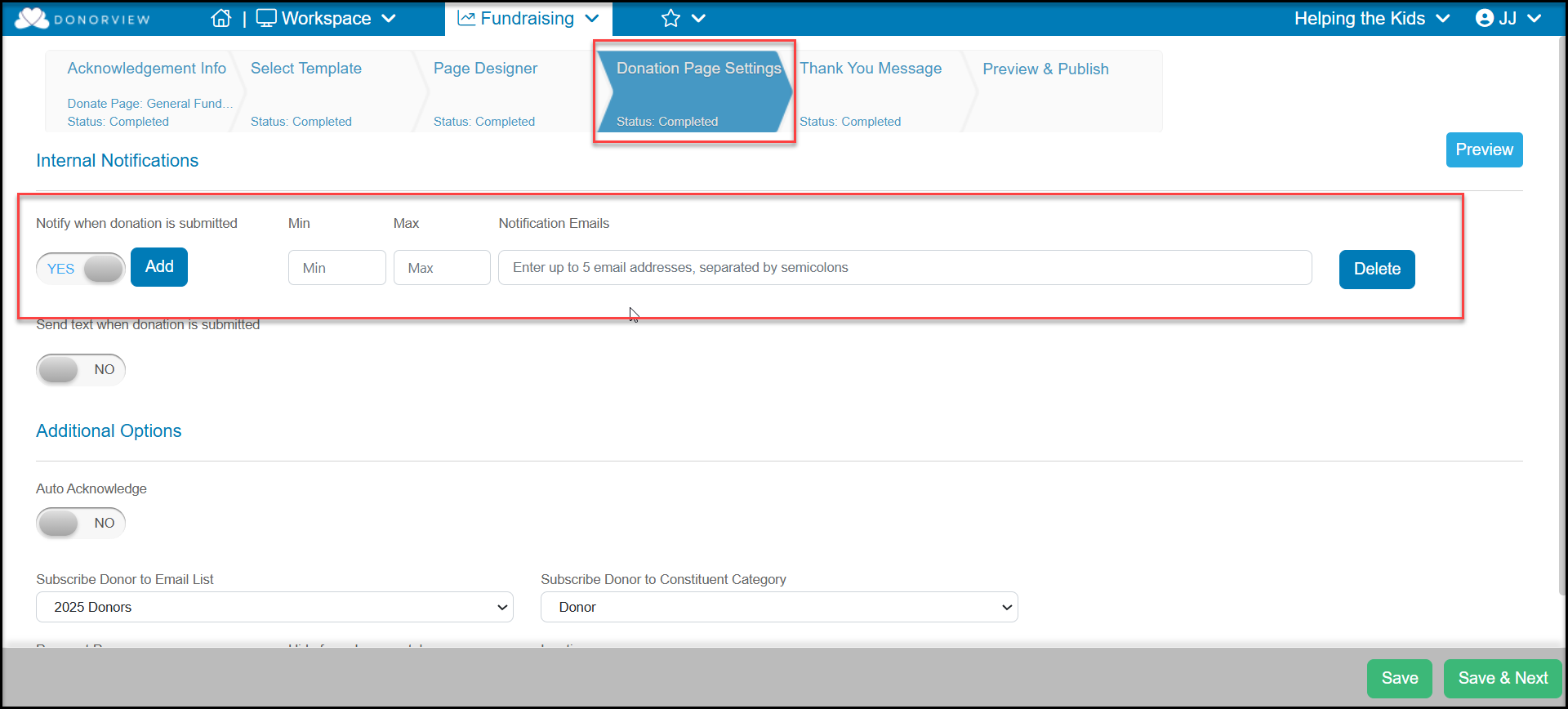
If you have selected the option to receive an email or text when an online donation is made, you will be notified. To set email notifications, go to the Donation Page Settings tab within the setup of your Online Donation Form. Set **Notify when donation is submitted** to **YES.** You can enter up to 5 email addresses under **Notification Emails**. Make sure to enter in a semi-colon between each address. If desired, you can enter a minimum and maximum amount for the notifications under the **Min** and **Max** fields.
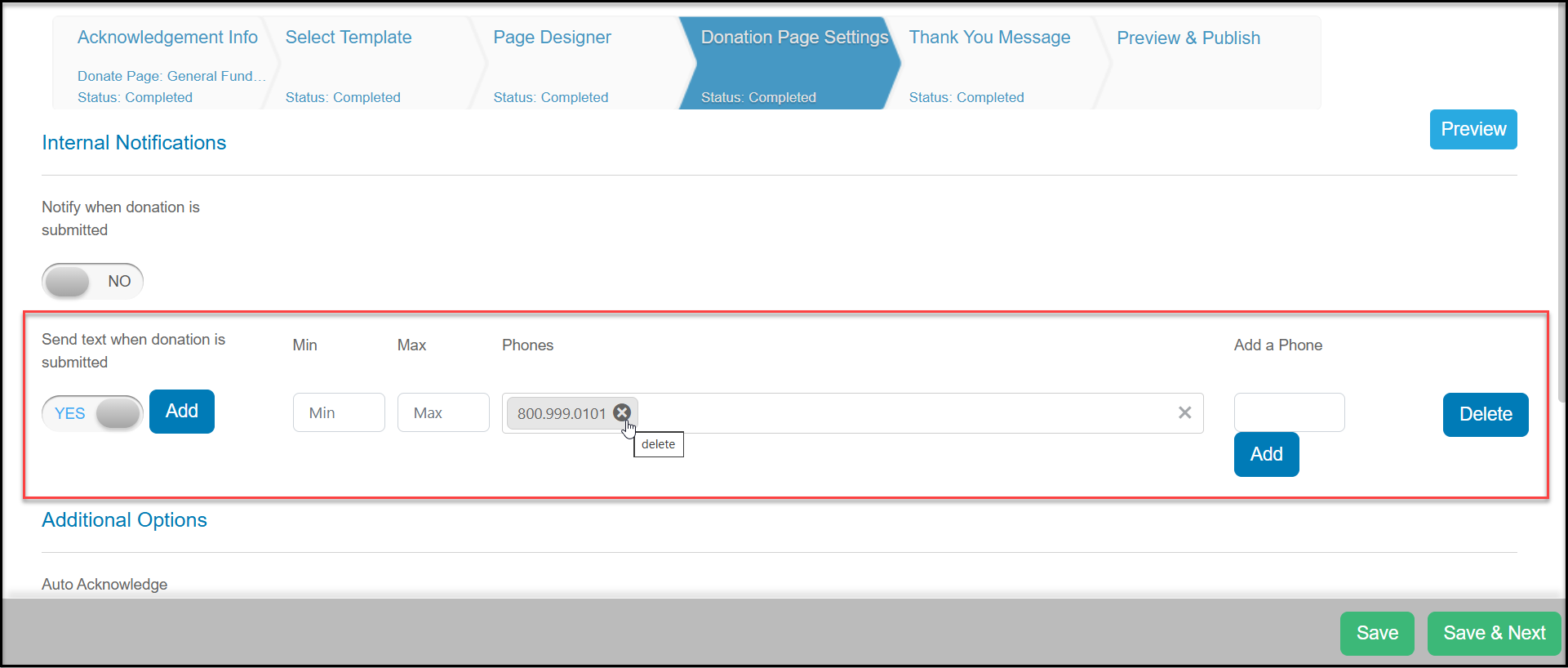
 For text notifications, you will need to have text messaging activated. You can set **Send text when donation is submitted** to **YES**. To add phone number to notify, enter the number under **Add a Phone** and click **Add**. The numbers will appear under **Phones**. You can remove any numbers from notifications by clicking on the small "x" next to the number.
If desired, you can enter a minimum and maximum amount for the notifications under the **Min** and **Max** fields.
When setting up notifications are complete, click the **Save button** to save the changes.
For text notifications, you will need to have text messaging activated. You can set **Send text when donation is submitted** to **YES**. To add phone number to notify, enter the number under **Add a Phone** and click **Add**. The numbers will appear under **Phones**. You can remove any numbers from notifications by clicking on the small "x" next to the number.
If desired, you can enter a minimum and maximum amount for the notifications under the **Min** and **Max** fields.
When setting up notifications are complete, click the **Save button** to save the changes.