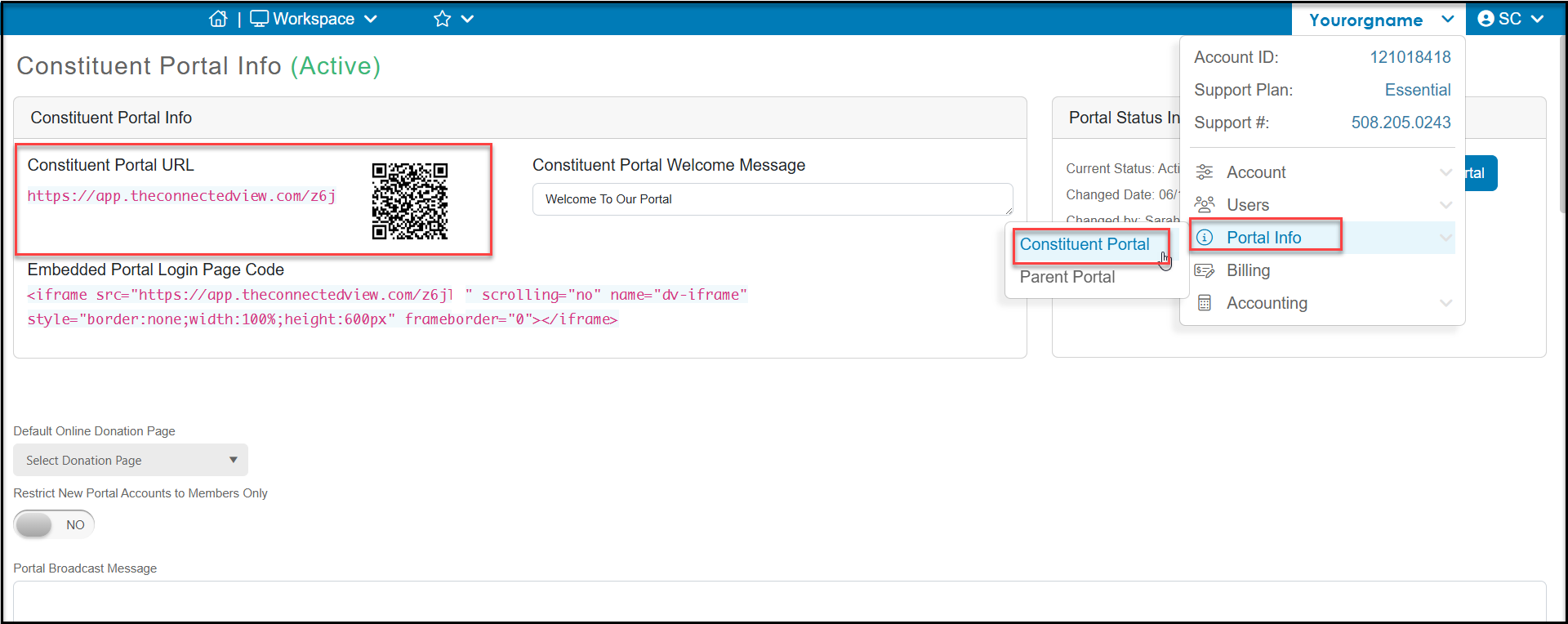
# Where can I find the link/URL to my Constituent Portal?
> Source: https://support.donorview.com/where-can-i-find-the-linkurl-to-my-constituent-portal | Updated: 2026-06-05T17:33:25Z
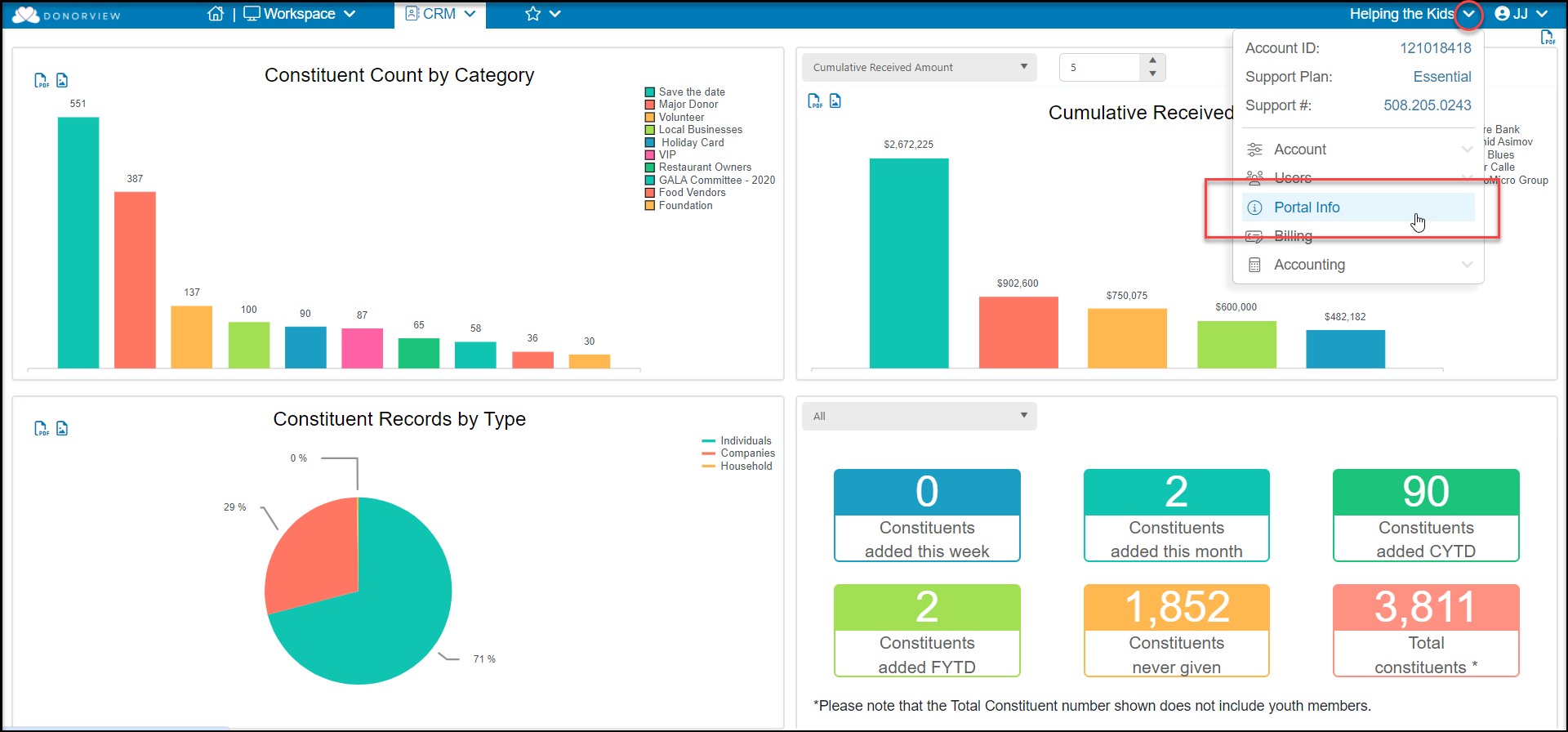
Once logged into DonorView mouse over your Organization's name and click **Portal** **Info,** then select **Constituent Portal.**
 At the top of the page under **Constituent** **Portal Info** you will find the URL link, QR code (download with a right click) as well as an embed code if you would like to embed this login into your website.