# What kind of reports can I run for events?
> Source: https://support.donorview.com/what-kind-of-reports-can-i-run-for-events-dv | Updated: 2024-10-12T21:45:52Z
**Ticket Sales and Revenue Reports**
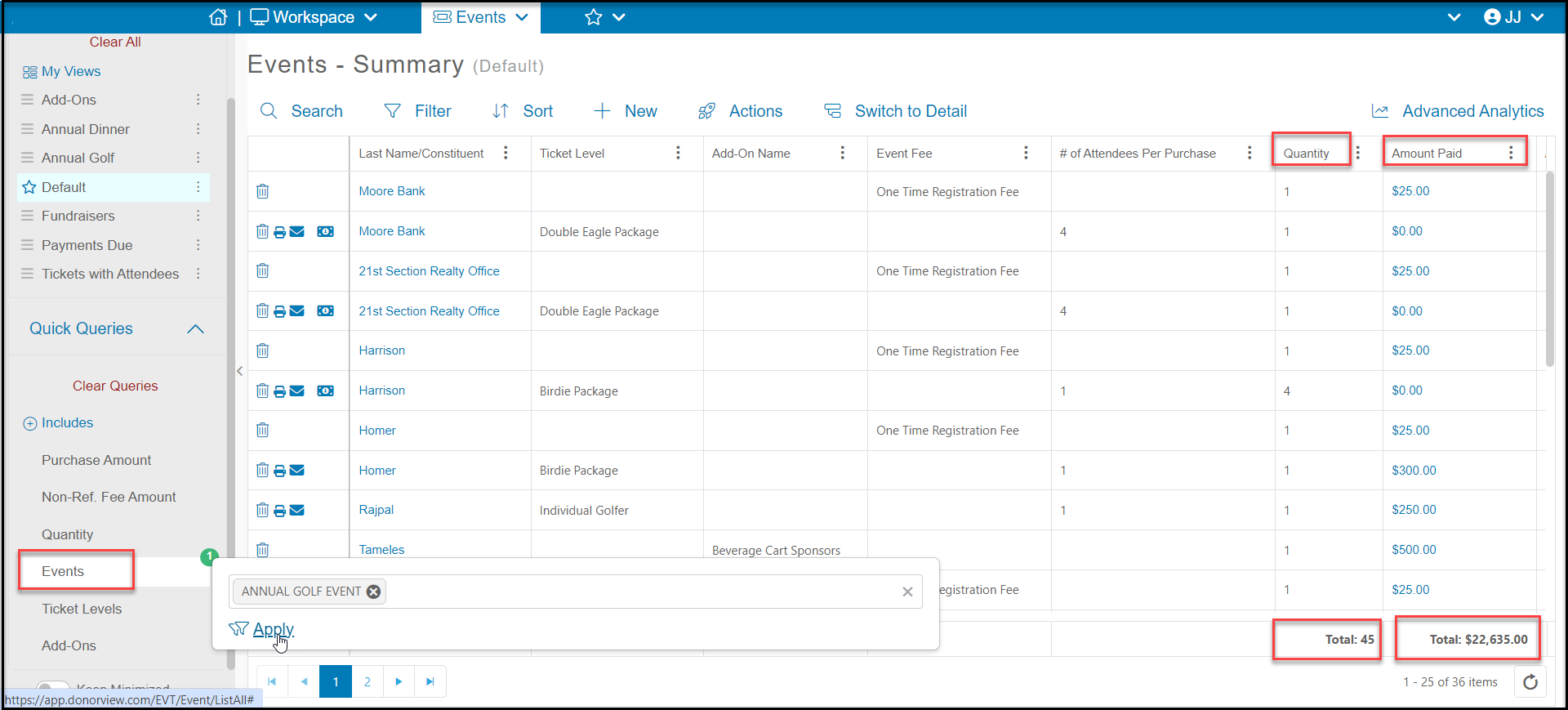
You can run ticket sales and revenue reports from the Events - Summary grid.
- Select the event or events from Quick Queries.
- The **Amount Paid** column will show the total revenue received.
- The **Quantity** column will show the total number of tickets, add-ons, or event fees purchased.
- This information can be exported to Excel using the **Actions** menu.
 **Attendee Information and Attendance Reports**
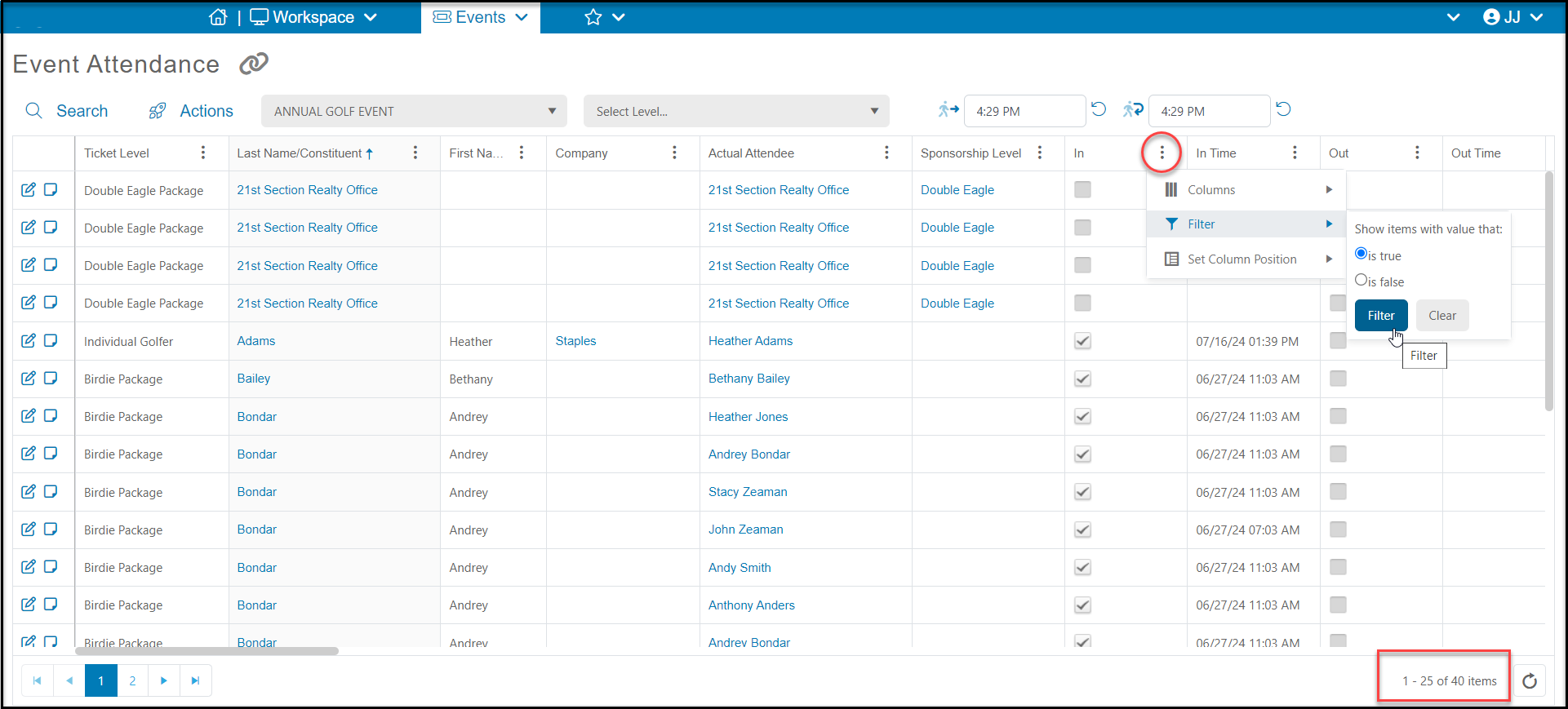
You can run reports about the attendees and attendance from the Event Attendance grid.
- The total number of attendees for the event will be shown in the bottom right corner.
- You can filter the grid for information like **Attendee Info** questions, **Table Name,** **Group Name**, and **Sponsorship Level**.
- You can filter the grid with the **In** column to get a report of everyone who checked in (is true) to get a final head count.
**Attendee Information and Attendance Reports**
You can run reports about the attendees and attendance from the Event Attendance grid.
- The total number of attendees for the event will be shown in the bottom right corner.
- You can filter the grid for information like **Attendee Info** questions, **Table Name,** **Group Name**, and **Sponsorship Level**.
- You can filter the grid with the **In** column to get a report of everyone who checked in (is true) to get a final head count.