# What is the Event Thank You Message Purchase Details section?
> Source: https://support.donorview.com/what-is-the-event-thank-you-message-purchase-details-section-dv | Updated: 2026-10-12T20:39:23Z
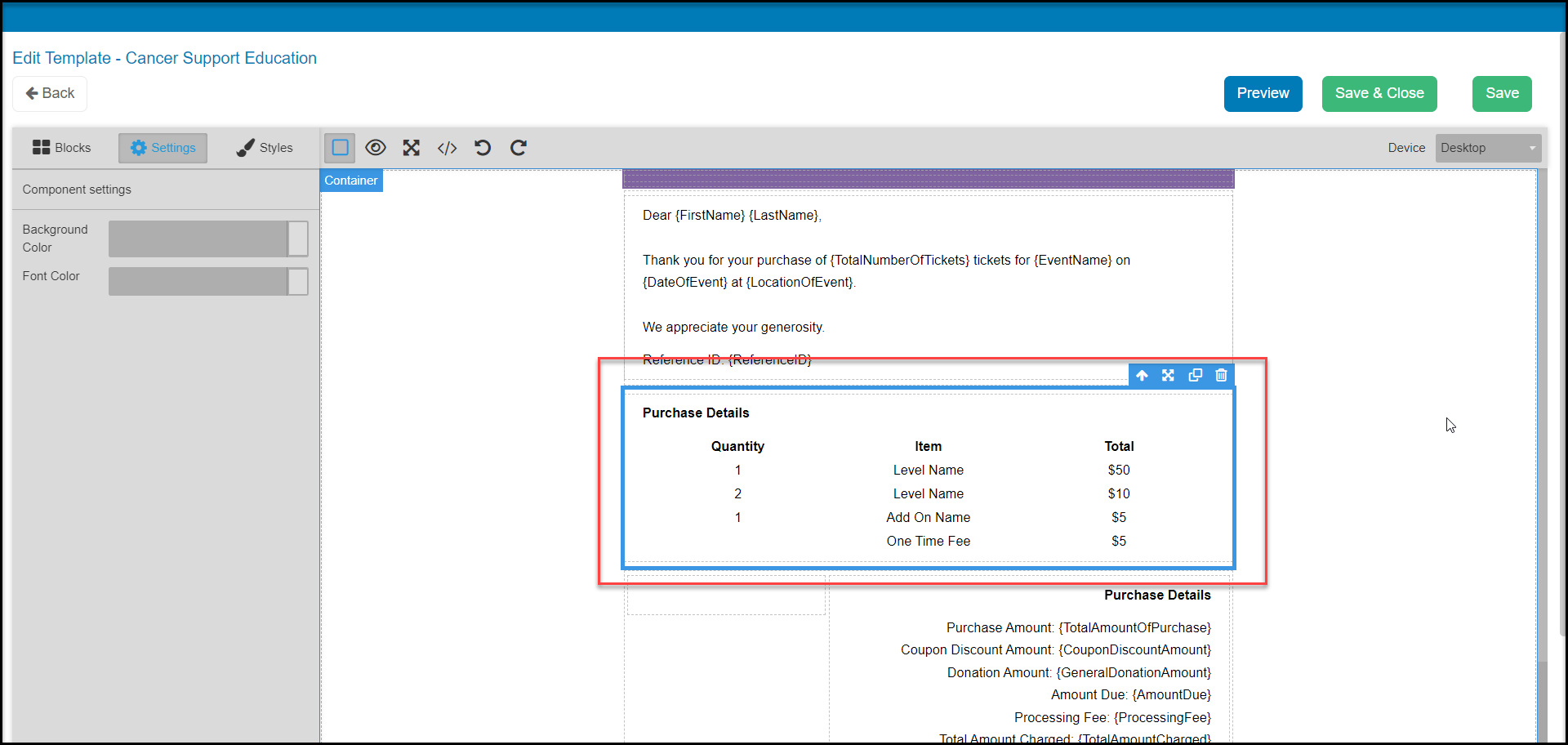
The Purchase Details section is a *placeholder*. It represents what type of data will be printed there. When editing the Thank You Message, this section cannot be edited except to change the title "Purchase Details" or the font name/size. The section can be removed, if desired.
*If the purchase details section has been removed and you want to add it back, please enter a ticket to the support team for assistance.*
The purchase detail columns will list all of the ticket levels, add-ons, and fees for the actual transaction. Below that section is the Purchase Details totals which are editable and can include whichever amounts/items are applicable to your event. For example, you can remove a line such as Coupon Discount Amount, if that does not apply to the event.
 For example, a constituent purchases two (2) Gala tickets for $100.00 each. Only one row will be printed on the Thank You.
