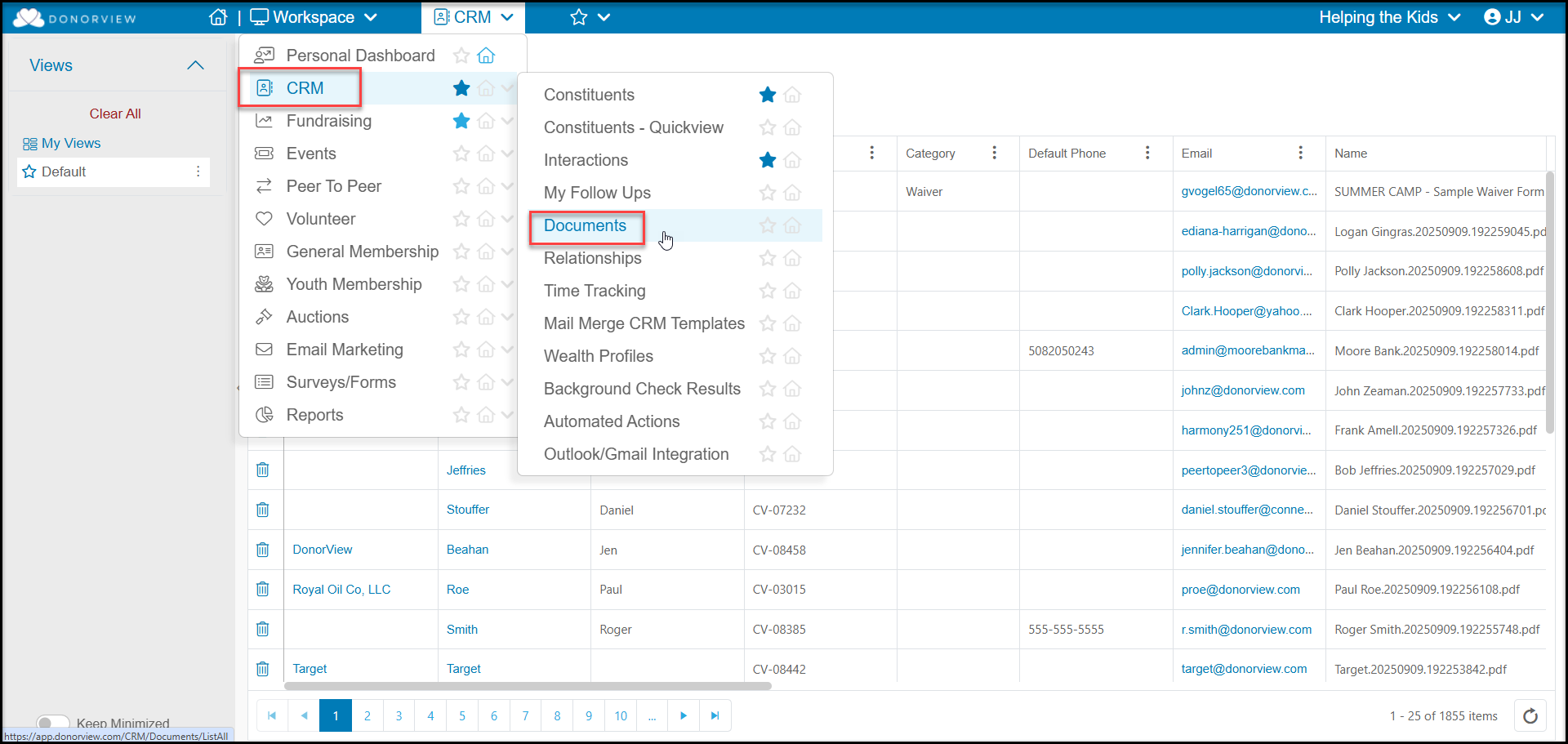
# What is the Documents grid?
> Source: https://support.donorview.com/what-is-the-documents-grid-dv | Updated: 2025-11-18T20:13:38Z
The Documents grid is located in the CRM module and can show a list of all documents for all constituents.This grid works similarly to other grids where you can create custom views by applying filters to the columns on the grid.
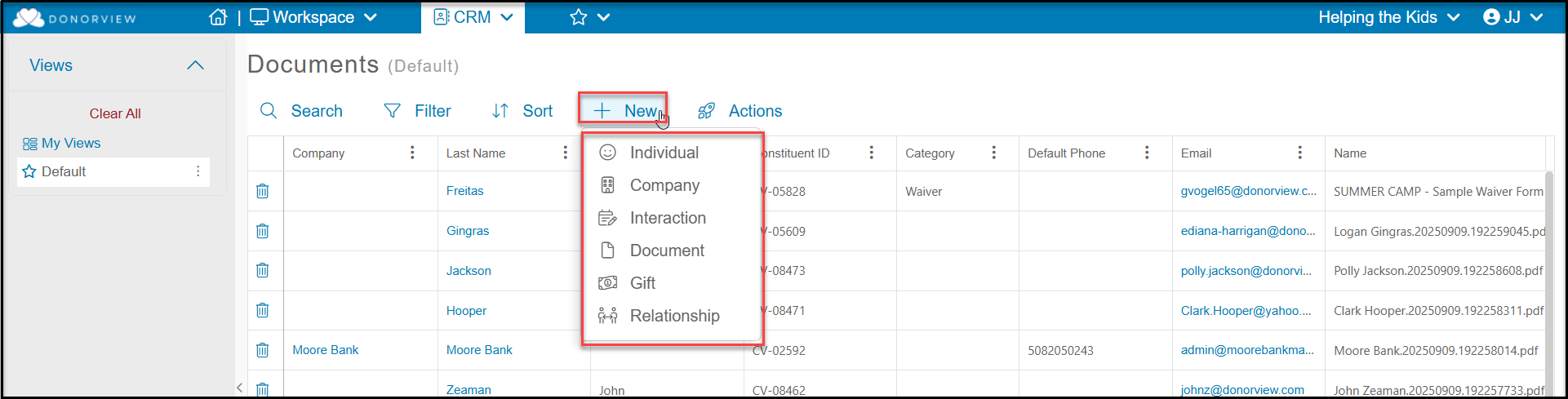
 This grid also allows you to upload a new document for a constituent using the **+New** menu. You can also add new constituents, interactions, gifts and relationships from this menu.
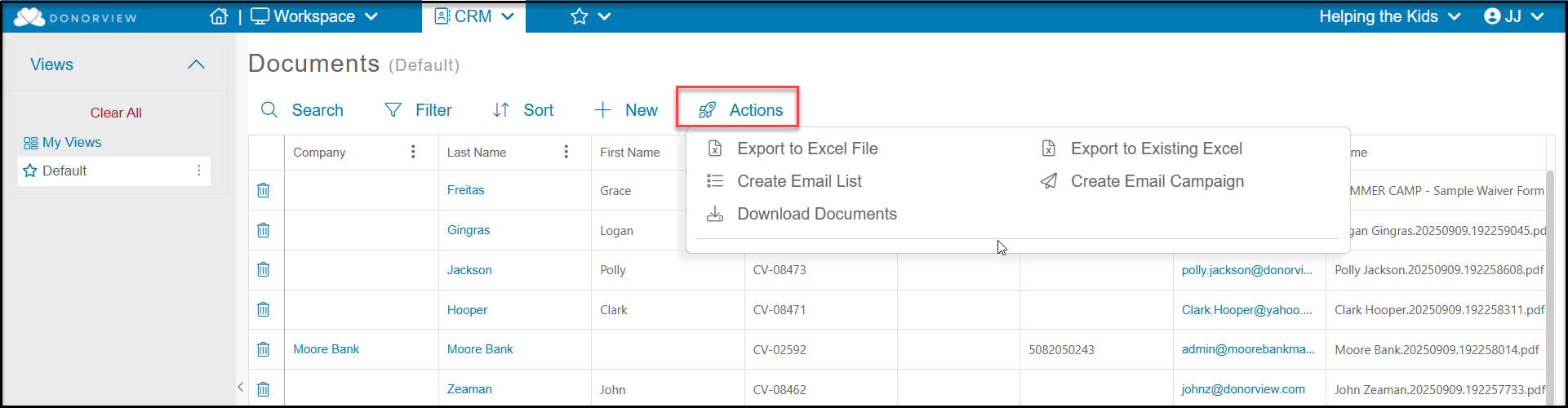
 The Actions menu allows you to Export to Excel File, Export to Existing Excel, Create Email Lists and Campaigns, as well as download documents in batches. You can apply a filter to the grid to see specific constituents and click Download Documents to create a zip file containing all the documents for all constituents in your view.