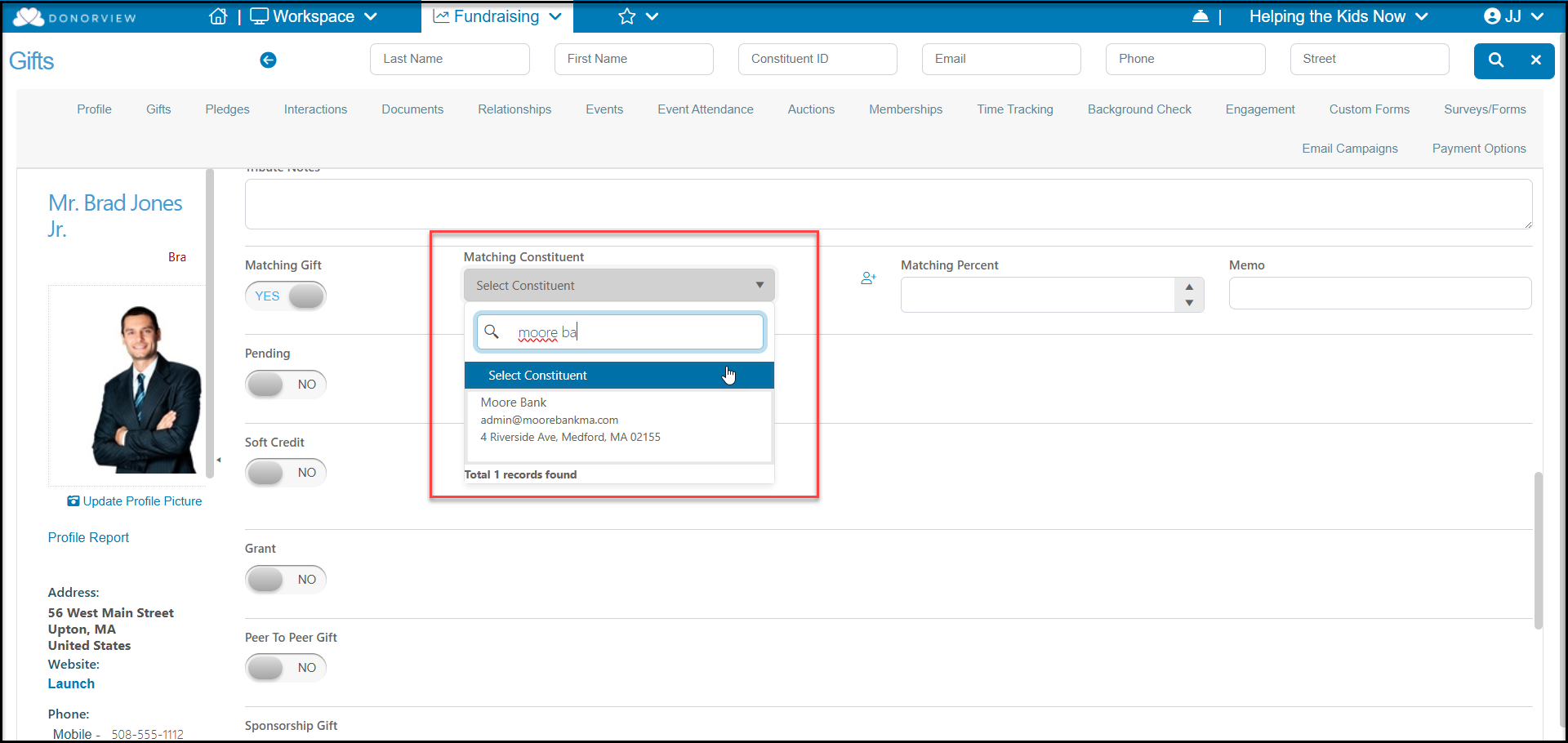
# What if the matching constituent does not exist yet?
> Source: https://support.donorview.com/what-if-the-matching-constituent-does-not-exist-yet-dv | Updated: 2026-08-04T18:52:57Z
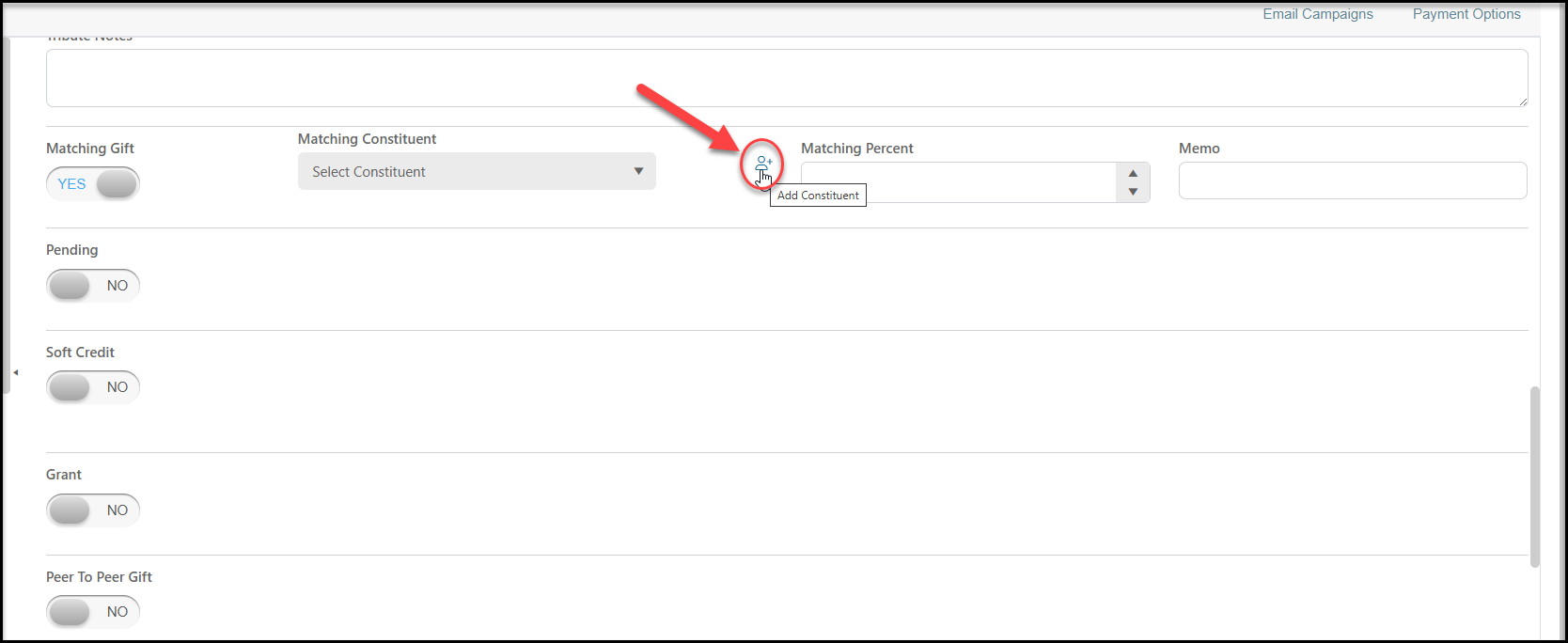
If the constituent is not listed in the pull down search menu under **Matching** **Constituent**, click the **Add Constituent** icon. A new window will open to allow you to add the new constituent, which defaults to a Company profile type. Enter the new information and click the green **Save** button on the bottom left corner.
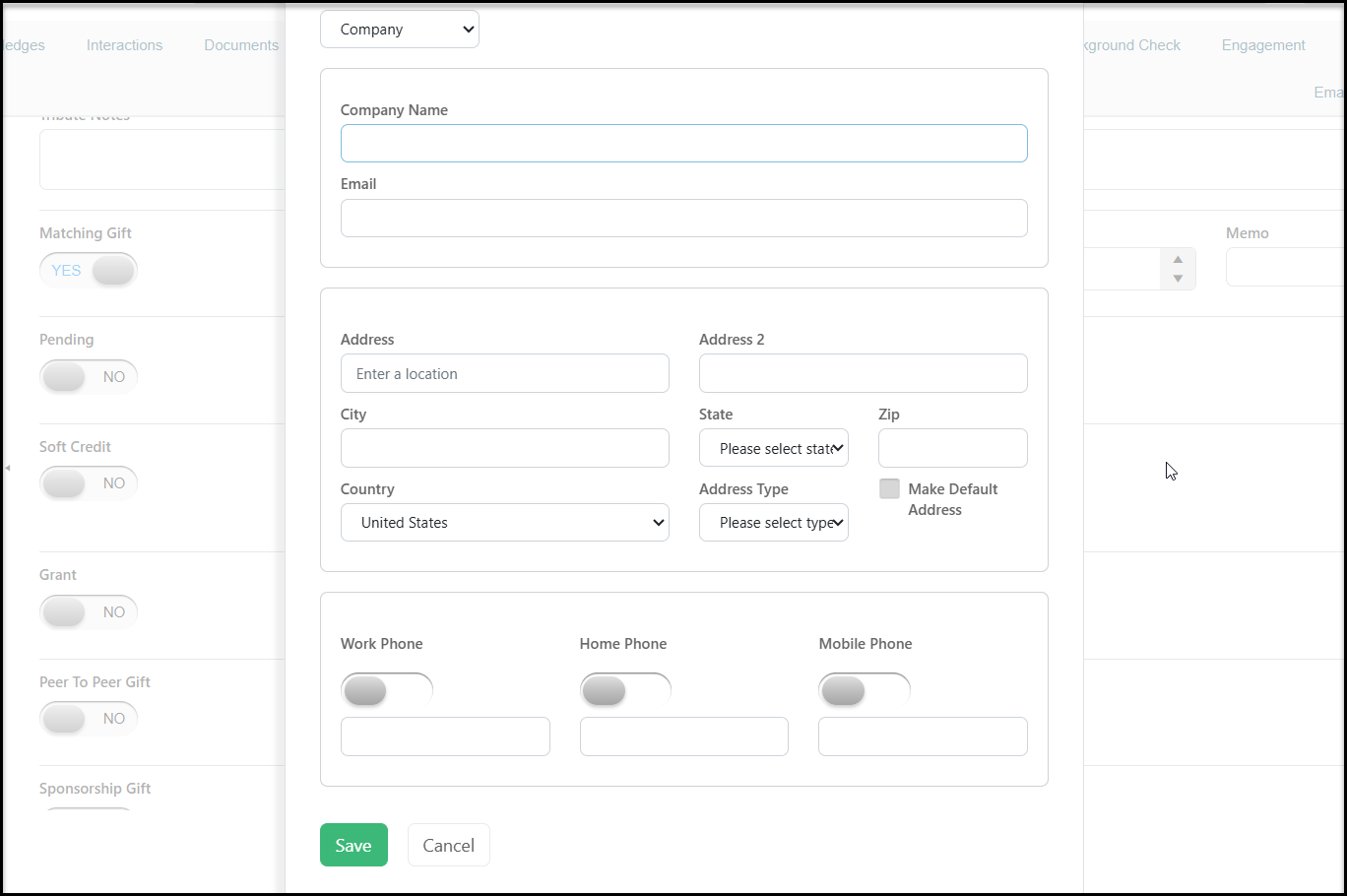 The new constituent will now be found in the **Matching Constituent** pull down search menu to select.