# What if I need to change the participant or team that is getting credit for a donation?
> Source: https://support.donorview.com/what-if-i-need-to-change-the-participant-or-team-that-is-getting-credit-for-a-donation | Updated: 2024-03-26T20:28:54Z
1. If a participant drops out, you may need to redirect the donation to another participant fundraiser or team.
2. You may also need to manually identify a donation link for checks or cash received.
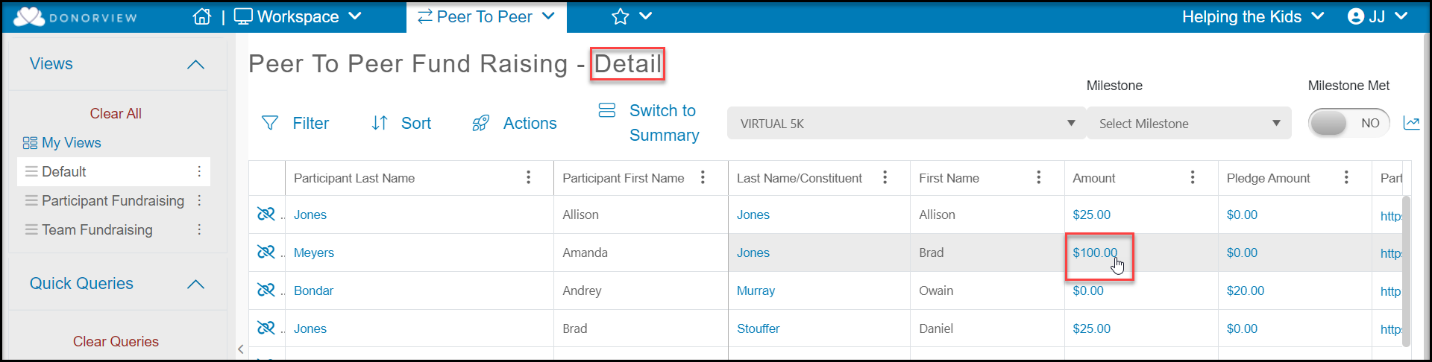
3. You can open an existing donation by clicking on the amount donated from the P2P Dashboard’s Details view.
 4. In the donation record, scroll to the Peer to Peer Gift toggle and select the appropriate fundraiser or team to transfer to donation link to.
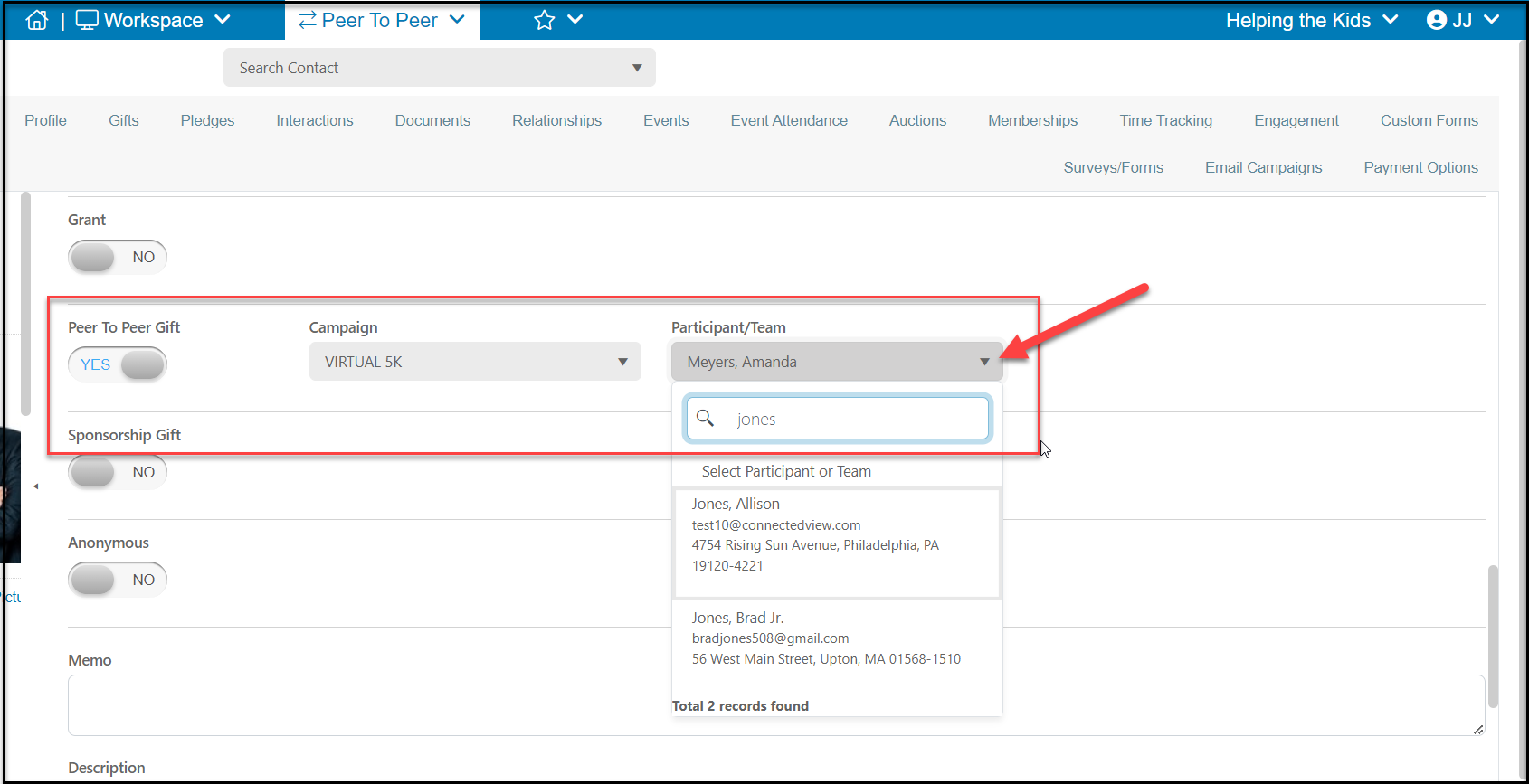
5. When entering a new donation, use the same Peer to Peer Gift link as shown below.
4. In the donation record, scroll to the Peer to Peer Gift toggle and select the appropriate fundraiser or team to transfer to donation link to.
5. When entering a new donation, use the same Peer to Peer Gift link as shown below.