
How can I send Push Notifications via the Constituent Portal App?
Users with authorization to send text messages will also have the ability to send push notifications to constituents who are using the Constituent Portal App. For information about the app, please see this article "Is there a mobile app for the Constituent Portal?"
You can send push notifications from the Actions menu on the following grids:
- Constituents
- Events
- Event Attendance
- Memberships
- Auctions
- Auction Bidders
- Volunteer Attendance
- Peer to Peer Dashboard
- Youth Membership
As with any messaging, you will start by adding queries or filters to your grid to display only those constituents you wish to contact.
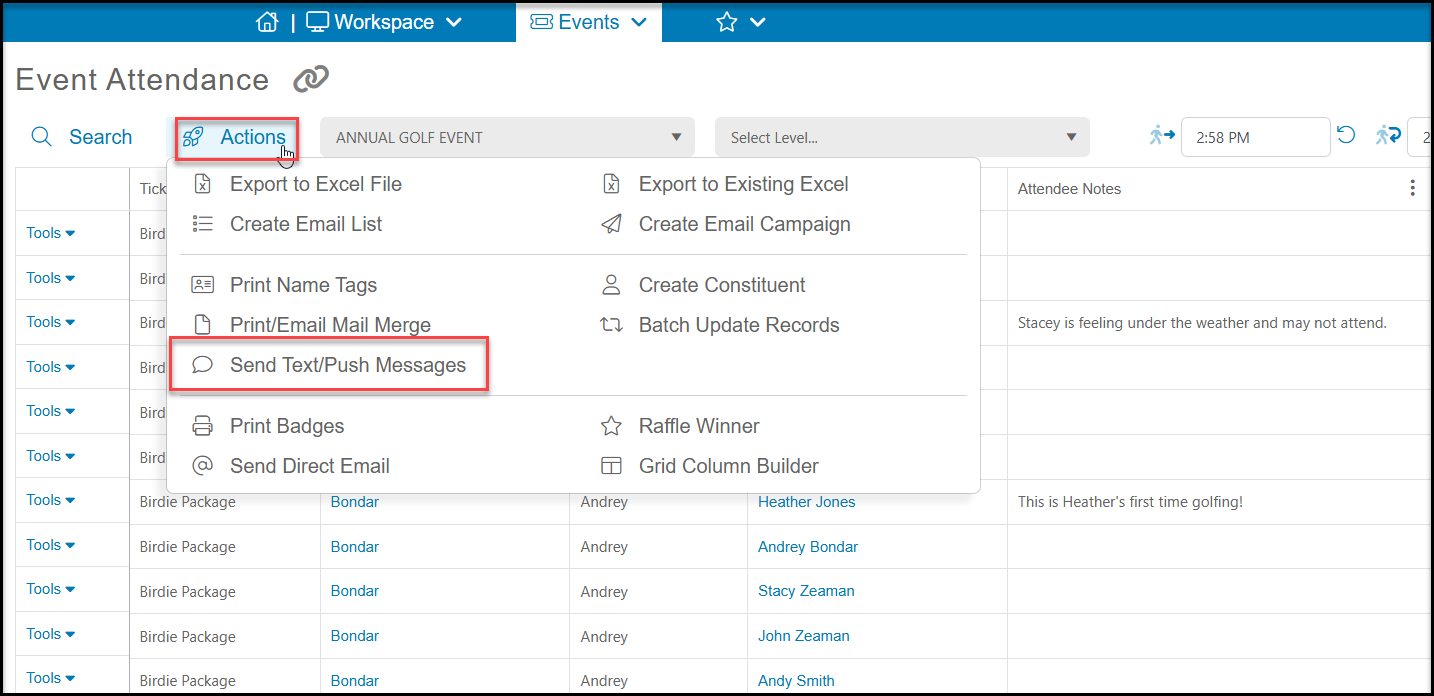
In our example, we will use the Event Attendance grid and plan to send a reminder to all the attendees. Once we have the constituents identified on our list, go to the Actions menu and click on Send Text/Push Message.
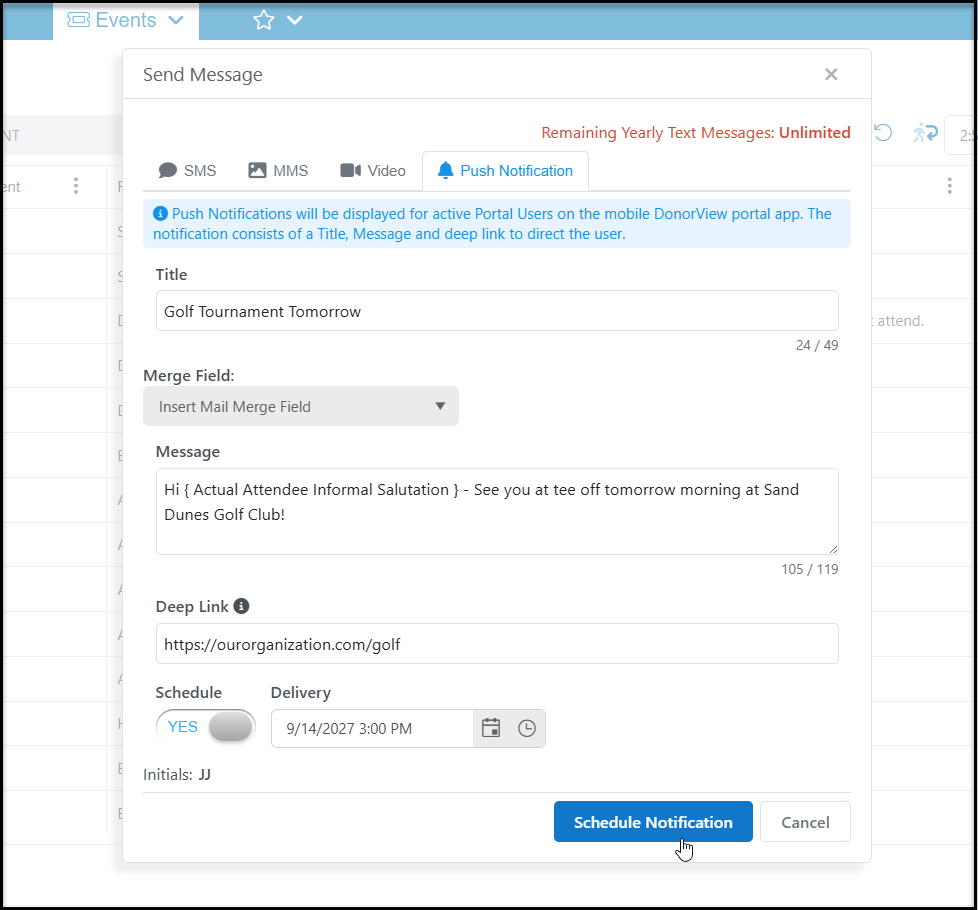
Select the tab for Push Notification to create your message. Your notification can include a Title (limited to 49 characters) and a Message (limited to 119 characters). You message can also be a clickable link with a Deep Link to be directed to a specific URL.
Like text messages, push notifications can also be scheduled if desired.
Once the push notification is sent, if the constituent has authorized notifications from the app, they will see your message displayed on their phone.