
How do I set the fiscal year?
Updated Sep 10, 2026·1 min read
If your organization uses a fiscal year that is different from the calendar year, you can set the appropriate fiscal year end from the Account Settings.
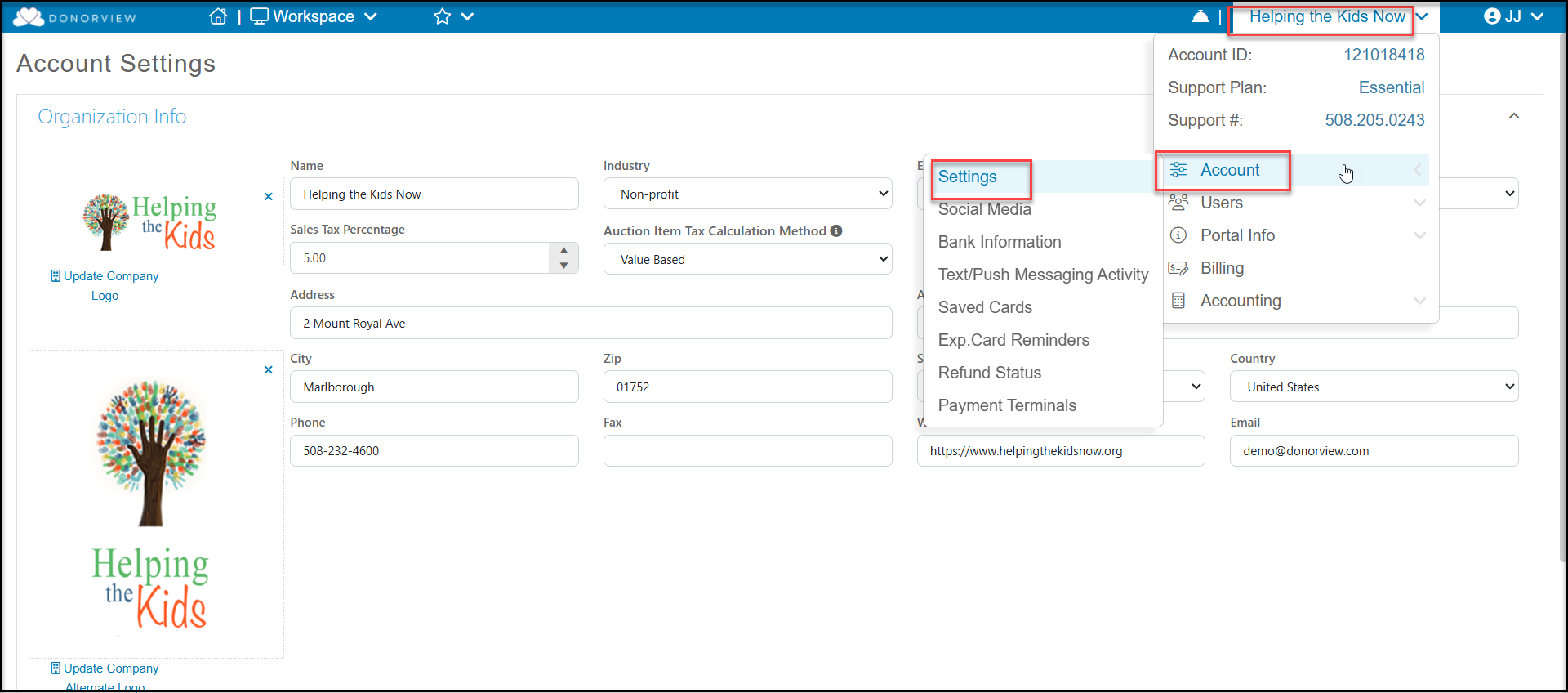
Go to the menu located under your organization's name, and select Account, then Settings.
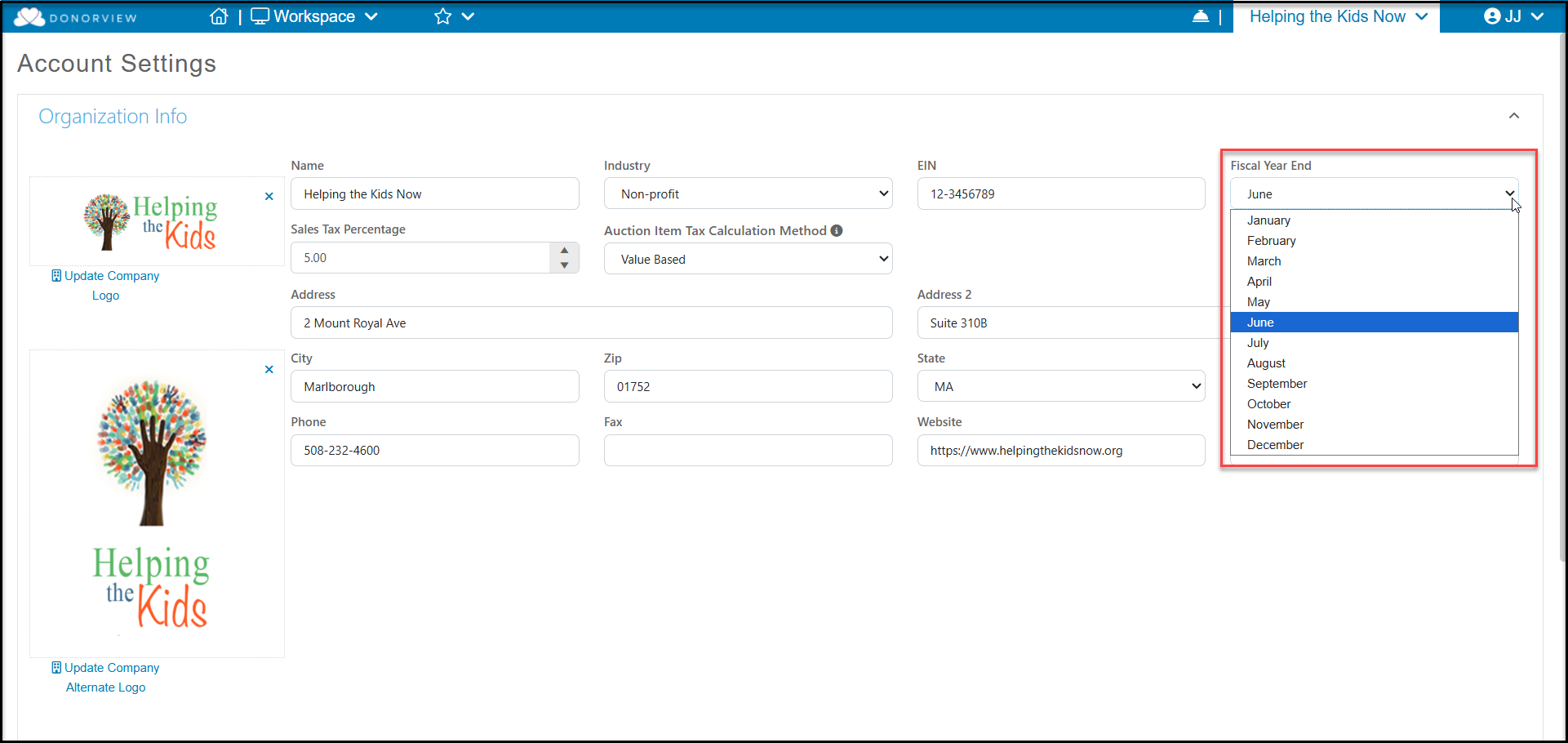
Under the Organization Info section at the top, select the appropriate Fiscal Year End for your organization. Scroll to the bottom of the page and click Save to save your changes.
Note that the Fiscal Year updated information will not be shown in the software until tomorrow after the nightly software update. The next morning after you have made this change, you will be able to see financial information for the calendar year as well as your fiscal year on the Constituents and Gifts grids.
Was this article helpful?