
Can I print a Volunteer Scheduler view?
Updated Jul 14, 2026·1 min read
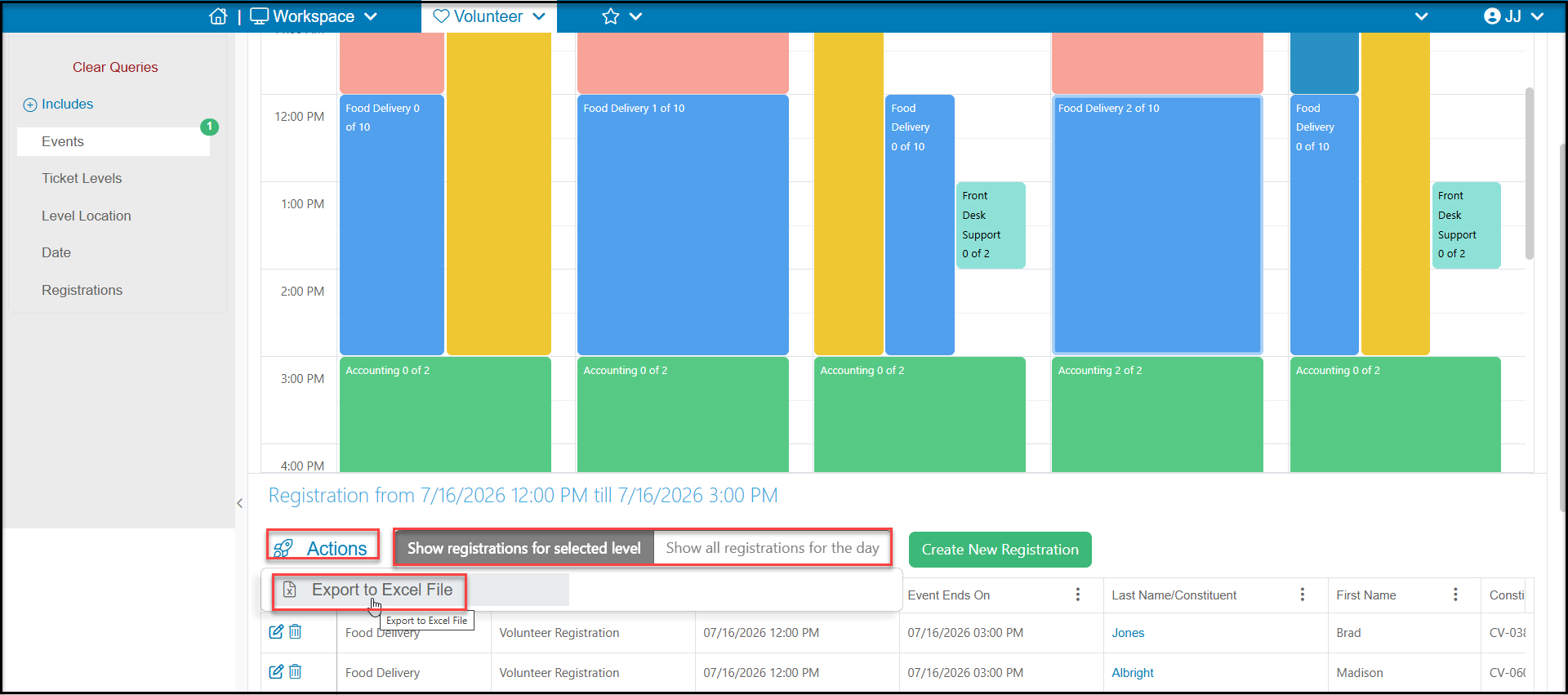
Currently, there is not a built in print view for the scheduler. You can export your registration information to Excel using the Actions menu. You can select a specific level double clicking on the level on the calendar. The grid will populate with all the registrations for that activity for the day by default. From the Actions menu, click on Export to Excel File to download the information shown on the grid. You also have the option of selecting Show registrations for selected level, which would show all registrations for that level across all days.
Was this article helpful?