Validate Emails
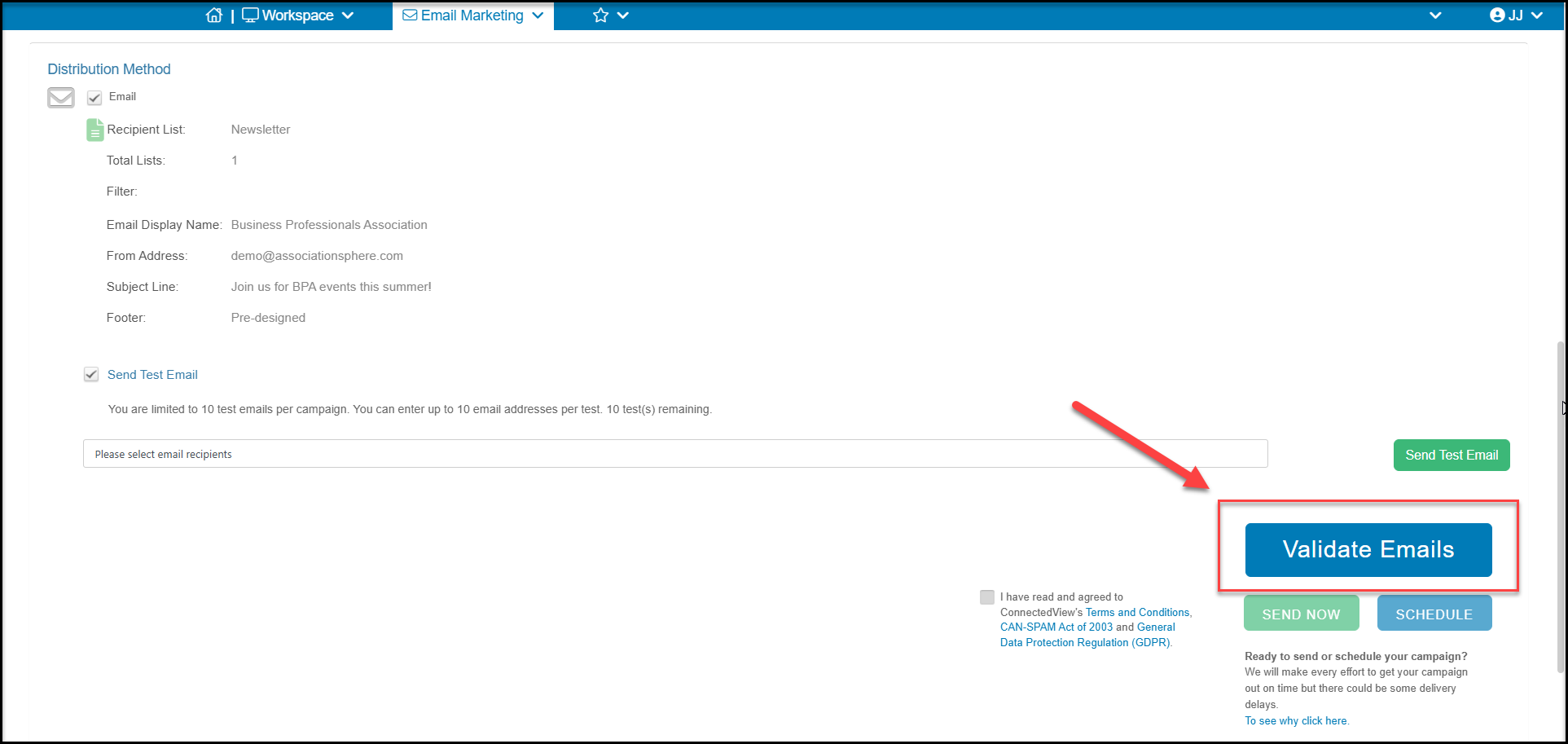
When sending a campaign, you have the option to perform an email validation of your email list(s) that are linked to your campaign. From the Schedule or Send tab, at the bottom of the page, you can click Validate Emails to see the fee for this feature and run the validation.
The email validation can be helpful because invalid, outdated, or mistyped email addresses can lead to high bounce rates, which not only reduce the reach of your campaign but can also damage your sender reputation with email providers. By validating your list in advance, you ensure your messages are reaching real, active recipients—improving open rates, engagement, and overall ROI. It also helps protect your domain from being flagged as spam, keeping your future communications landing where they belong: in your audience’s inbox.
Email validation does not need to be run for every email campaign and you can determine if you would like to run the validation or not, and on what frequency you wish to perform these validations.
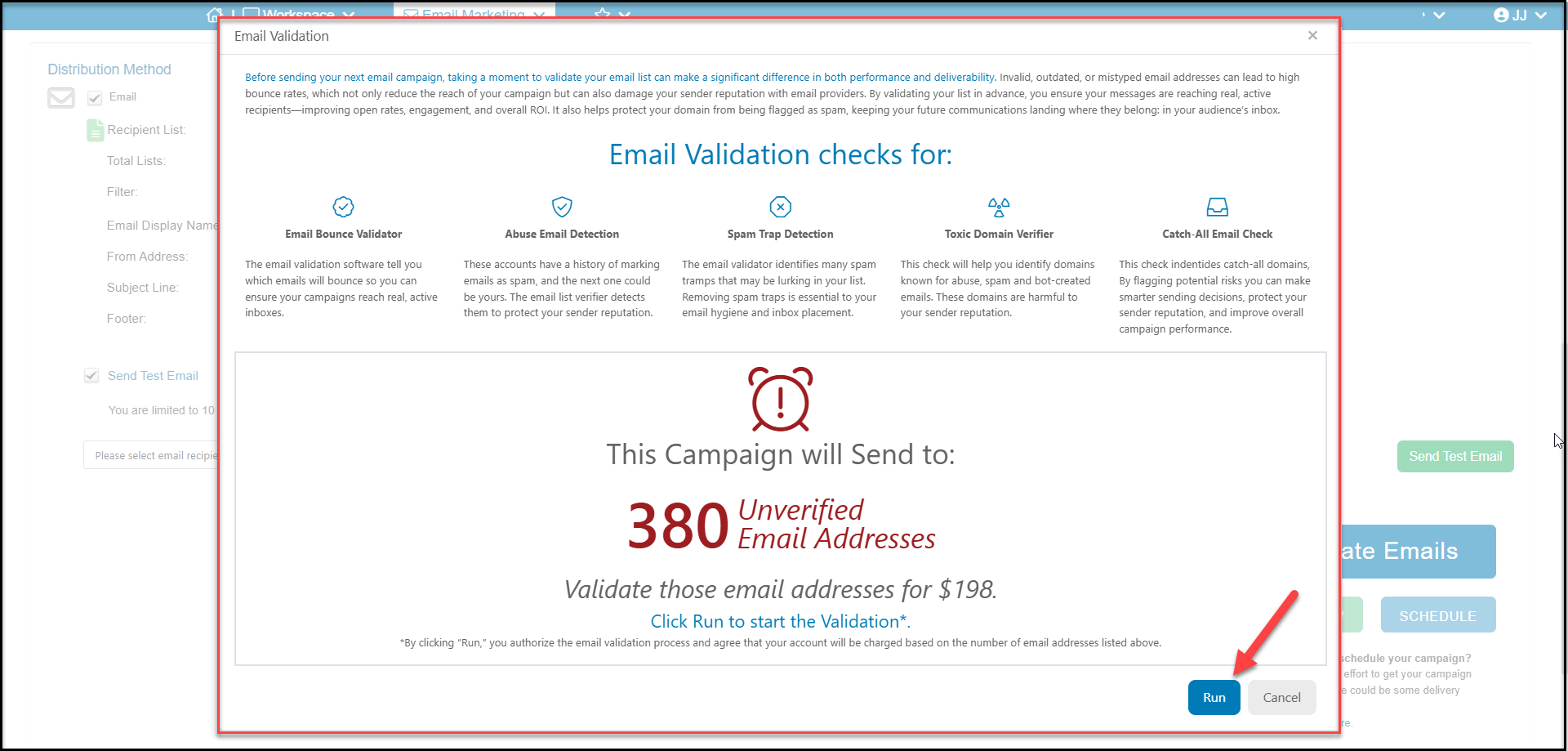
Email Validation checks for:
- Email Bounce Validator - Identifies you which emails will bounce so you can ensure your campaigns reach real, active inboxes.
- Abuse Email Detection - These accounts have a history of marking emails as spam, and the next one could be yours. The email list verifier detects them to protect your sender reputation.
- Spam Trap Detection - Identifies many spam tramps that may be lurking in your list. Removing spam traps is essential to your email hygiene and inbox placement.
- Toxic Domain Verifier - This check will help you identify domains in your email lists known for abuse, spam, and bot-created emails. It prevents malicious actors from registering on your platform, shields you from phishing attempts, and reduces the chance of your communications from being marked as spam
- Catch-All Email Check - This check identifies catch-all domains in your email list. A catch-all email (or accept-all email) is a domain configuration that accepts messages sent to any address at that domain, even if the specific mailbox does not exist
By flagging potential risks you can make smarter sending decisions, protect your sender reputation, and improve overall campaign performance.
Note that there is a fee for running the validation and the fee is based on the number of email addresses that are included in your lists with this campaign.
If you approve of the fee, click Run to start the process. The time to complete the validation will depend on the number of emails in your list, but it is usually only a few minutes.
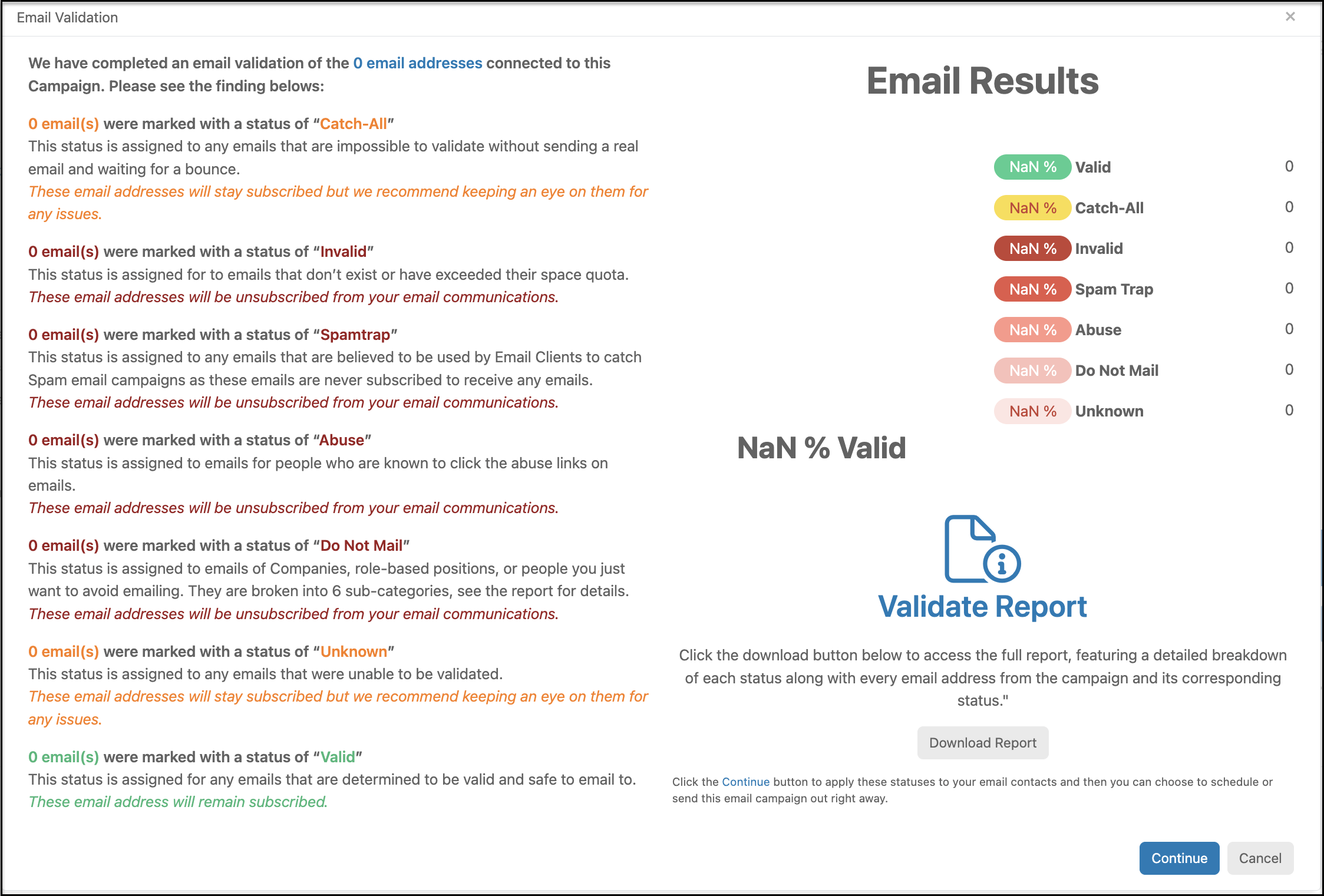
Once the process is complete, you will see a report screen. The report screen provides a summary of the results with information on the different types email statuses.
You can click on Download Report to download the report with detailed breakdowns on which addresses were assigned to each category.
Click Continue to assign the bad email addresses to their appropriate email statues like Invalid, Abuse or Do Not Mail. The constituent's records will be updated and any bad email addresses will be excluded from future email marketing, survey campaigns, and auto-responders and reminders.