
The constituent portal is a way for your constituents to manage their own accounts. Constituents only have access to their own personal information, not your entire database.
The portal has two options, a Basic option and an Advanced option. The Basic option allows you to host peer-to-peer campaigns and online auctions using the portal and allows your constituents to create an account and update their personal information. With the Advanced option, you can allow your constituents to see their donation history, update their pledges, add volunteer time, renew their memberships, and update their guest information for events. There is an additional subscription fee for the Advanced option, and it is based on the number of constituent portal accounts.
On each donation, membership, auction, and event page, there is a link to the constituent portal. Using the constituent portal is optional. On each donation, membership, auction, and event page, there is a link to the constituent portal. Using the constituent portal is optional. It can be deactivated so that constituents cannot access it via your pages and those links will not show on your pages. If your portal is deactivated, you will not be able to host peer-to-peer campaigns or online auctions.
For an admin level user, you can access the portal in the menu under your organization's name. Click Portal Info and then Constituent Portal. The link for Parent Portal will only appear if you have the Youth Memberships feature option activated.
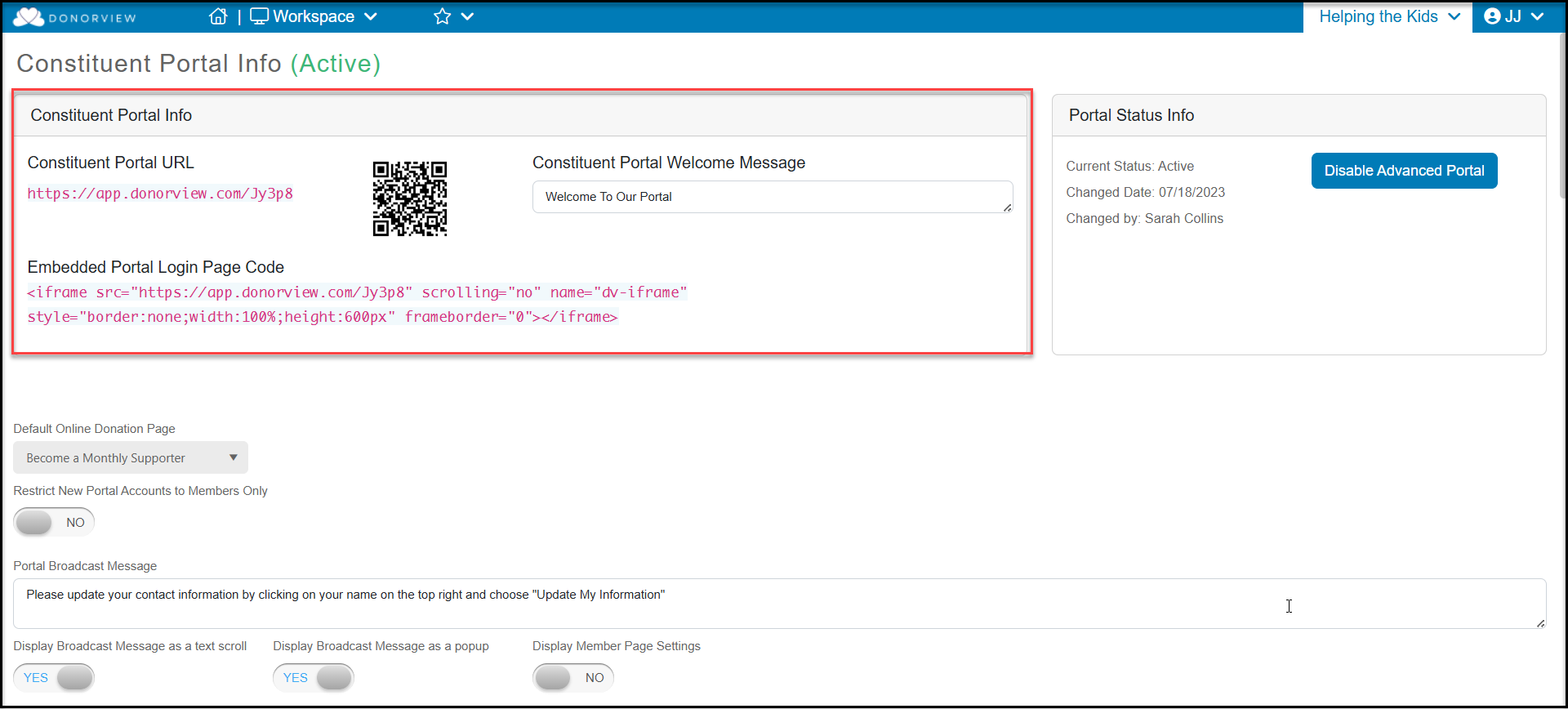
At the top of the page under Constituent Portal Info you will find the URL link, QR Code (right click to download) as well as an embed code if you would like to embed this login into your website.
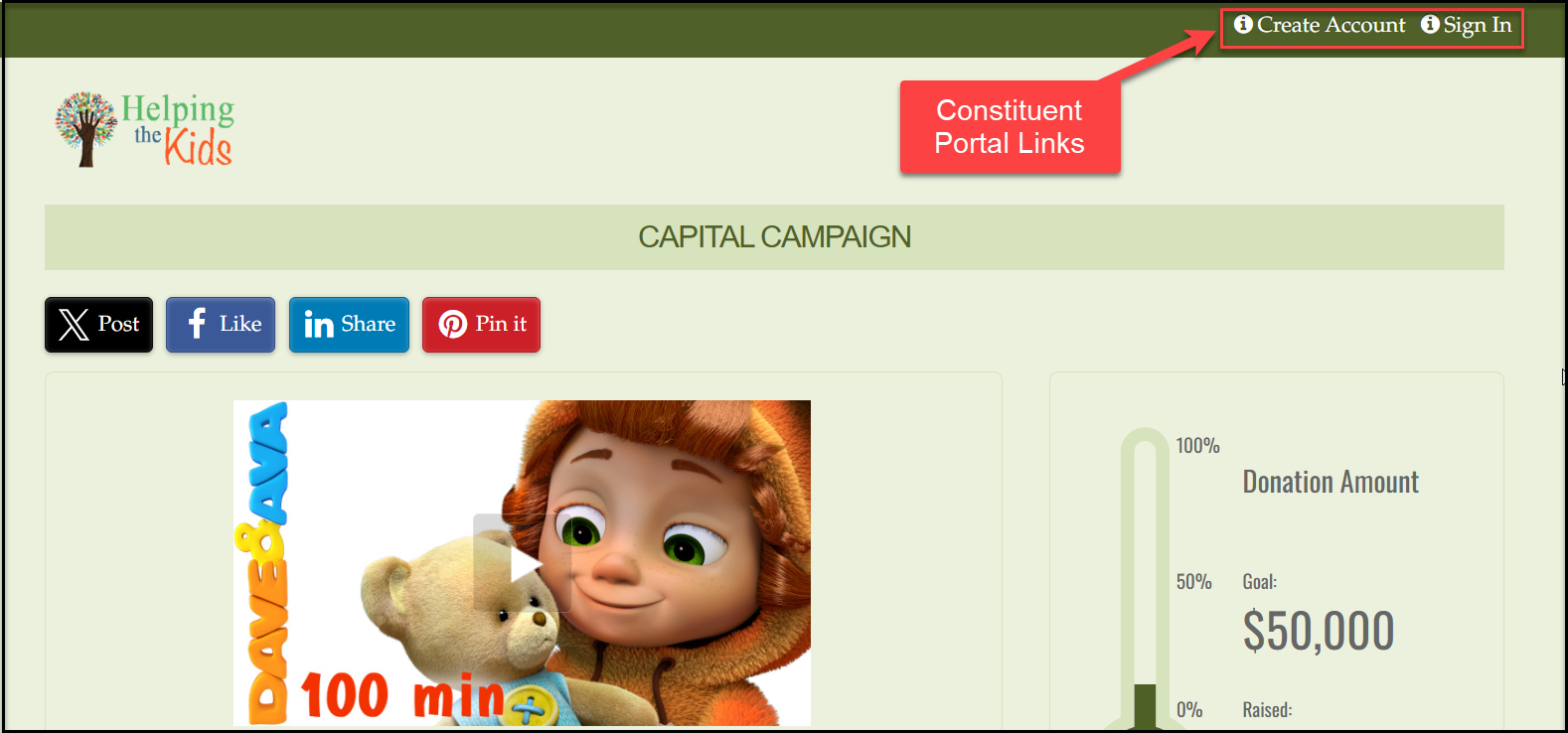
On each donation, membership, auction, and event page, there is a link to the constituent portal. Constituents who have an account can Sign In and their contact information will auto-populate in the billing or registration area of the page.
Using the constituent portal is optional. It can be deactivated so that constituents cannot access it via your pages and those links will not show on your pages. If your portal is deactivated, you will not be able to host peer-to-peer campaigns or online auctions.
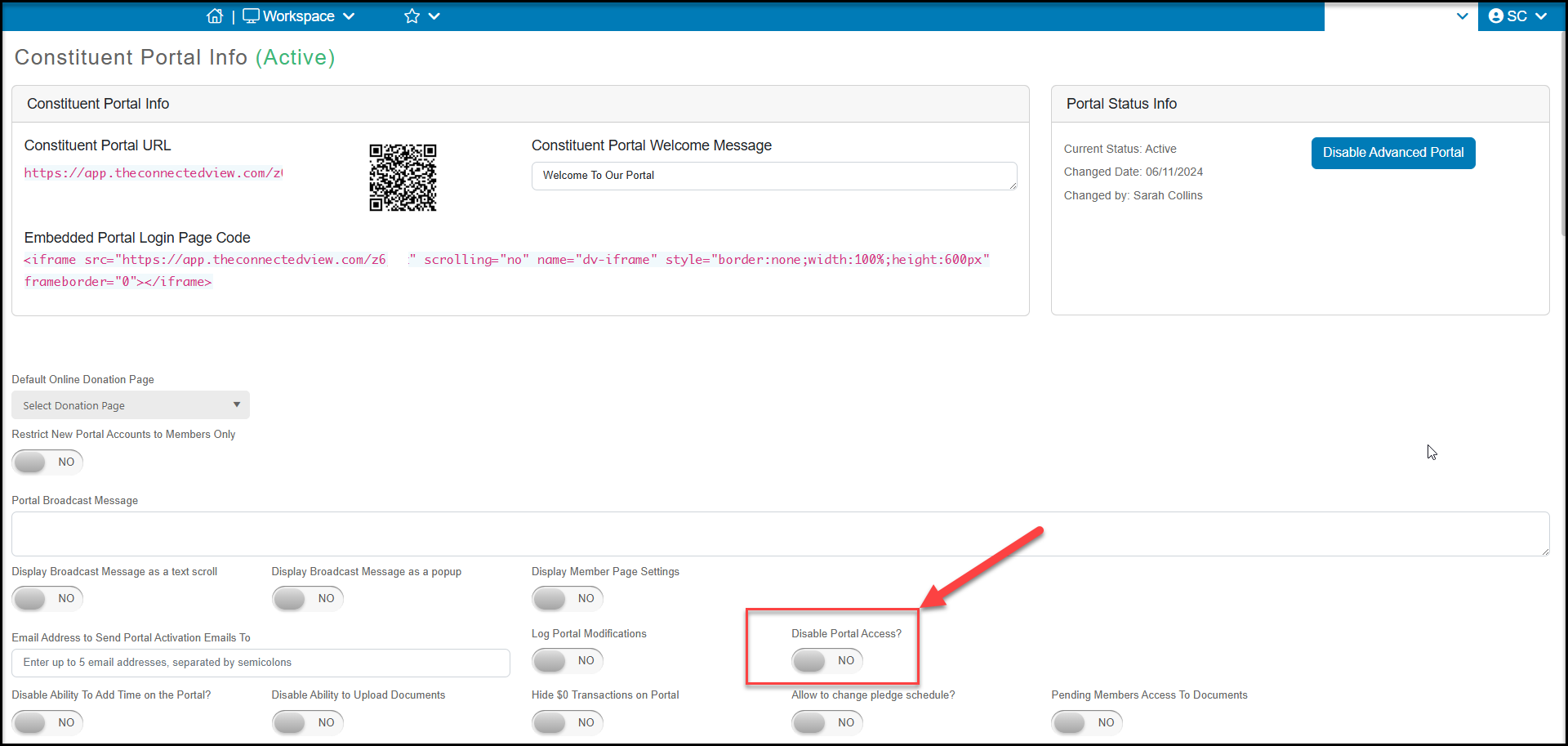
To deactivate the portal, on the Constituent Portal Info page change the toggle for Disable Portal Access? to YES. Scroll to the bottom of the page and click Save to save the changes. The link to "Create Account" or "Sign In" will no longer be visible on any of your donation, membership, event, or auction pages.
With the portal activated, constituents can also download a mobile app called “AssociationSphere Portal” available from iTunes (for Apple users) or Google Play (for Android users) to access the portal. Mobile app users will need to use the portal URL or have the QR code to access their portal account.