
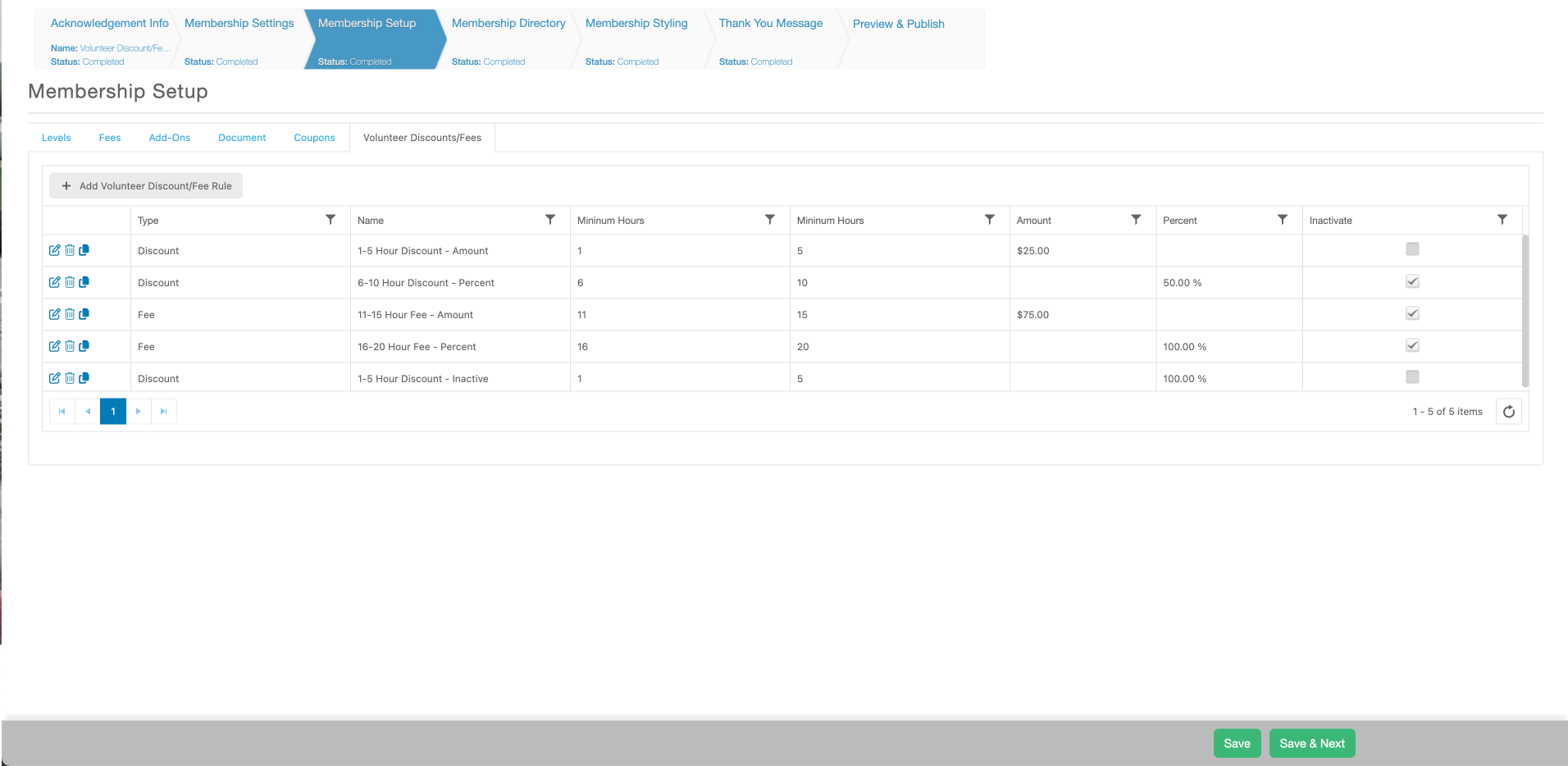
Discounts an/or fees can now be applied to membership renewals based on a Member's time tracking hour totals during their previous membership's timespan. To add a Fee or Discount related to Time Tracking hours to a membership you can do so within its setup on the Membership Setup page. There you will find a tab called, “Volunteer Discounts/Fee”. With that tab selected you will be able to click the “+Add” tab to create a new discount or fee. Within the setup of a new Discount or Fee the following fields will be available.
Type – select whether you wish to setup a fee or a discount.
- Fee – based on the amount of hours a member has accumulated during their previous membership timespan a set amount can be added to their membership transaction total.
- Discount – based on the amount of hours a member has accumulated during their previous membership timespan a set amount/percent can be discounted from their membership transaction total.
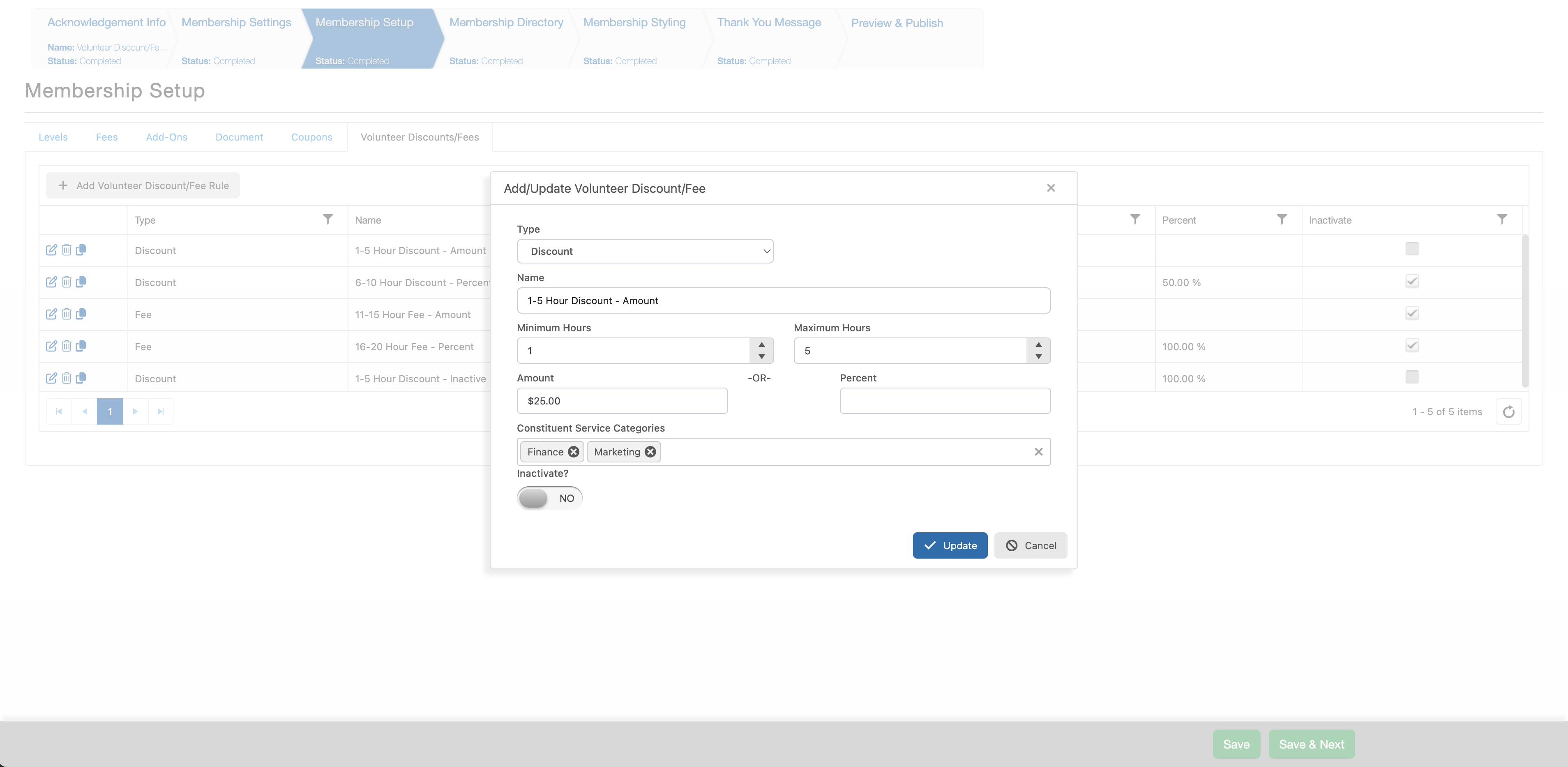
Name – Enter the name that should display when this discount/fee is applied on the online Membership form.
Minimum Hours – Enter the minimum number of hours a member can have for this discount/fee to be applied to their membership transaction.
Maximum Hours – Enter the maximum number of hours a member can have for this discount/fee to be applied to their membership transaction.
For Amount and Percent only enter in a value for one option.
Amount – Enter the amount that will be discounted from the selected membership level or if the setup is for a fee the amount that will be added on-top of the membership level’s cost.
Percent – Enter the percent that will be discounted from the selected membership level or if the setup is for a fee the percent of the membership level that will be added on-top of that membership level’s cost.
Constituent Service categories – Select which categories of time tracking records should be included in the calculation of total hours for a member.
Inactivate? – When set to YES, this discount/fee will not be applied
The creation of additional discounts/fee can be repeated but we don’t recommend setting up multiple records that overlap hours and it can cause confusion for which Discount/Fee should be applied.
Existing discount/fees can be edited, copied or deleted.
The created discount/fee will then be automatically applied to the membership transactions for members who are logged into their Portal account while accessing the online Membership form and qualify for the set discounts/fees.