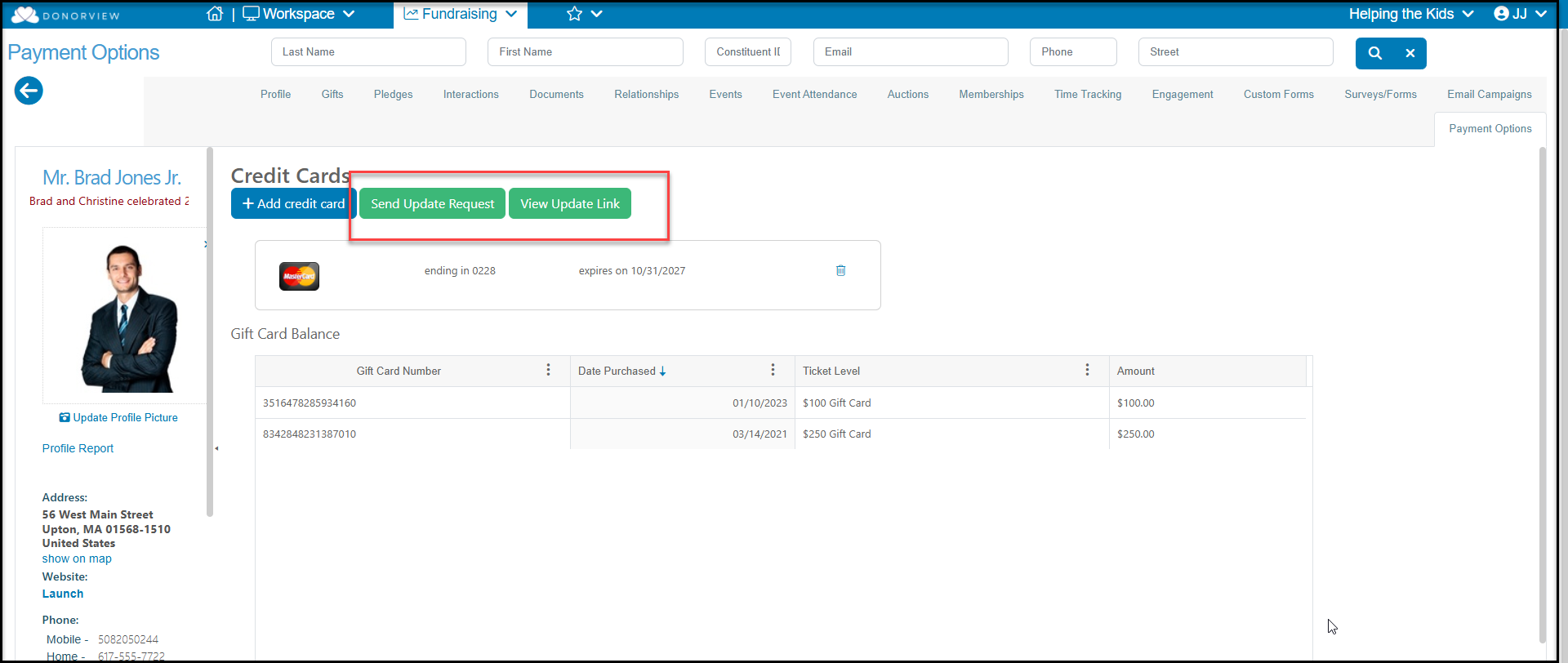
Yes. You can have the constituent update via the constituent portal, or an internal user can send an update request from the constituent's Payment Options tab.
Using the Constituent Portal
If you have the Advanced Portal activated and you allow constituents to update pledge information, a constituent can add a payment method to their account and identify it for future pledge payments. This will not affect payments that were due greater than 30 days in the past.
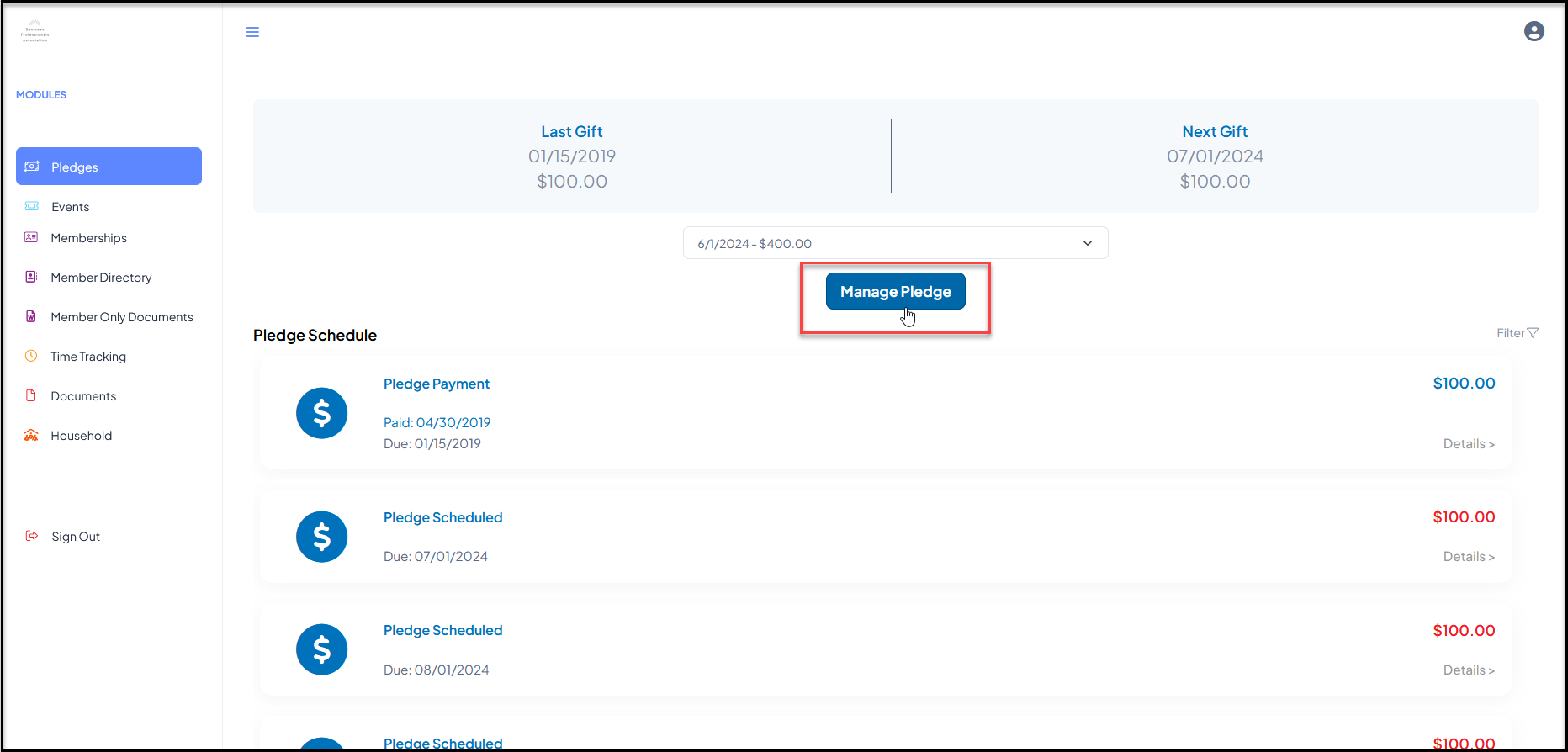
They can select the Pledges module and choose the appropriate pledge in the drop down menu. Once the pledge is selected, they can click on Manage Pledge.
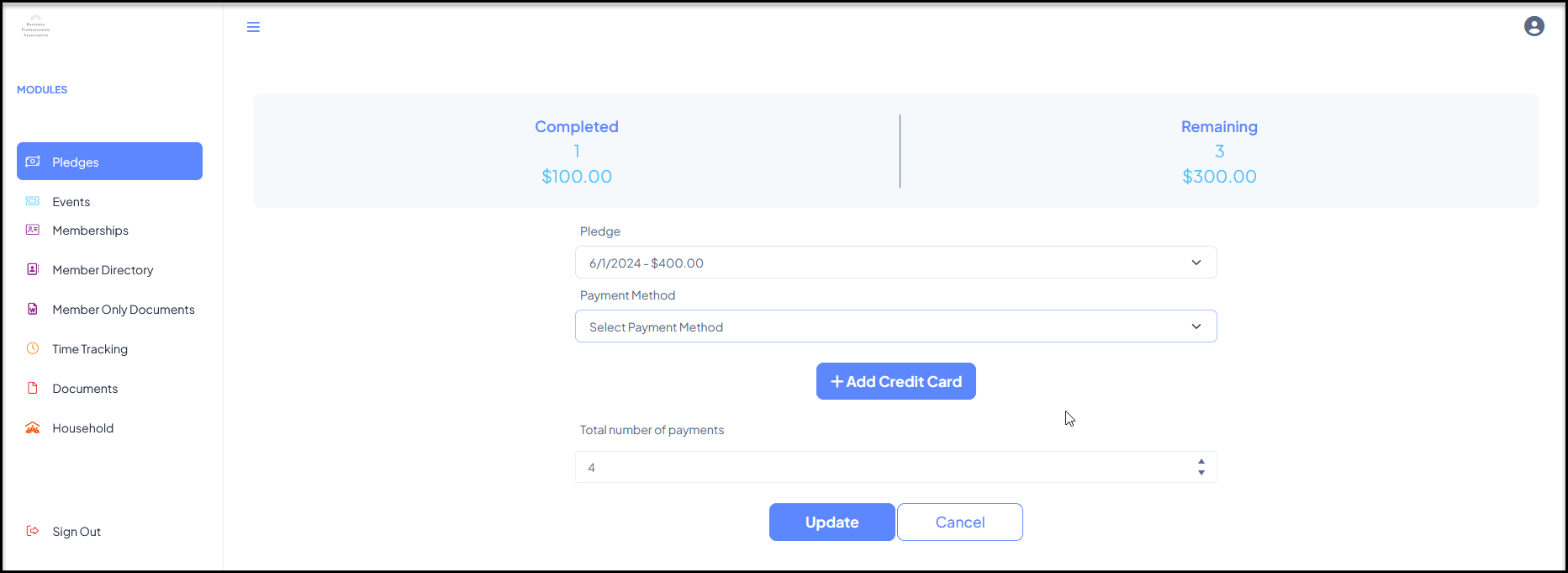
In the new window, they can select a different card under Payment Method or click on +Add Credit Card to add a new card to then select from the dropdown menu. Clicking on Update when complete will update their pledge payment method.
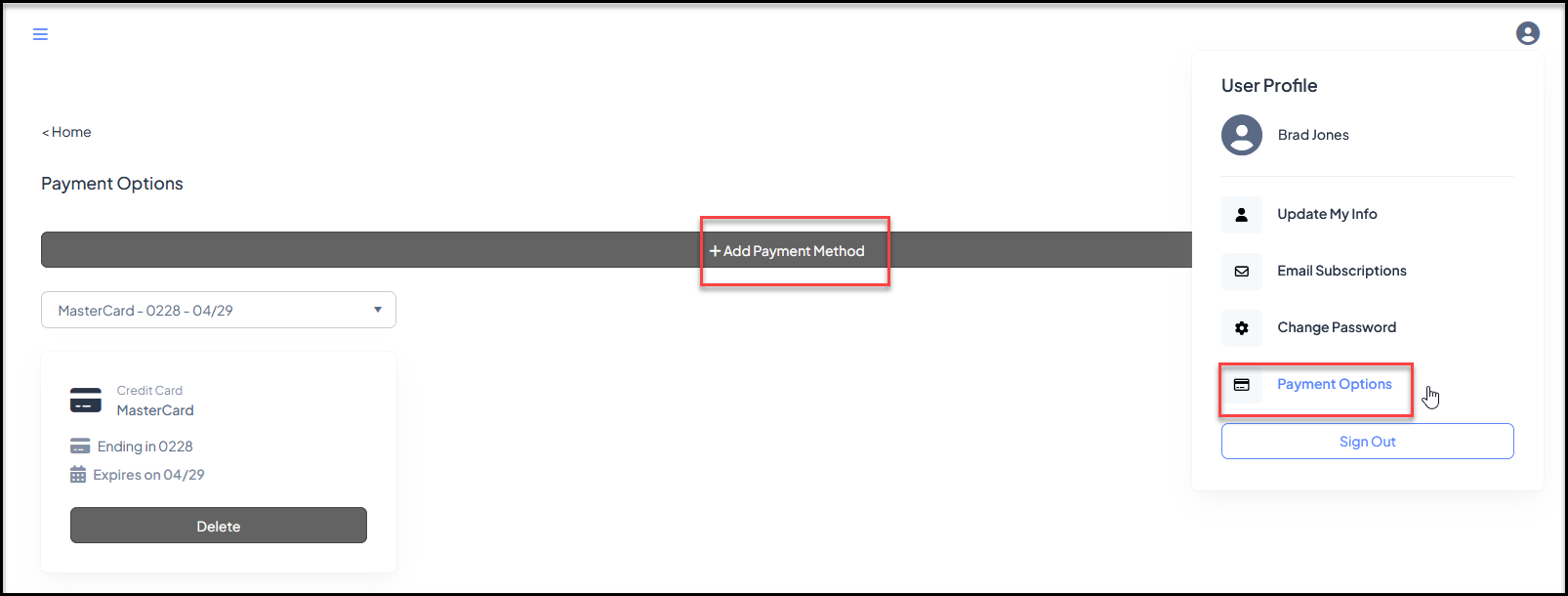
If you do not have the Advanced Portal activated, the constituent can still update their payment information under their user profile by clicking on Payment Options. In the new window, clicking on +Add Payment Method will allow them to add a new card number.
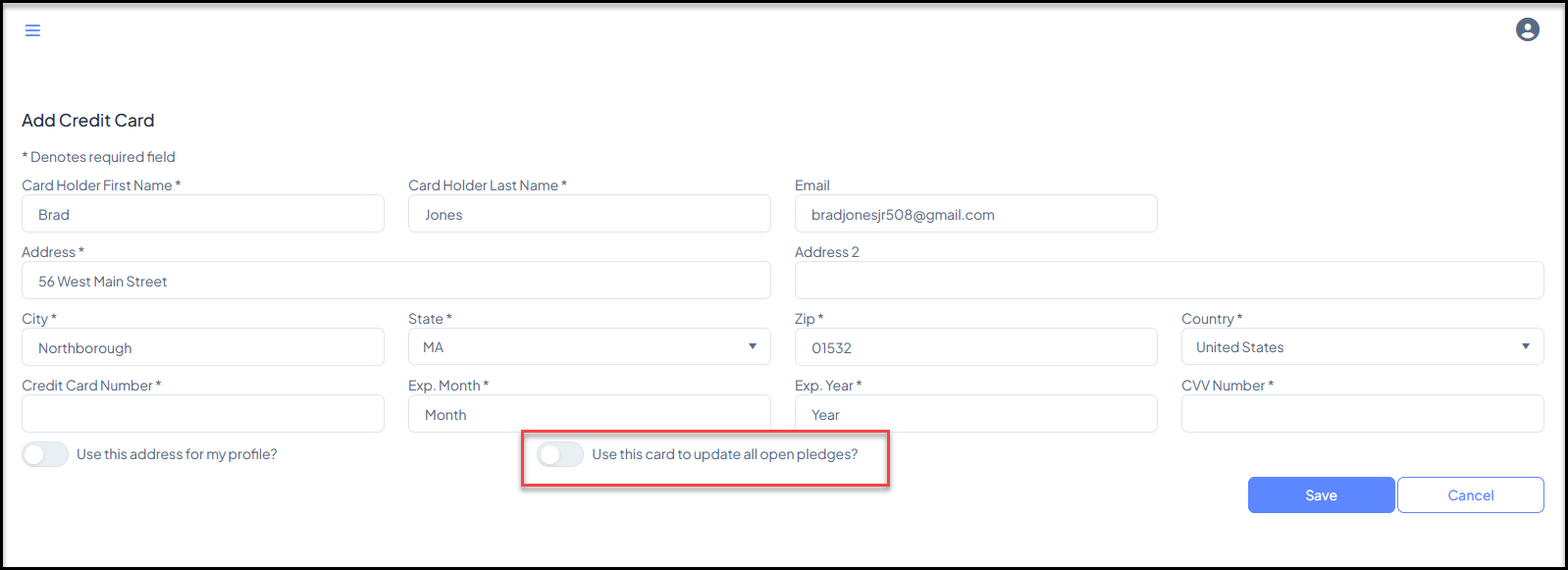
On the Add Credit Card page, they can toggle on Use this card to update all open pledges? Clicking Save will update all their open pledges with the new card number.
Internal Update
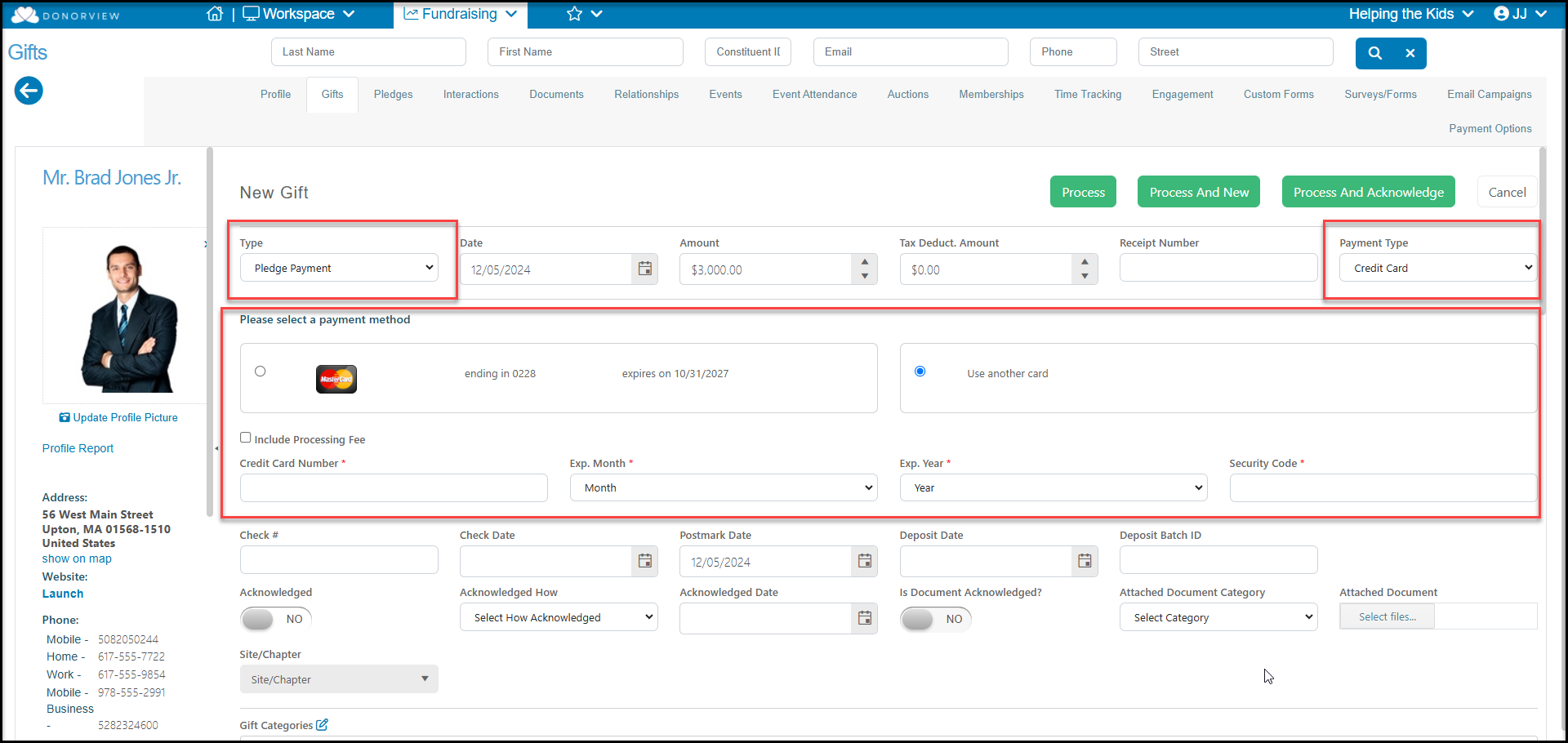
Constituents can also provide you with their credit card number which can be added to their Payment Methods tab and then selected for future pledge payments. You can also record a one time pledge payment via a credit card internally using the Add Gift, selecting Pledge Payment as the Type, then selecting Credit Card as the Payment Type.
You also have the option of sending constituents a link to update their credit card information from the Payment Options tab. You can set up notifications to alert you when the card has been added/updated via the View Update Link button. See this article "Updating a Constituent Credit Card" to learn more.