Can I view my Team Leader/Fundraiser P2P pages in the Portal?
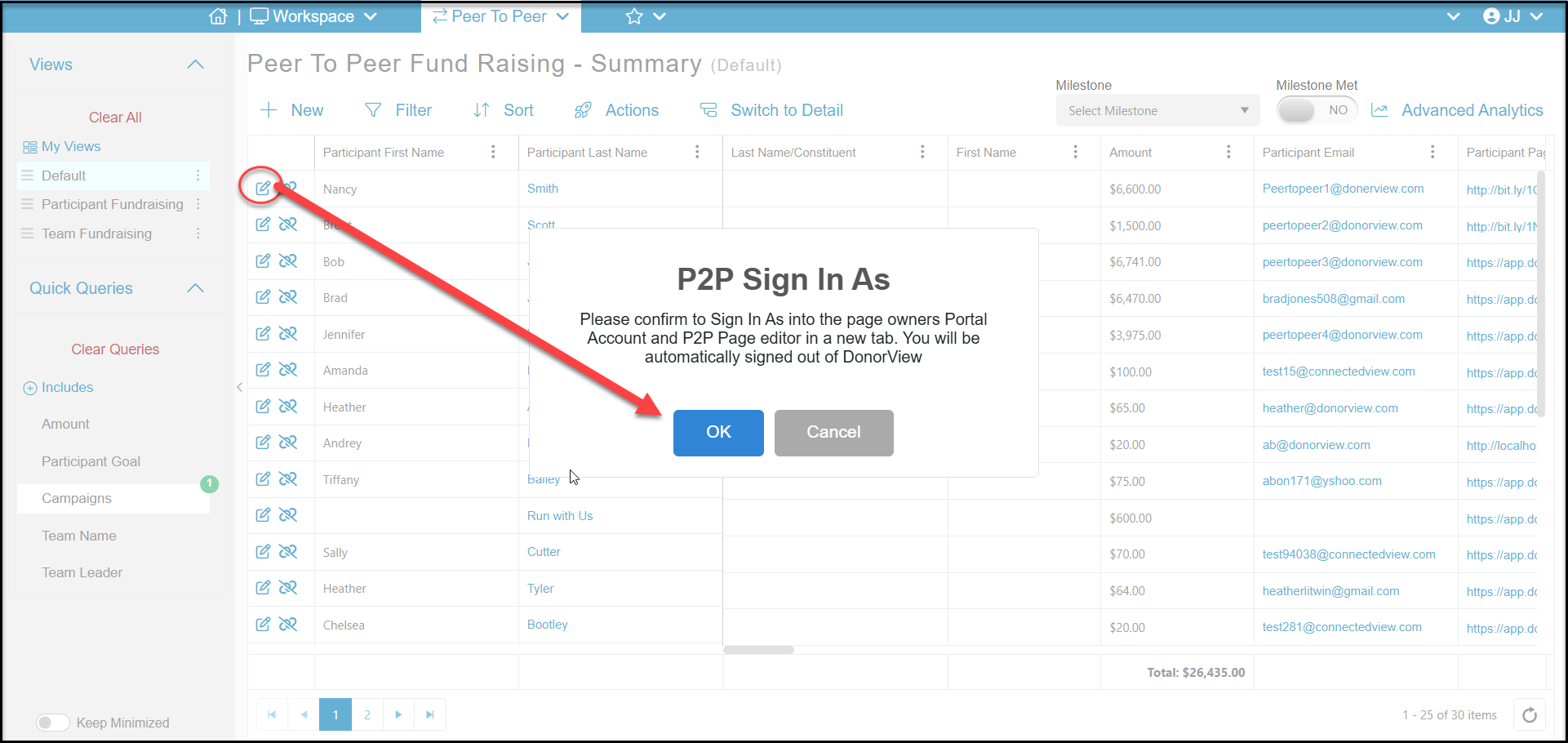
You can view P2P participant team and fundraiser pages by logging into their portal account from the Portal Users grid or by clicking the edit icon on their row on the P2P Campaign Dashboard Summary grid.
This will open a new window where you will confirm that you agree to be signed out of DonorView and sign in to this team leader or participant's portal account to manage their page on their behalf.
Once you click OK, you will be signed out of DonorView and the participants portal account will be opened to their fundraising page.
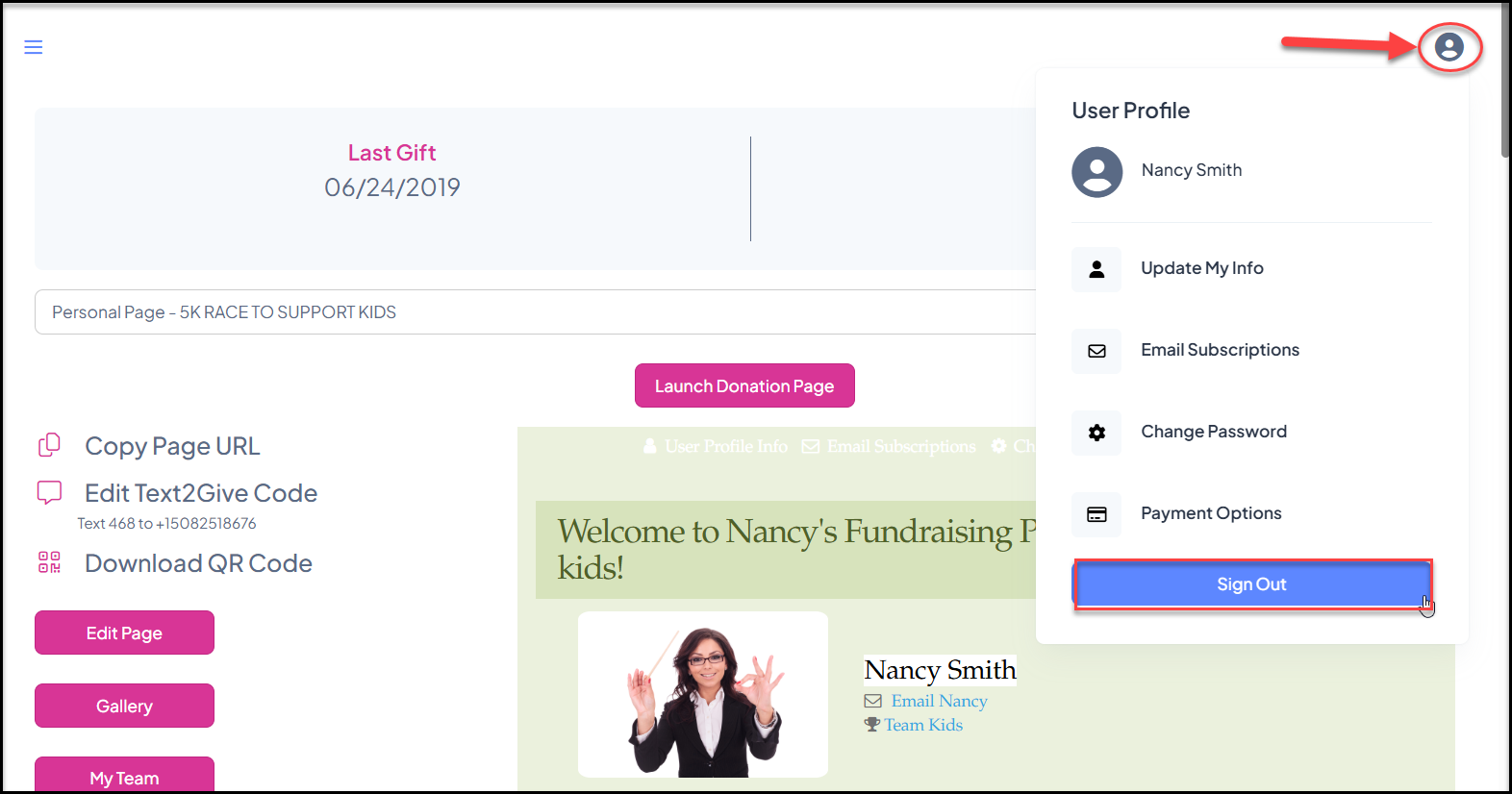
Once you complete making your edits to their page as needed, you will sign out of their portal account using the User icon in the top right corner and click on Sign Out. After you have signed out of the portal, you can sign back into DonorView.