
Report Builder Overview
The Report Builder is a feature that allows you to create custom reports by selecting the fields and prompts to build your report. You can access the Report Builder under the Workspace menu by clicking on Reports.
The Report Builder was created before the View Builder feature was available on the grids. Most reports can be built directly from the grids by creating your custom views. Reports like lapsed donors can be created from the Constituents grid and revenue reports can be generated from the Gifts grid. The Report Builder does offer one feature that is not available with views, and that is the ability to create a report from two grids simultaneously. This cross-reference feature is limited to the Constituents grid and the Fundraising or Events grids for these types of reports.
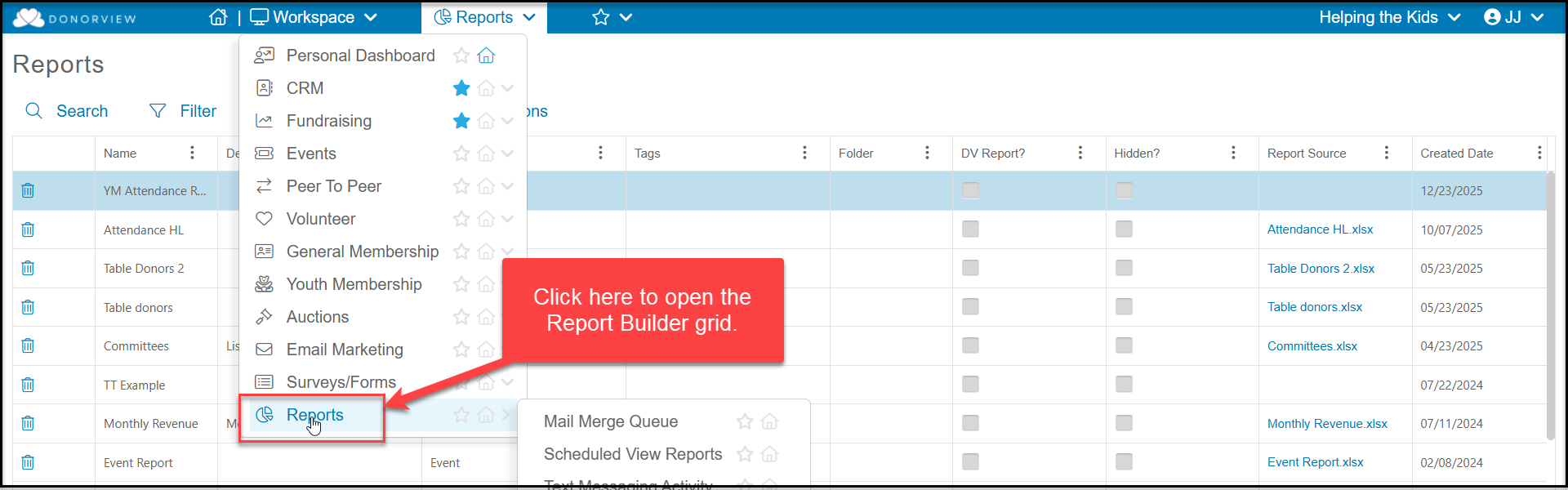
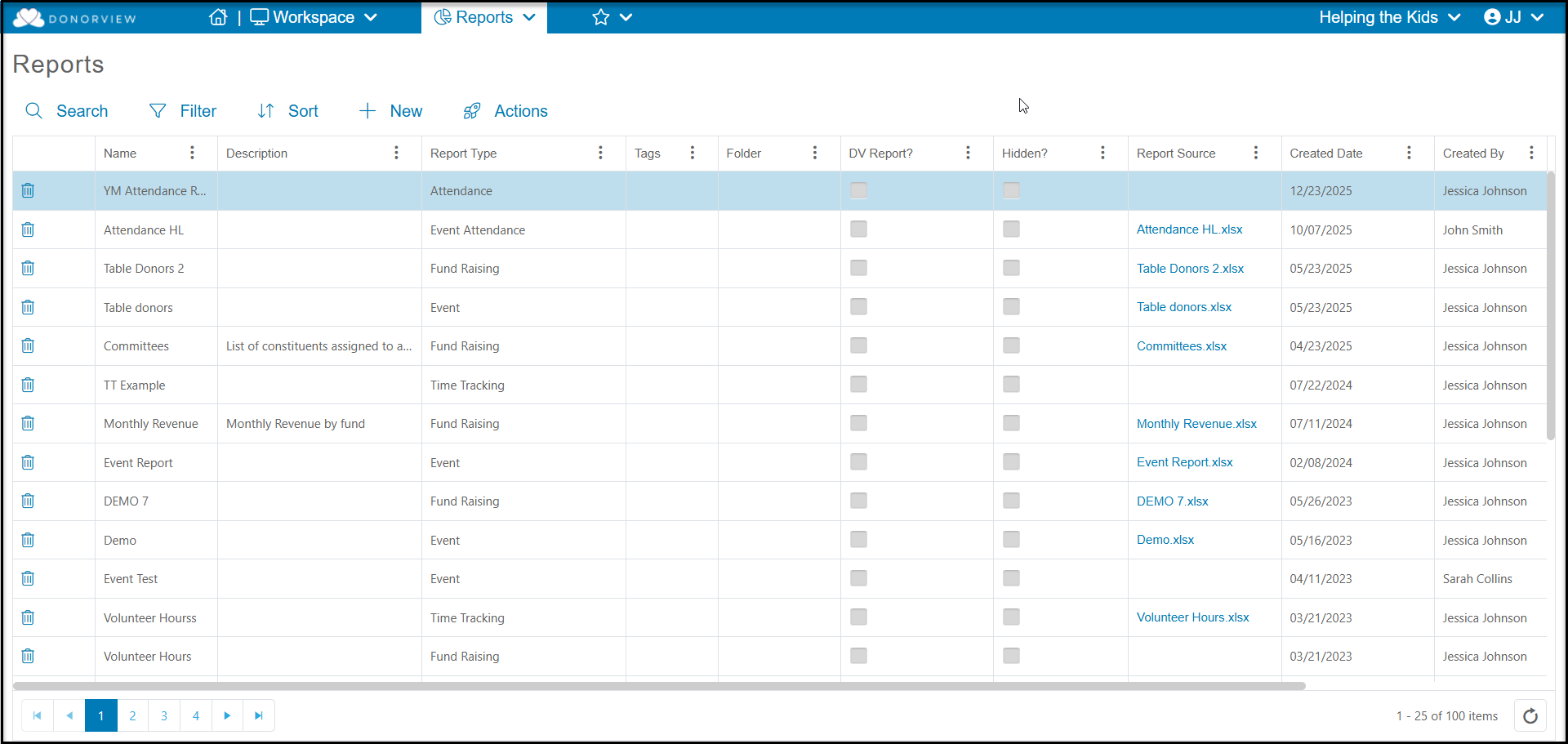
The Reports grid shows you a list of all the reports you have created and includes the following fields:
- Name - the name assigned to the report when it was created
- Description - the description provided when the report was created
- Report Type - which grids are used for creating the report
- Tags - tags assigned when the report was created
- Folder - what folder the report is stored in, which was selected when the report was created
- DV Report? - no longer used
- Hidden? - no longer used
- Report Source - a copy of the report fields with no prompts applied
- Created Date - date the report was created
- Created By - which user created the report
- Modified Date - date the report was most recently updated
- Modified By - which user updated the report
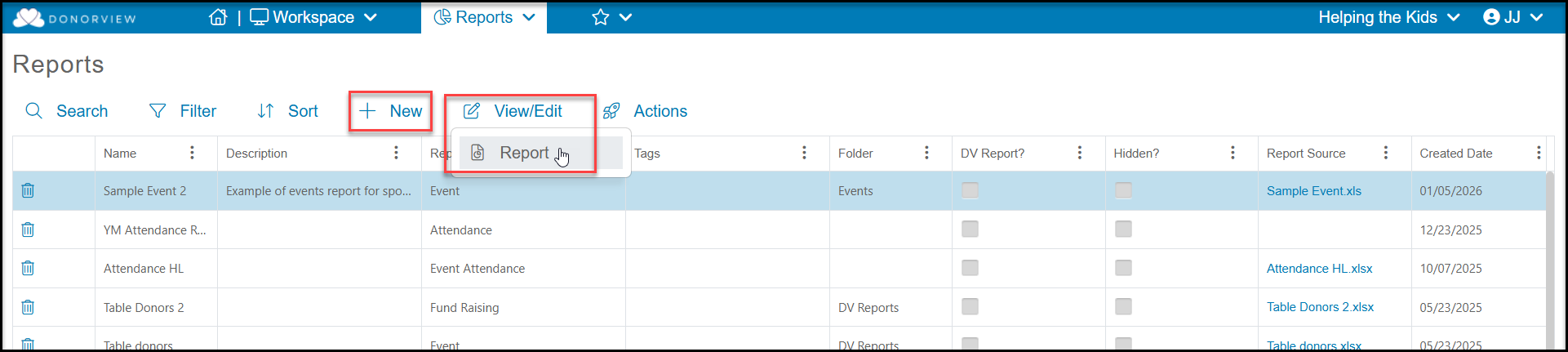
You can start a new report by clicking on +New, or if you have reports already created, you can click in that row to reveal the View/Edit link and open an existing report to run or modify it.
See the additional articles in this section for instructions on creating the different report types available: