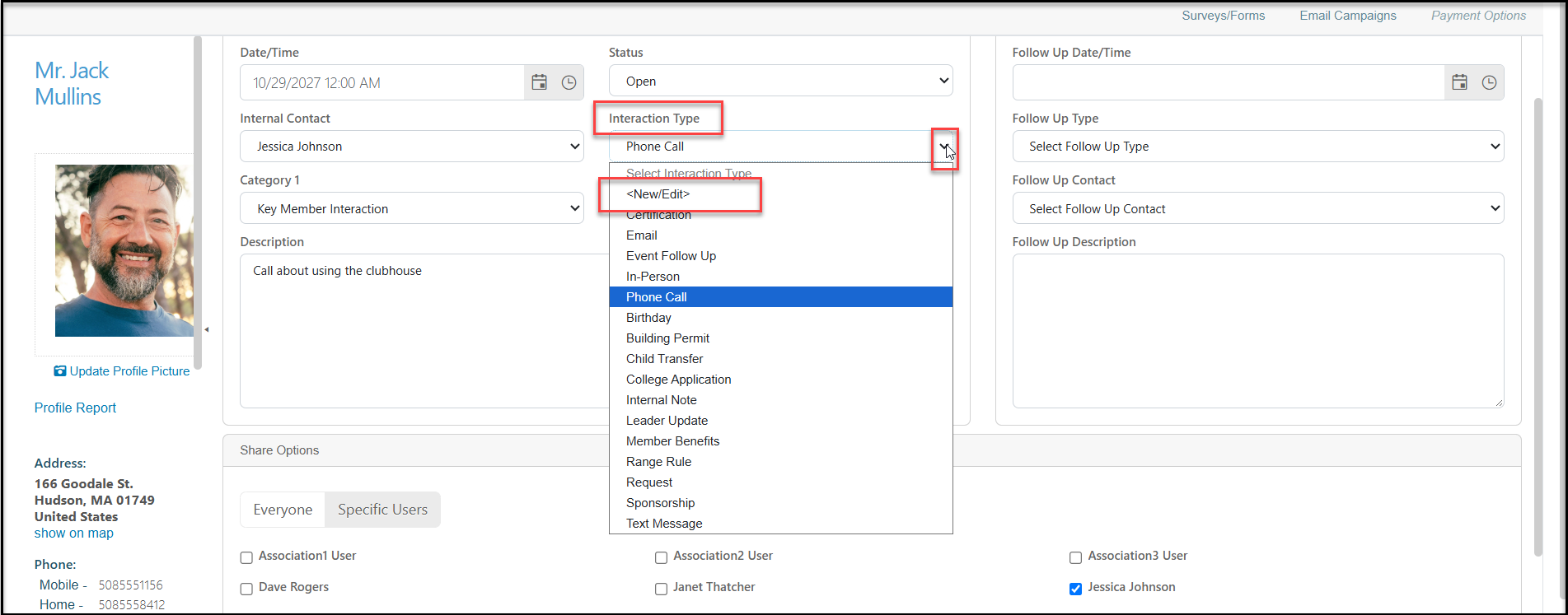
Can I add, edit, or delete an interaction type?
Yes, you can click on the arrow inside the drop down box and click on <New/Edit>.
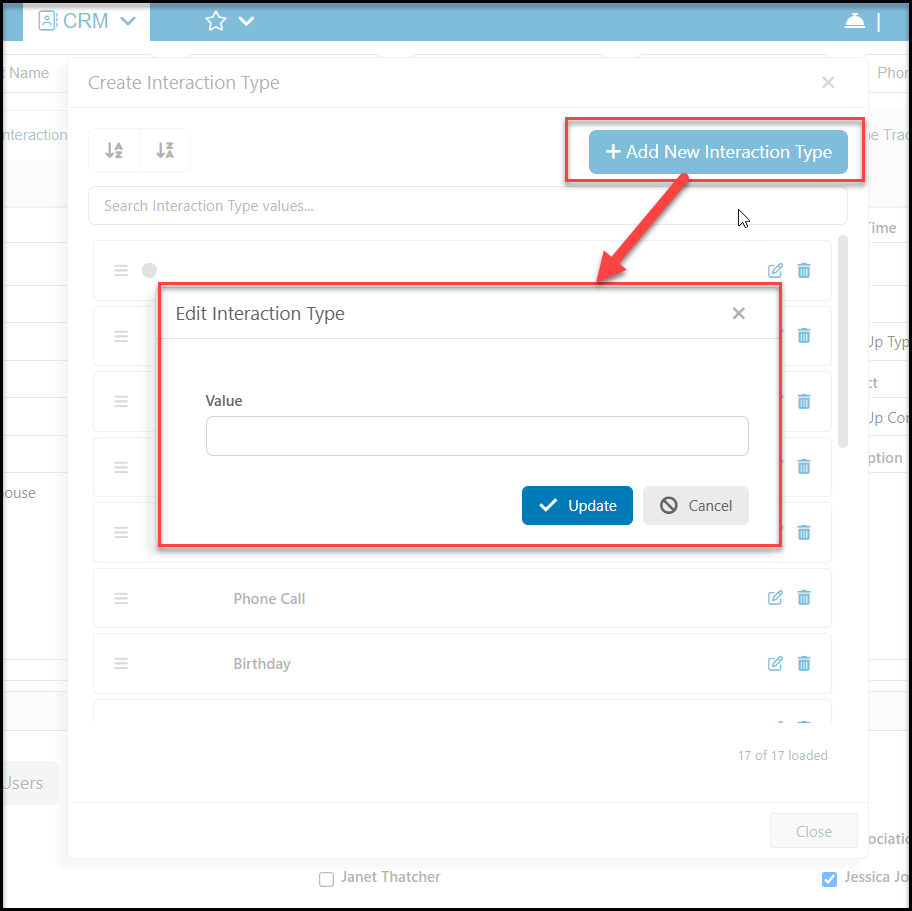
Adding New Types
In the pop up window, click on +Add New Interaction Type and enter the new Value. Click Update to save the new value or Cancel to close the window without adding the new value. When finished making changes, click Close at the bottom of the Create Interaction Type window to return to the previous page.
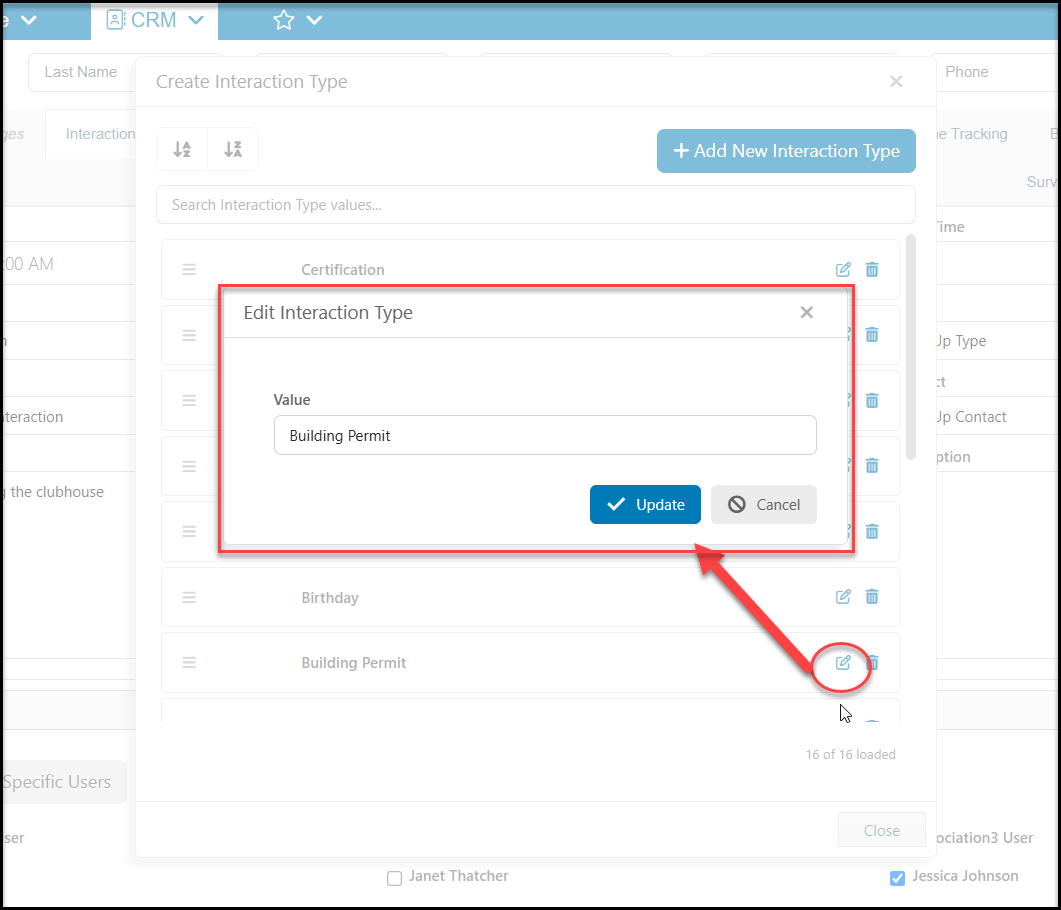
Editing Existing Types
To edit an existing value, click on the edit icon (pencil and paper) on it's row. Edit the Value as needed and click Update to save the new value or Cancel to close the window without adding the new value. When finished making changes, click Close at the bottom of the Create Interaction Type window to return to the previous page.
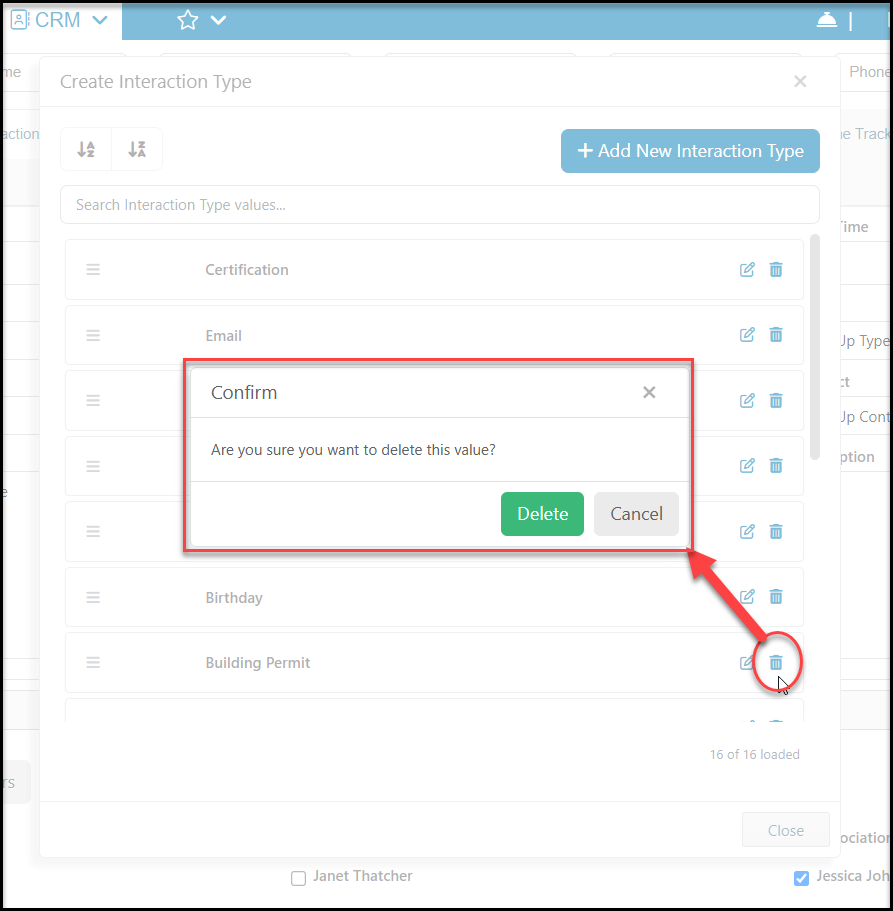
Deleting a Type
Before you can delete a value, ensure that it is not currently in use for any constituents. You can create a view on the Interactions grid that includes a query or filter for the item to search for any records that have been assigned that value. If you do find any constituents with this value assigned, you will need to remove it from their records prior to deleting the value.
Once you have ensured that the value is not in use, you can click on the trash can icon to open the confirmation window. Click Delete to remove the unused value or click Cancel to return to the list without making any changes.
When finished making your changes, click Close at the bottom of the window to return to the constituent's profile page.