What is the difference between primary email and other emails?
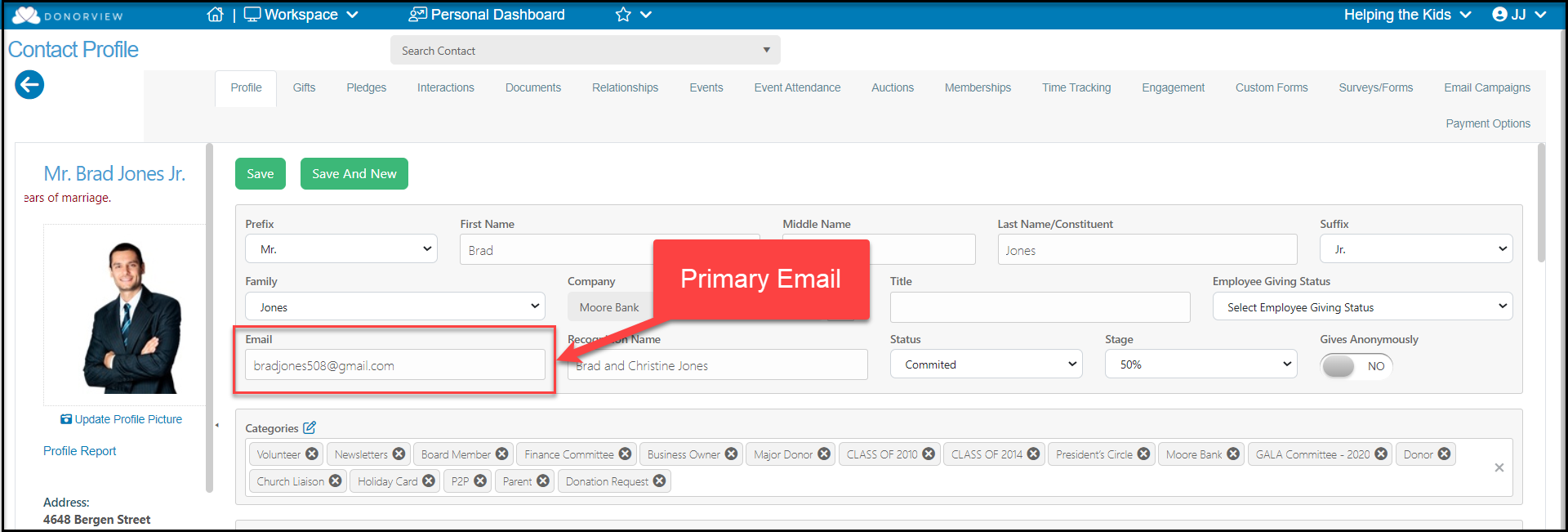
The primary email is the email shown at the top of the constituent's profile page. This email will show up on the constituent grid, is used for email marketing, and is the email address the constituent uses to validate memberships or log in to their portal account.
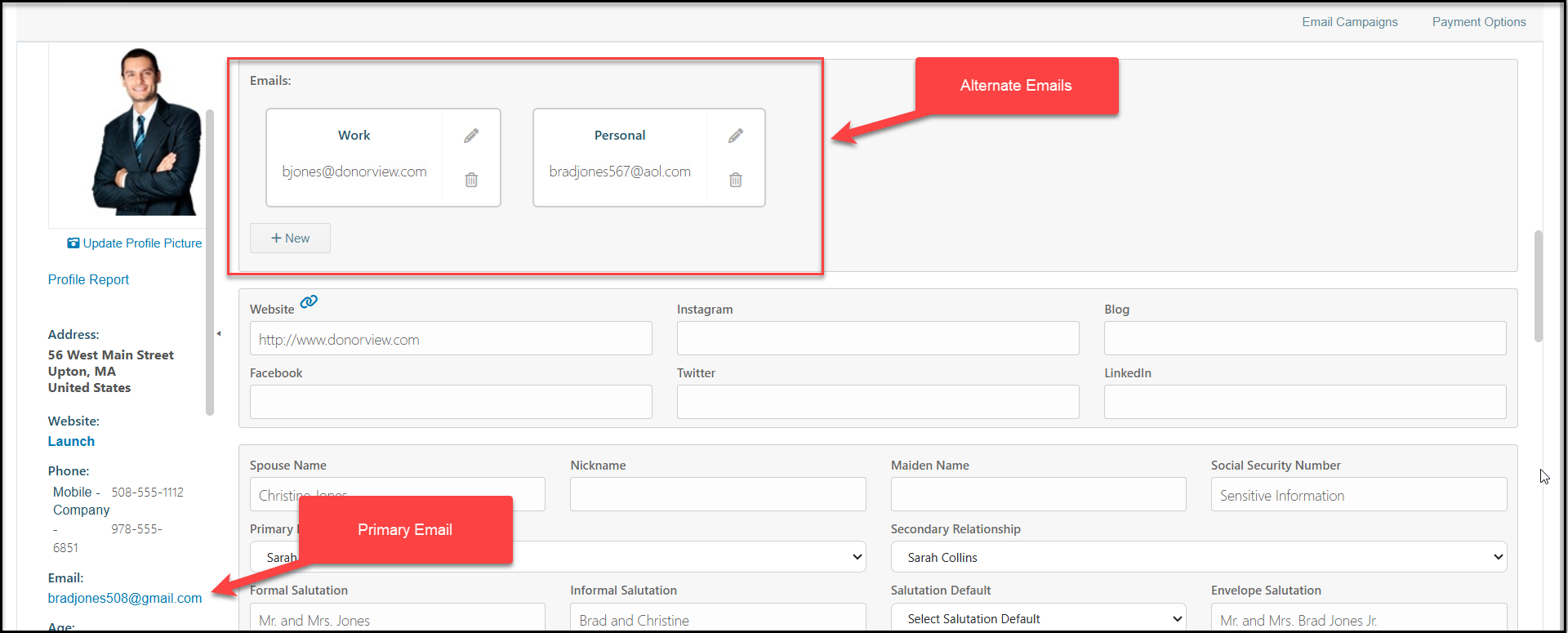
Other emails can be added for a constituent on their profile page under the Emails section. This should not include the same email as shown in the Primary Email box at the top of the page.
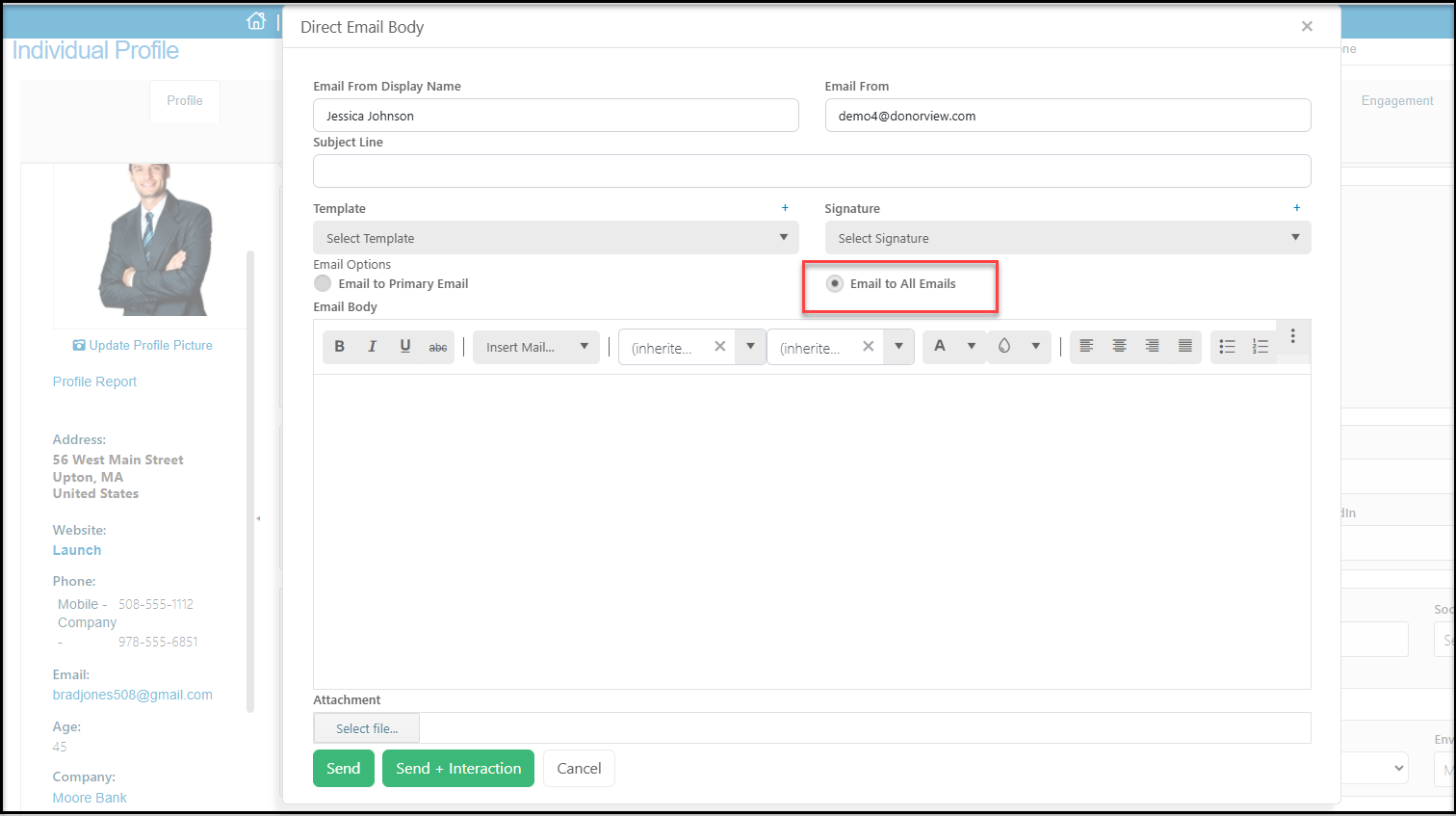
You can send message to the alternate emails using Direct Email and selecting Email to All Emails.
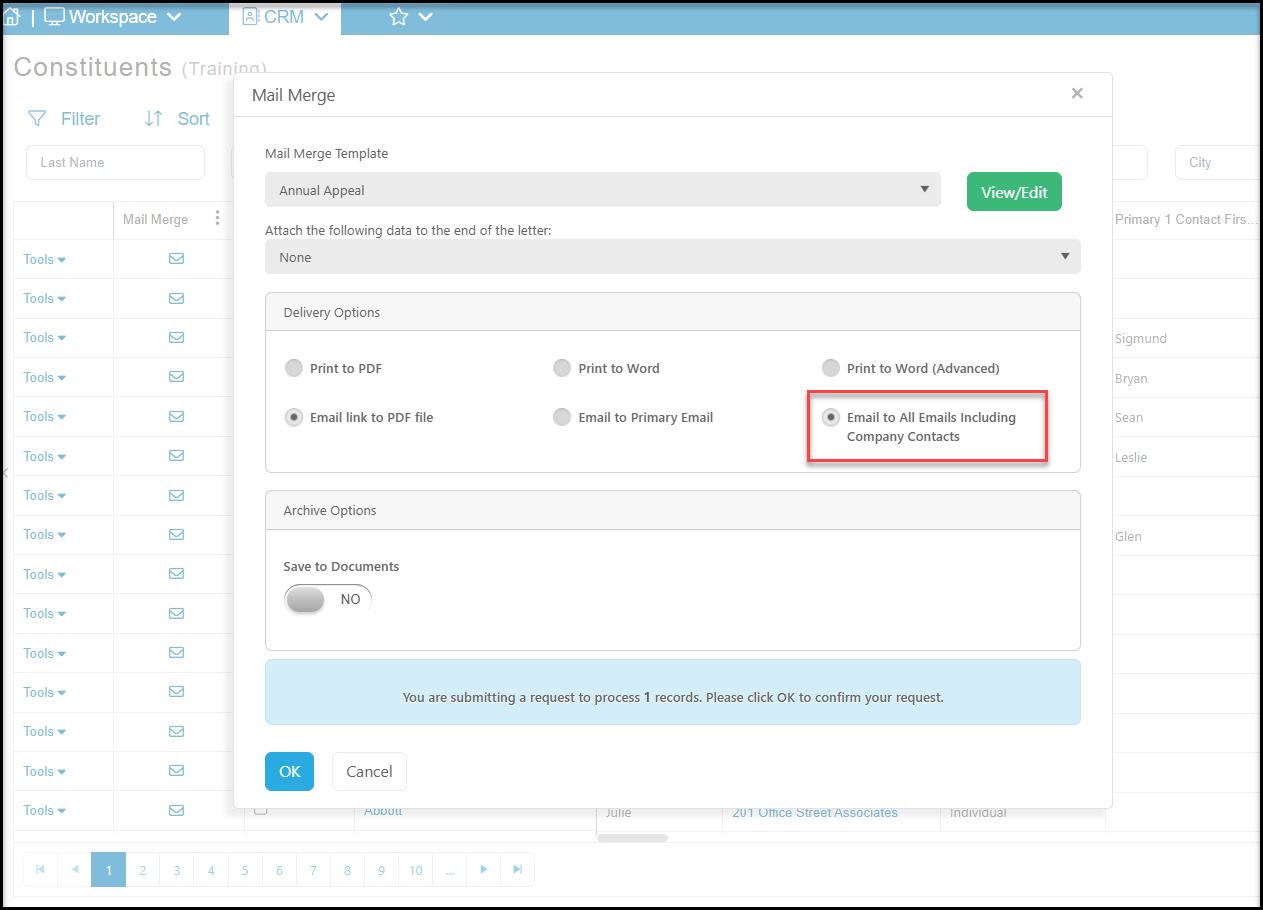
You can also choose this option when using the Print/Email Mail Merge feature and selecting Email to All Emails Including Company Contacts when selecting Email link to PDF file in the Delivery Options. If the constituent record is a Company type record, the message will go to the company's primary email, any additional emails listed on their profile page and to all the Company Contacts listed on their profile page.