
How do I edit a constituent’s profile?
Updated Oct 7, 2026·1 min read
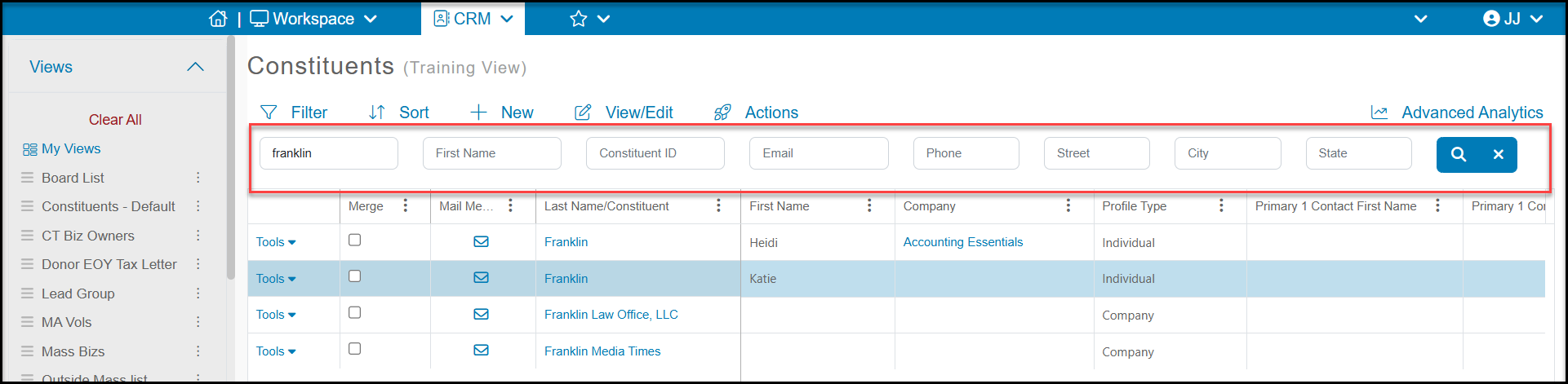
To edit a constituent’s profile, go to the Constituents grid to search for the constituent using the search bar at the top of the grid.
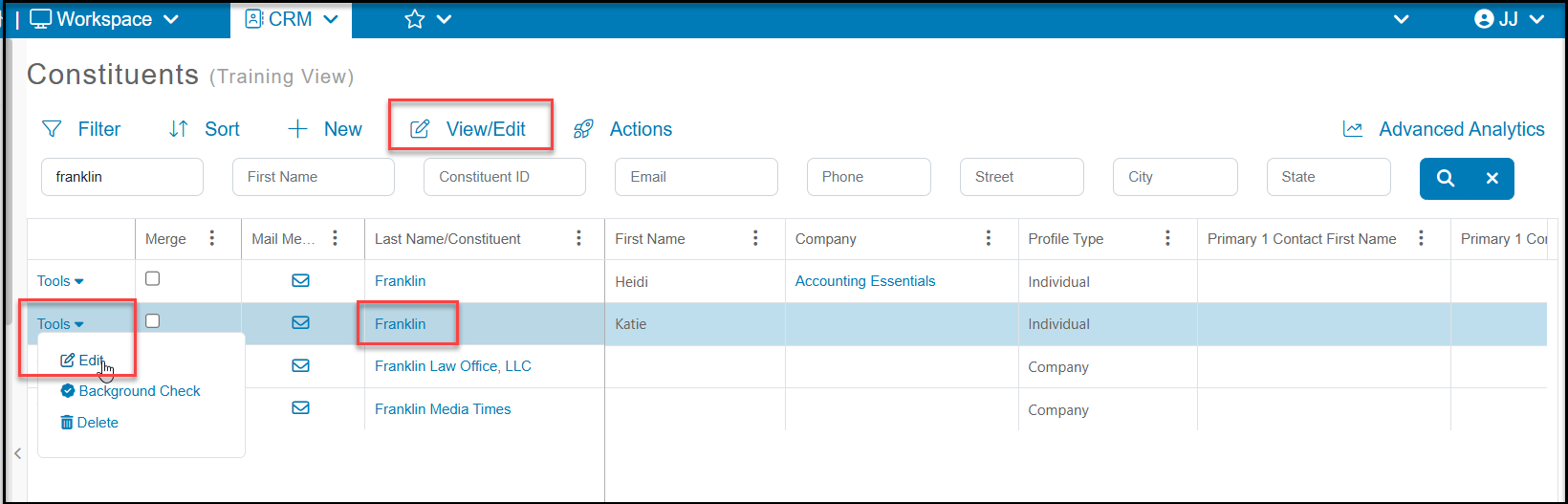
Once located, you can open their profile record by clicking on their last name, using the Tools menu > Edit on the left side of the row, or you can highlight the row and then click View/Edit button and select Profile to open their profile page.
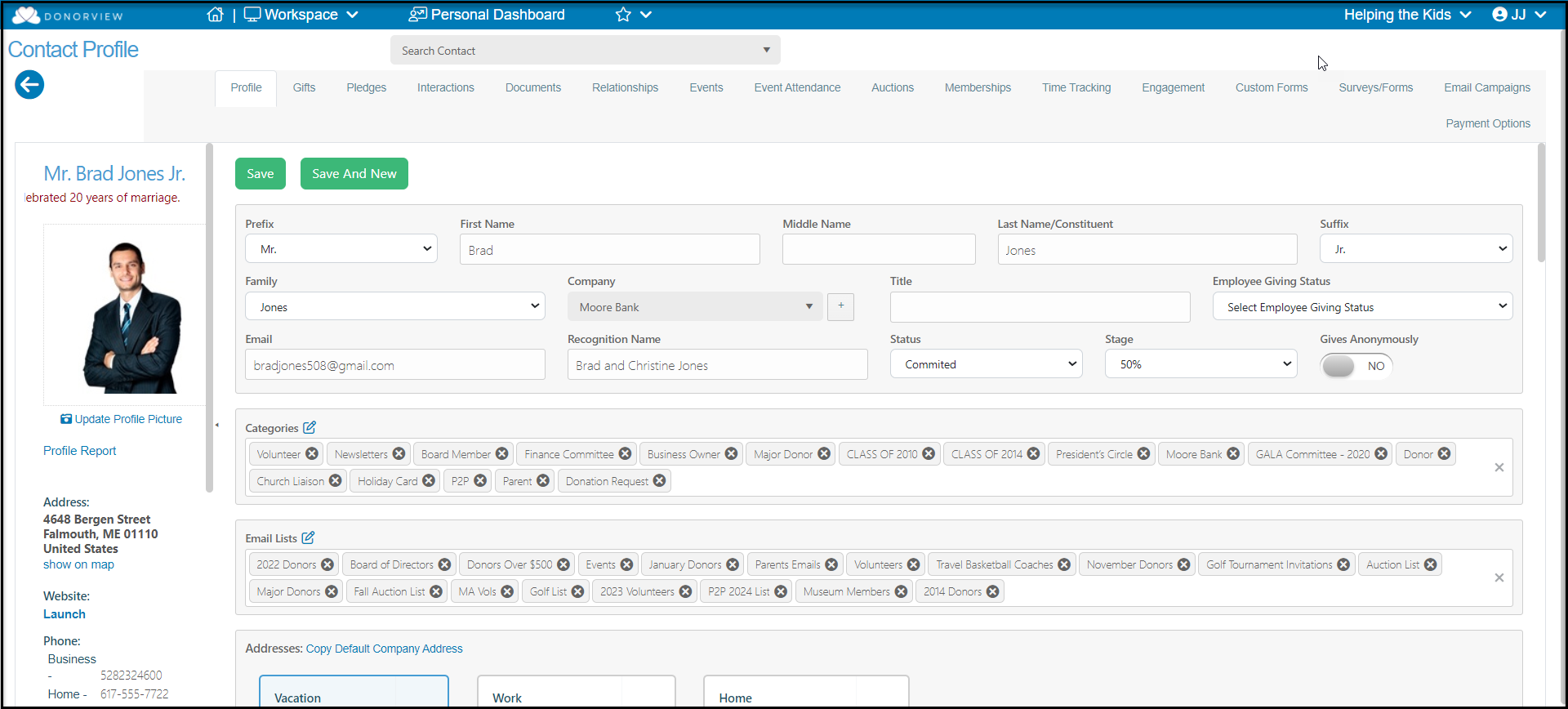
You can make changes in any of the fields. Click on the Save button at the top or bottom of the page to save your changes.
Was this article helpful?