
If a donor pays more than the expected amount, you have the choice to treat the overpayment as an additional general gift or have it apply to the next payment due. The default is to apply it towards the next payment due. You will see the overpayment amount applied to the next row on the schedule.
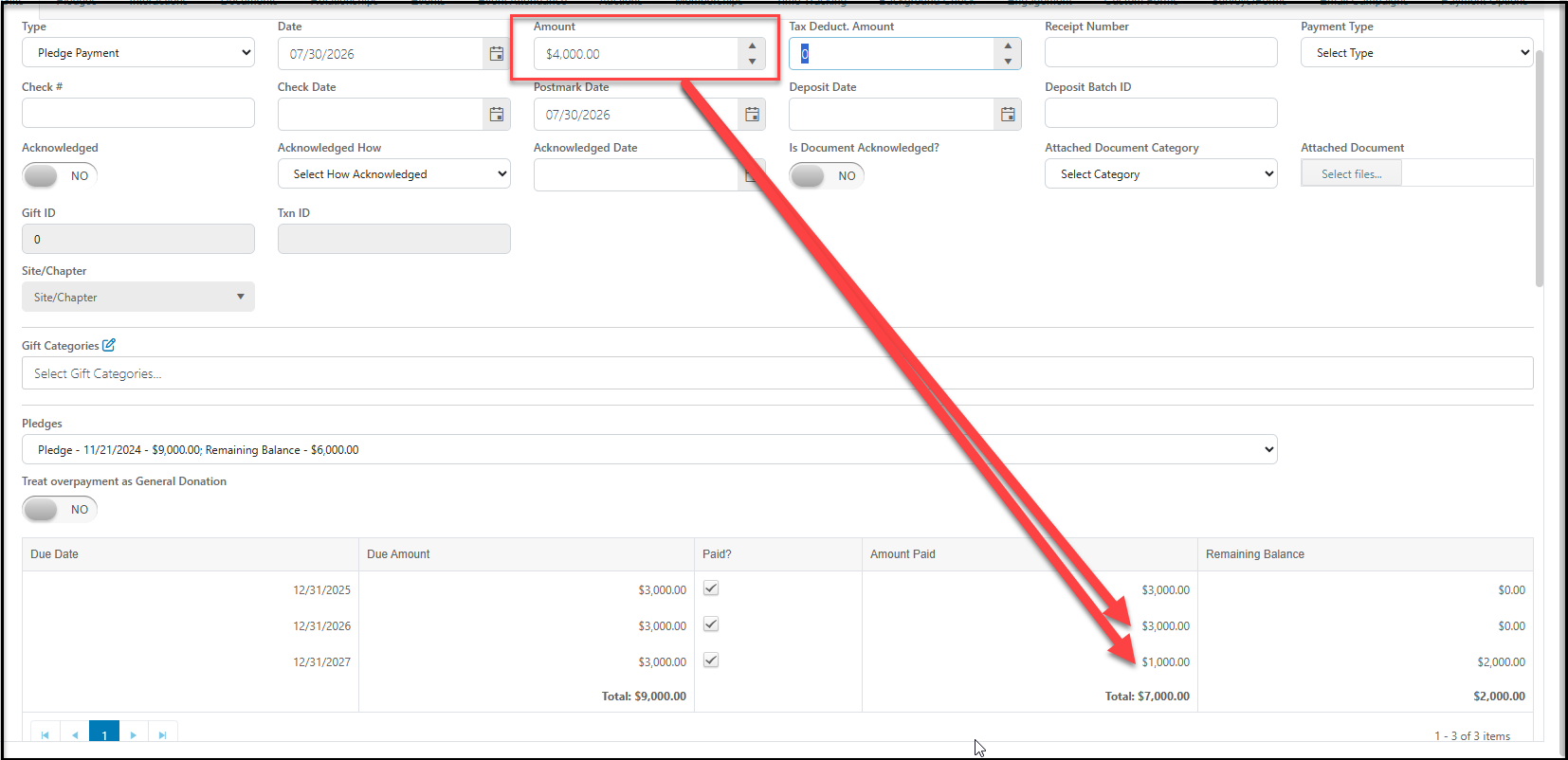
In the Amount field, enter the amount of this contribution. In the example below, the constituent is making a gift of $4,000, but they only want $3,000 to be applied to their existing pledge and the excess to be applied as a general donation. Set the Treat Overpayment as General Donation toggle to YES to apply only $3,000 to the pledge and generate a separate general type gift of $1,000.
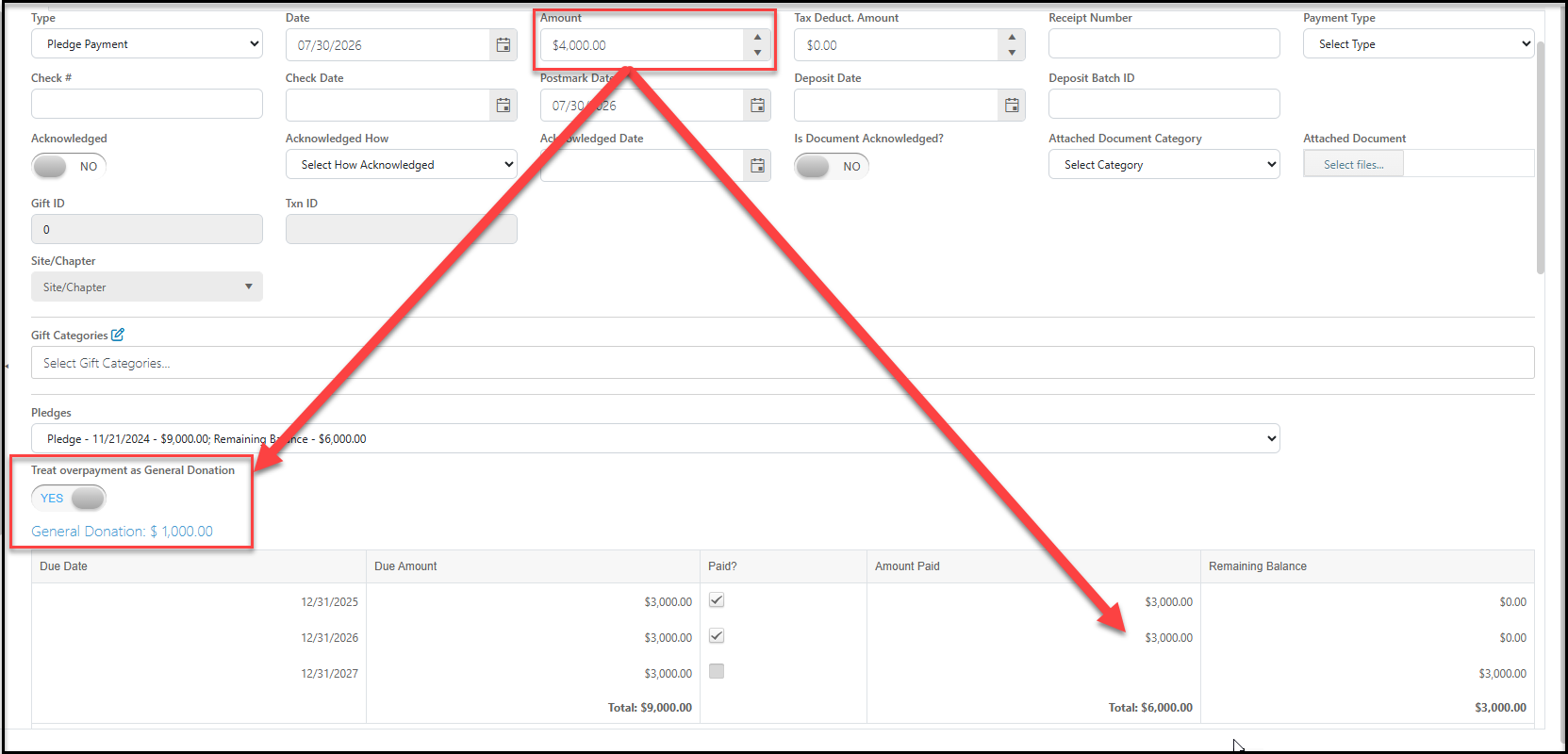
The $3,000 pledge payment will be recorded with the $1,000 general donation recorded, each with its own row on the Gifts grid or tab.