
Can I record a different donation if a constituent has multiple outstanding pledges?
Yes, you can always add general type contributions, even if a constituent has any open pledges. You can apply any contribution to any open pledge, you can assign part of the contribution to the pledge and overpayment as a general donation, or you can apply all of the contribution as its own one-time general donation.
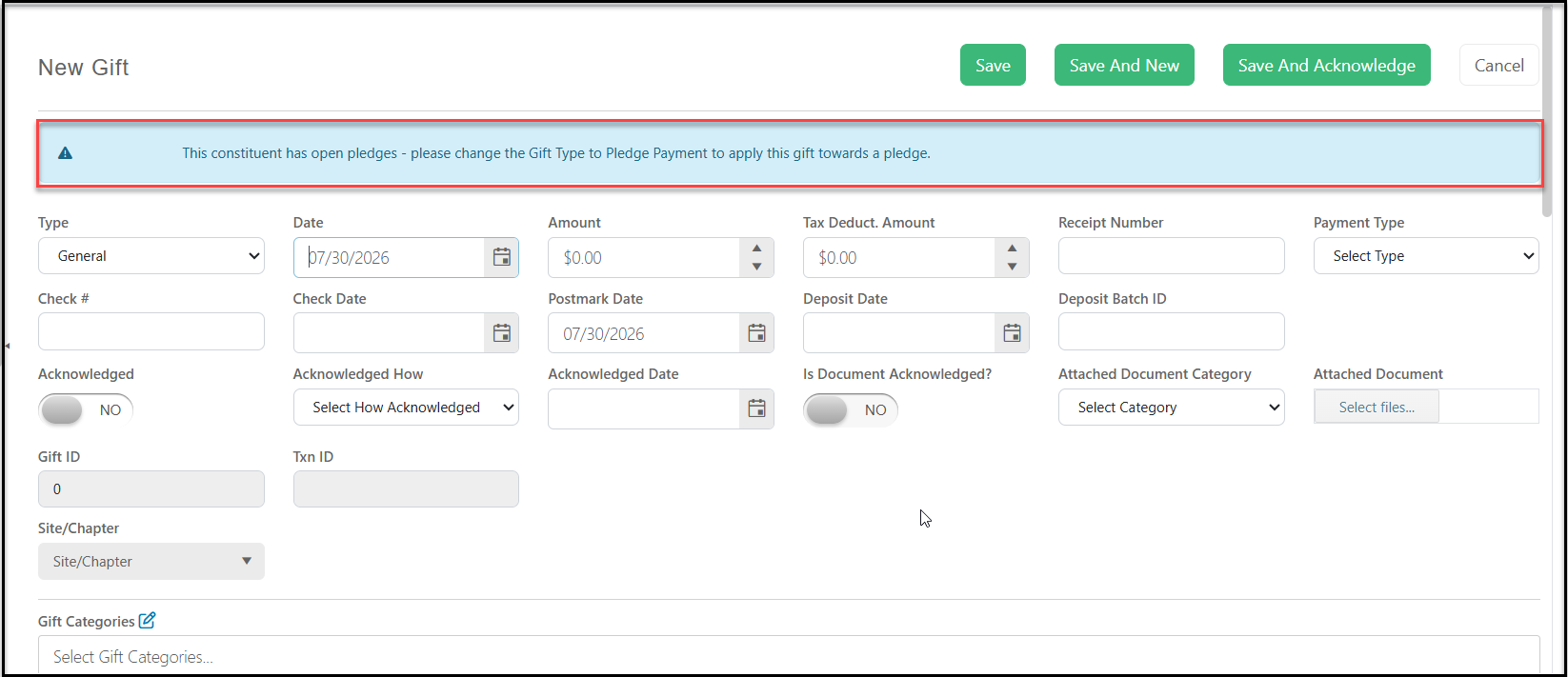
If a constituent has open pledges, when you add a new gift, a message highlighted in blue will appear at the top of the screen indicating open pledges. You can proceed with your gift entry, maintaining the Type as "General" if this will be a one-time single donation.
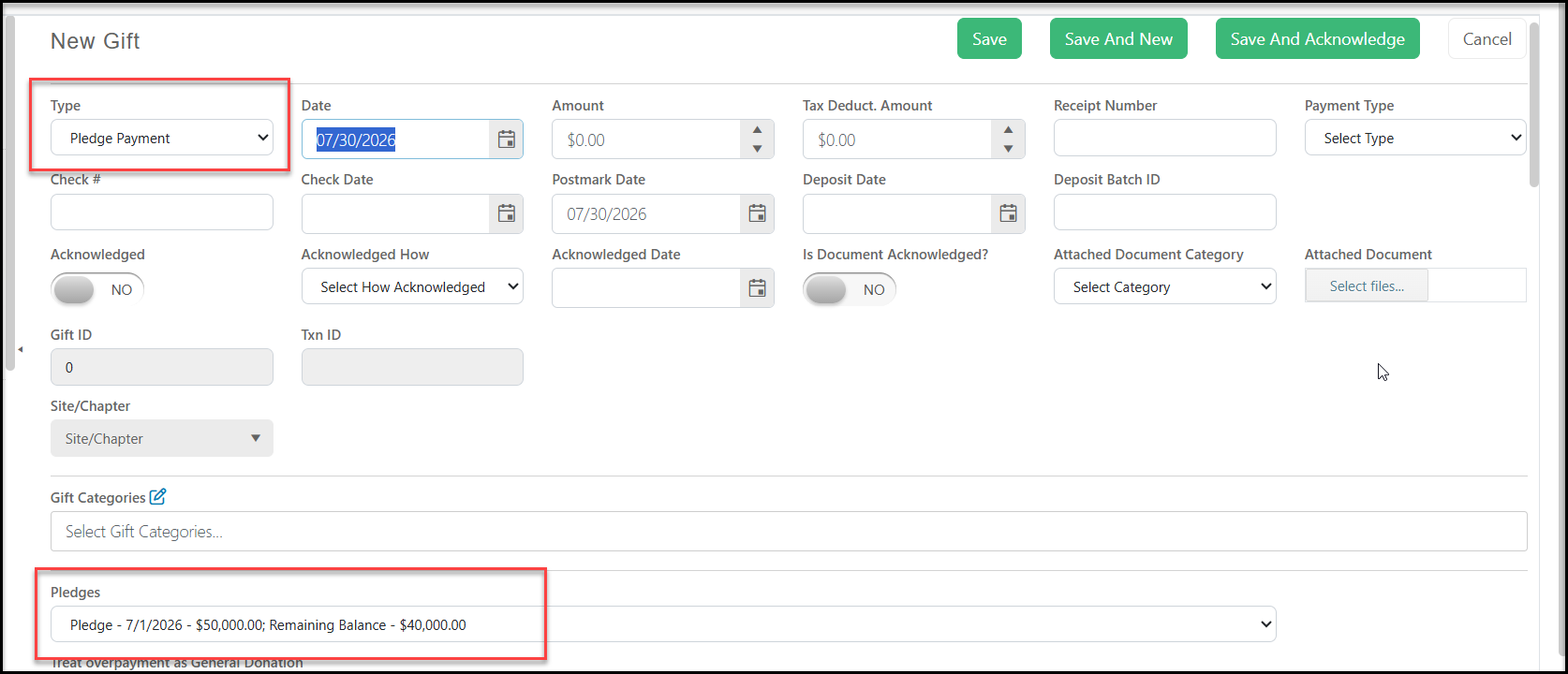
If you wish to pay part of the contribution towards a pledge the a rest as a general donation, when you select the gift Type "pledge payment," a list of open pledges will appear in the drop-down menu under the Pledges field. Be sure to select the appropriate pledge when making a payment.
In the Amount field, enter the amount of this contribution. In the example below, the constituent is making a gift of $250, but they only want $100 to be applied to their existing pledge and the excess to be applied as a general donation. Set the Treat Overpayment as General Donation toggle to YES to apply only $100 to the pledge and generate a separate general type gift of $150.
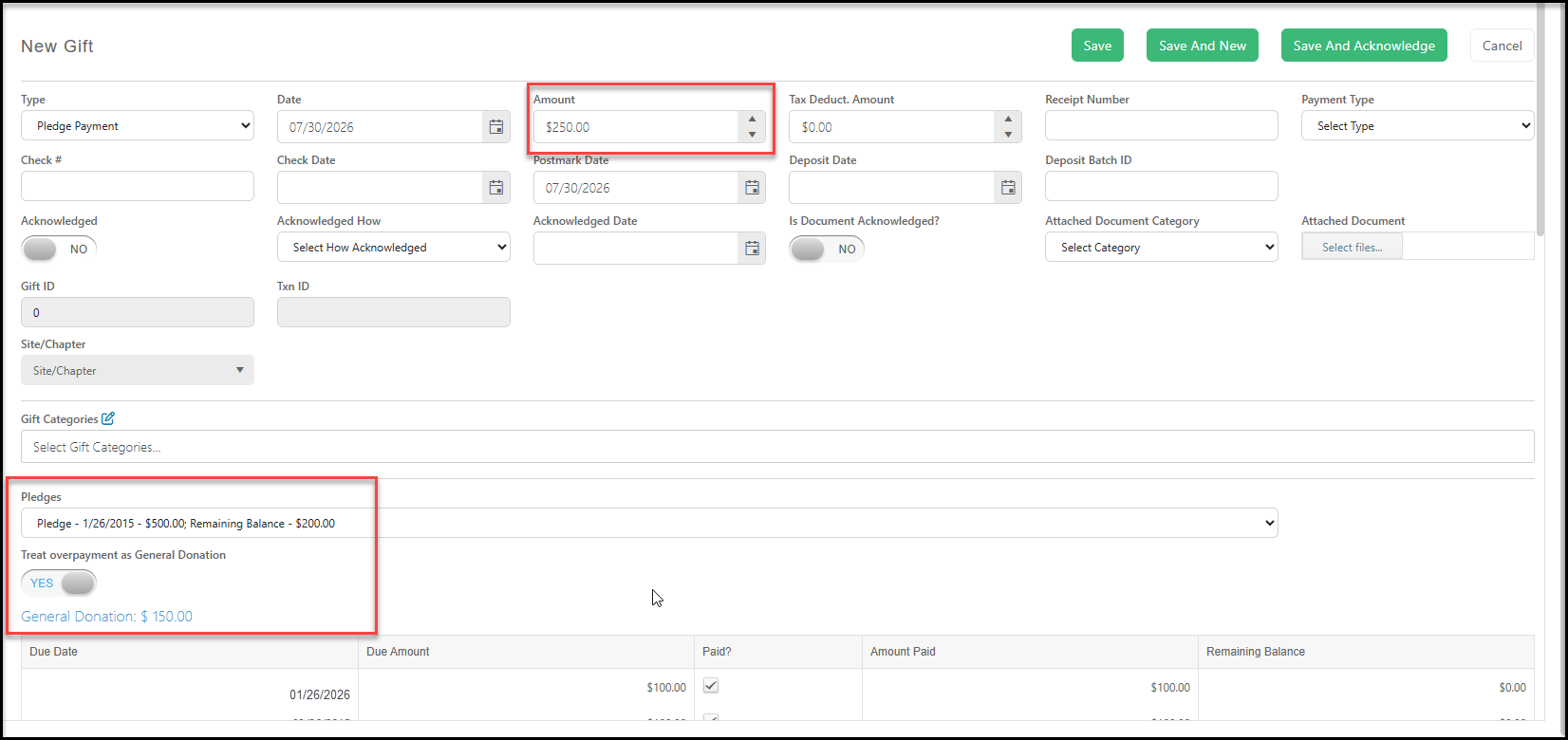
The $100 pledge payment will be recorded with the $150 general donation recorded, each with its own row on the Gifts grid or tab.