
Can I edit a specific payment due amount on the pledge schedule?
Updated Jul 30, 2026·1 min read
Yes, to open an existing pledge, click on a Due Amount from the constituent's Pledges tab or the main Pledges grid.
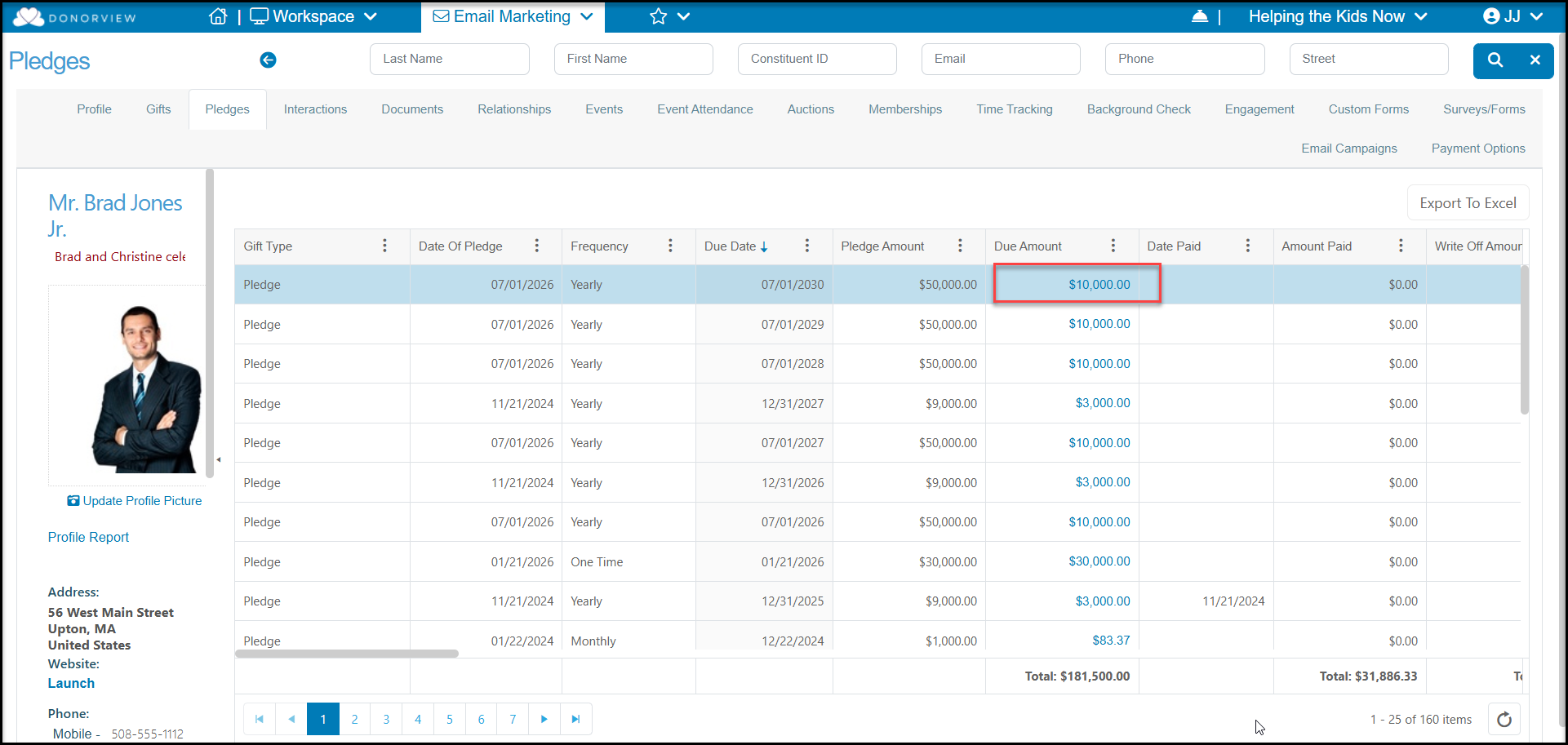
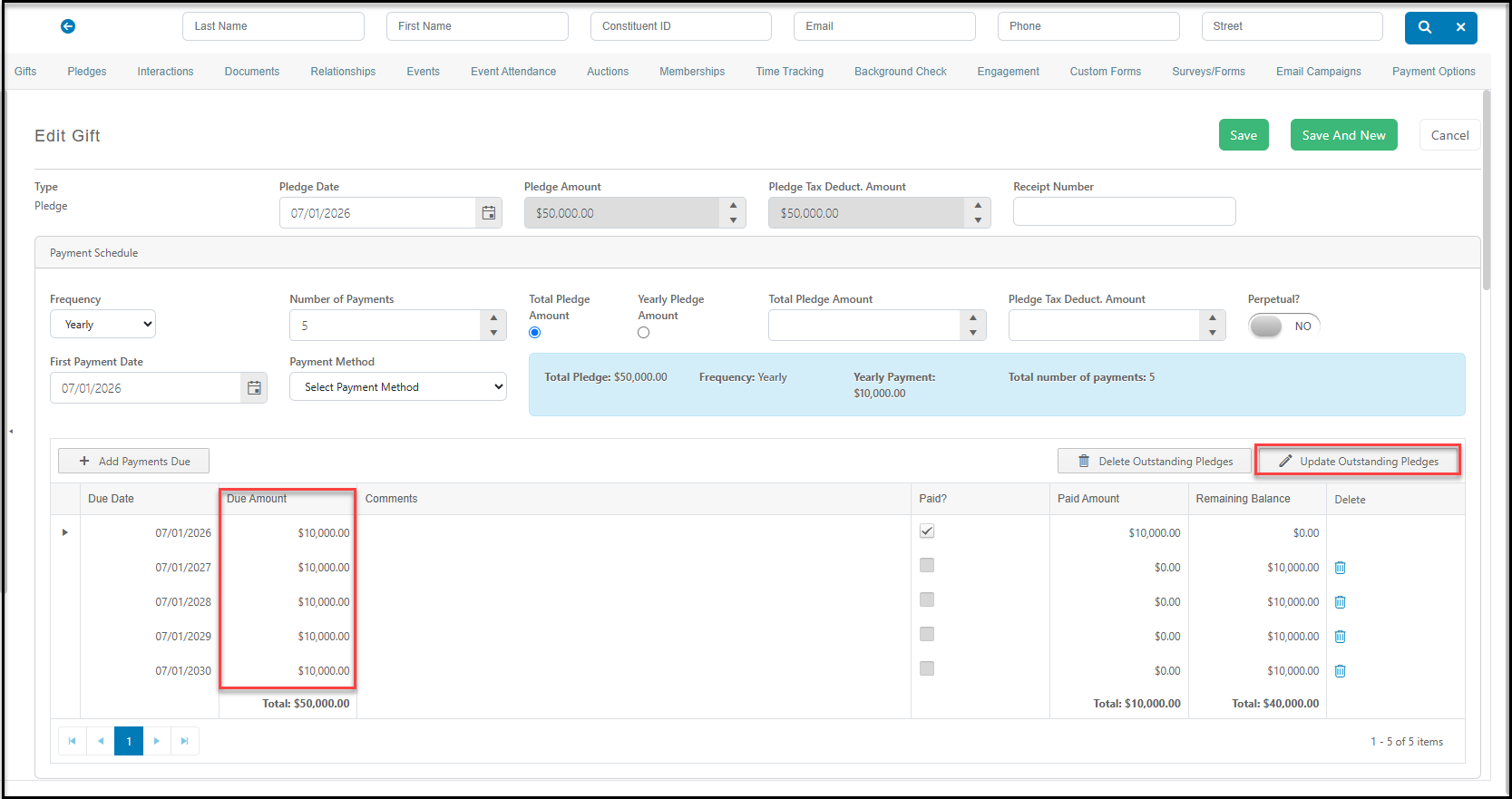
On the payment schedule, click on that particular payment under Due Amount and edit the amount. The total Pledge Amount will update to reflect this new total. You can also update all future due amounts by clicking on Update Outstanding Pledges. Be sure to click Save at the top of the page to save your changes.
Was this article helpful?